Imagine walking through an ancient city without leaving your home, practising a complicated task without risking your safety, or exploring a new product before it is even manufactured. These experiences may sound futuristic, but virtual reality is making them possible today.
Technology has changed the way we communicate, learn, work, and entertain ourselves. Virtual reality, commonly known as VR, takes this transformation a step further by allowing people to experience computer-generated environments rather than simply looking at them on a screen.
From gaming and education to healthcare and industrial training, VR is opening up new possibilities for individuals and businesses. It also gives companies new ways to present ideas, train employees, and connect with customers.
But what exactly is virtual reality, how does it work, and why is it becoming increasingly important? Let’s explore its technology, applications, benefits, and challenges.
What Is Virtual Reality?
Virtual reality is a technology that creates an interactive, computer-generated three-dimensional environment. Users can explore this environment and interact with virtual objects using specialised devices such as VR headsets, motion controllers, and tracking sensors.
Unlike traditional digital content, which people usually experience through a phone, television, or computer monitor, VR creates a stronger sense of being inside the digital environment.
For example, a student studying the solar system can put on a VR headset and explore a simulated version of space. Instead of only reading about planets, the student can look around, observe their relative positions, and experience the lesson in a more engaging way.
According to the OECD, virtual reality has practical applications in areas such as training, rehabilitation, and digital twins, although its benefits depend on how it is used.
OECD
+1
The goal of VR is not simply to make digital content look realistic. It is to make digital experiences more interactive, engaging, and useful.
How Does Virtual Reality Work?
Virtual reality combines hardware and software to create a simulated environment that responds to a user’s movements and actions.
1. VR headsets and displays
A VR headset contains displays and optical components that present images to each eye. These slightly different views create the perception of depth, helping virtual objects appear three-dimensional.
2. Motion tracking
Sensors and tracking systems detect movements such as turning the head, moving the hands, or changing position. The virtual environment updates accordingly, allowing users to look around and interact naturally.
3. VR software and 3D environments
Developers use specialised software and 3D modelling tools to create virtual spaces, objects, and experiences. These can range from simple educational simulations to detailed industrial environments.
4. Audio and interaction
Spatial audio makes sounds appear to come from particular directions. Controllers, hand tracking, and compatible haptic devices can provide additional ways to interact with virtual objects.
When these components work together, they create an experience that can feel much more immediate than watching a conventional video.
Unity
+1
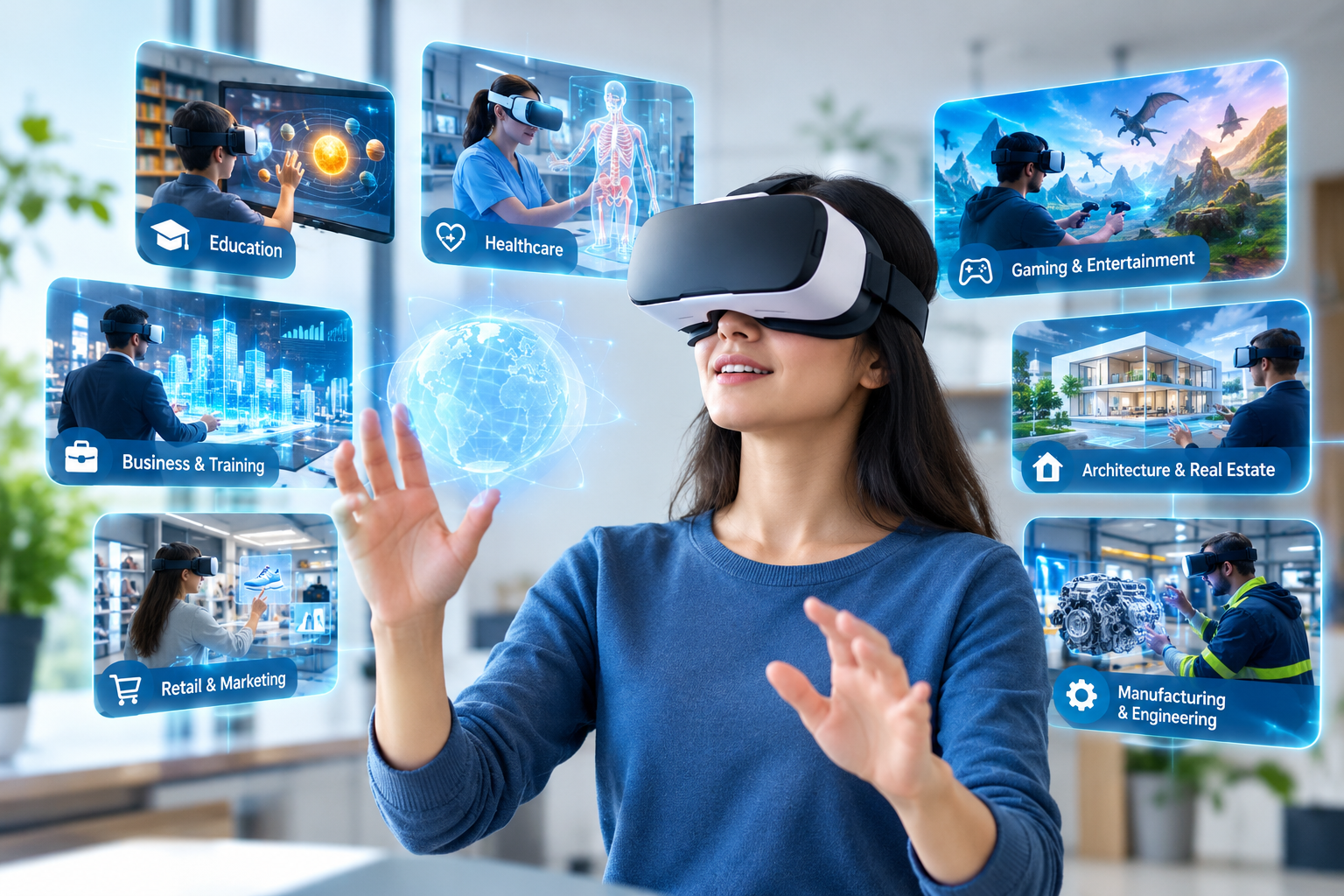
7 Powerful Applications of Virtual Reality


12
Virtual reality is no longer limited to entertainment. Organisations are exploring ways to use it to solve practical problems and improve everyday activities.
1. Virtual Reality in Education
Traditional teaching methods often rely on textbooks, presentations, and videos. Although these methods remain valuable, some subjects are easier to understand when students can experience them visually.
VR can help students explore historical landmarks, examine the human body, visit simulated scientific environments, and understand complex concepts through interactive lessons.
For example, a geography teacher could take students on a virtual journey through a rainforest. Students could observe the environment and learn about biodiversity without travelling there physically.
VR can also support remote learning and practical simulations. However, its effectiveness depends on the quality of the educational content, the learning objectives, and access to suitable equipment.
2. Virtual Reality in Healthcare
Healthcare is another field where virtual reality has promising applications.
Medical students can use simulations to practise procedures in a controlled environment before working with real patients. Healthcare professionals can rehearse complex scenarios, helping them develop familiarity with equipment and procedures.
VR is also being studied and used in certain rehabilitation and psychological treatment settings. Carefully designed experiences may help clinicians deliver structured exercises or therapeutic activities.
For instance, a rehabilitation programme might use a virtual environment to encourage a patient to practise specific movements under professional supervision.
VR does not replace medical expertise or guarantee better outcomes. Its suitability depends on the patient’s needs, clinical evidence, and professional guidance.
NCBI Bookshelf
+1
3. Virtual Reality in Gaming and Entertainment
Gaming is one of the most familiar uses of VR. Instead of controlling everything through a traditional screen, players can look around a virtual world, interact with objects, and use physical movements as part of the experience.
This creates new opportunities for adventure games, virtual sports, interactive storytelling, and social entertainment.
VR can also bring people together in shared virtual environments, allowing friends or colleagues in different locations to participate in activities together.
For entertainment businesses, immersive experiences offer a different way to engage audiences and develop interactive content.
4. Virtual Reality in Business and Employee Training
Employee training can sometimes be expensive, time-consuming, or difficult to organise. This is especially true when workers need to practise tasks involving heavy machinery, hazardous environments, or complex procedures.
VR allows organisations to create simulated workplaces where employees can practise without being exposed to the same physical risks.
For example, a manufacturing company could train workers to identify equipment hazards, follow safety procedures, and respond to emergency situations.
Businesses can also use VR for onboarding, customer service simulations, and soft-skills training.
When the scenarios are realistic and properly designed, VR provides a repeatable learning environment in which employees can practise, make mistakes, and improve before performing tasks in the real world.
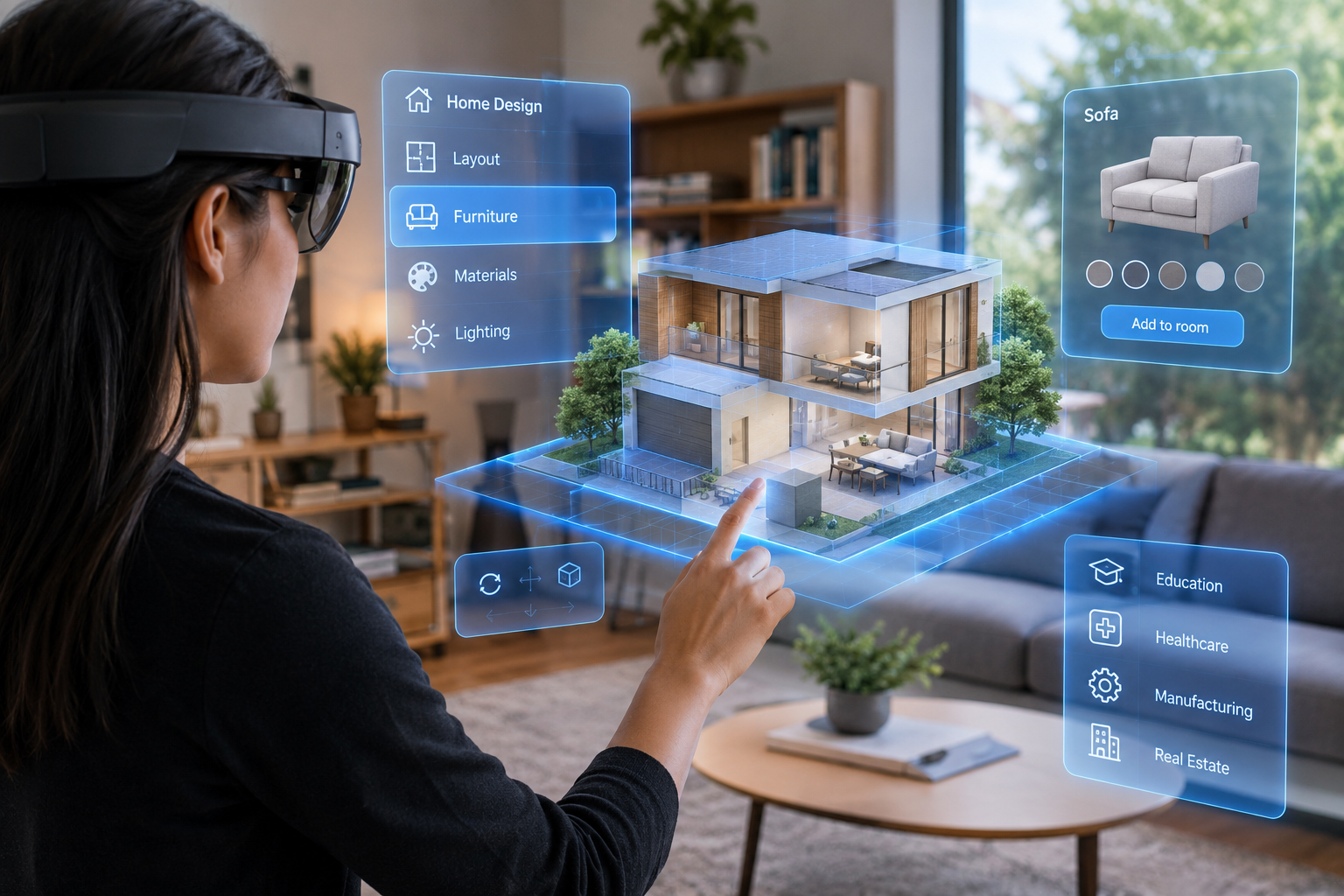
5. Virtual Reality in Architecture and Real Estate
Architects and property developers often need to communicate designs before construction begins. Floor plans and static images can be difficult for some clients to interpret.
VR makes it possible to walk through a proposed building, explore room layouts, and experience the scale of different spaces before they are built.
For example, a property developer could offer a virtual tour of an apartment that is still under construction. Potential buyers could examine the layout and understand how the rooms connect.
This can improve communication between architects, clients, designers, and contractors while helping teams identify design concerns earlier.
6. Virtual Reality in Retail and Marketing
Online shopping is convenient, but customers cannot always understand a product’s size, appearance, or context from photographs alone.
Virtual reality gives brands another way to present products and experiences. Retailers can create virtual showrooms, interactive demonstrations, and branded environments where customers explore products digitally.
Travel companies could offer virtual previews of destinations, while furniture brands could create immersive demonstrations of interior designs.
These experiences can make marketing more engaging. However, businesses should choose VR when it provides genuine value rather than adding complexity to an otherwise simple customer journey.
7. Virtual Reality in Manufacturing and Engineering
Manufacturing teams can use VR to visualise product designs, examine digital models, and practise assembly procedures.
Before investing in physical prototypes, engineers may use virtual models to review components and discuss design changes. Training teams can also simulate maintenance tasks and workplace scenarios.
For example, an engineering team could inspect a virtual machine to understand how its components fit together before handling the physical equipment.
VR can support product development and collaboration, particularly when teams are distributed across different locations. Its actual benefits depend on the accuracy of the models and how well the technology fits into existing workflows.
XR Association
+1
What Are the Main Benefits of Virtual Reality?
Virtual reality can offer several practical advantages when it is applied to the right problem.
- Immersive learning: Users can explore concepts and practise skills through interactive experiences.
- Safer training: Risky situations can be simulated without exposing trainees to the same real-world hazards.
- Better visualisation: Three-dimensional environments can make complicated designs easier to understand.
- Remote collaboration: People in different locations can meet and interact in shared virtual spaces.
- Repeatable practice: Simulations can be repeated and adjusted to support different learning needs.
- Engaging customer experiences: Businesses can present products, services, and destinations in more interactive ways.
However, VR is not automatically better than traditional methods. Its value depends on whether immersion improves the task, the quality of the experience, and the resources required to implement it.
OECD
+1
What Are the Challenges of Virtual Reality?
Despite its potential, virtual reality still has limitations that individuals and businesses should consider.
Equipment and development costs
VR headsets, compatible hardware, software licences, and custom content can require significant investment. Organisations need to evaluate these costs against the expected benefits.
Physical discomfort
Some users experience dizziness, eye strain, nausea, or discomfort during VR sessions. The effects vary from person to person and can depend on the application and equipment.
Privacy and data security
Certain VR systems collect information about movement, interactions, and other user activity. Businesses should understand what data their systems collect and protect it through appropriate security and privacy practices.
Accessibility and usability
Not everyone can comfortably use a VR headset. Physical accessibility, device fit, mobility, visual needs, and user experience must be considered during implementation.
Limited real-world interaction
Virtual simulations cannot reproduce every detail of a real environment. Practical work may still require physical equipment, direct human interaction, or supervised real-world experience.
Responsible implementation means recognising these limitations instead of assuming VR is the right solution for every situation.
OECD +1
What Is the Future of Virtual Reality?

The future of virtual reality will depend on how effectively developers make immersive experiences more comfortable, accessible, and useful.
Improvements in graphics, tracking, and interaction may help virtual environments feel more natural. Artificial intelligence could support more responsive virtual characters, personalised learning experiences, and simulations that adapt to user behaviour.
Businesses may also connect VR environments with digital twins, which are virtual representations of real-world assets or processes. These systems can help teams visualise designs, explore operating scenarios, and understand complex workflows.
Education, healthcare, manufacturing, and professional training are likely to remain important areas of development. At the same time, privacy, safety, cost, and content quality will influence how widely VR is adopted.
For companies such as Aibuzz, virtual reality represents an opportunity to explore immersive digital experiences alongside software development, artificial intelligence, and other technology services.
The most important question is not whether VR looks futuristic. It is whether it helps people learn, work, communicate, or make decisions more effectively.
Frequently Asked Questions (FAQs)
1. What is virtual reality in simple words?
Virtual reality is a technology that creates a computer-generated environment that users can explore and interact with, usually through a VR headset and compatible controllers or tracking systems.
2. What are the main uses of virtual reality?
VR is used in gaming, education, healthcare, employee training, architecture, real estate, retail, manufacturing, and virtual collaboration.
3. What equipment is needed for virtual reality?
Most immersive VR experiences require a compatible headset. Depending on the application, users may also need controllers, motion-tracking devices, a computer, or specialised software.
4. What is the difference between virtual reality and augmented reality?
Virtual reality places users inside a computer-generated environment. Augmented reality adds digital elements to a view of the real world, usually through a phone, tablet, or compatible wearable device.
5. How can businesses benefit from virtual reality?
Businesses can use VR for employee training, product visualisation, virtual demonstrations, design reviews, and customer engagement. The benefits depend on the use case and implementation.
Conclusion
Virtual reality is changing how people interact with digital content. By creating immersive, interactive environments, it allows users to explore ideas and practise activities that may be difficult, expensive, or risky to experience in the physical world.
From education and healthcare to gaming, marketing, architecture, and manufacturing, VR offers a growing range of practical applications.
📞 Contact: 919967940928
🌐 Visit: http://aibuzz.net