Category: Uncategorized

  • Designing a VR Headset: A Complete Informational Guide

    Designing a VR Headset: A Complete Informational Guide

    Introduction: It Always Begins With a Feeling

    When people talk about Virtual Reality, they often talk about technology—screens, sensors, processors, and numbers that sound impressive. But VR does not begin with technology.
    It begins with a feeling.

    It begins with the moment someone puts on a headset and asks, “Will this feel right?”

    Today, VR is no longer a faraway idea. It lives among us. It helps gamers escape reality for a while, students learn beyond textbooks, doctors train safely, agents sell homes without visits, and teams collaborate across distances. But none of these moments would feel real, safe, or meaningful without one quiet companion—the VR headset.

    Designing a VR headset is not about creating something that looks powerful on paper. It is about understanding the human body and the human mind. It is about respect—respect for the eyes that must focus, the neck that carries weight, and the brain that tries to make sense of motion.

    A truly well-designed VR headset fades away once it is worn. The user forgets they are wearing technology at all.
    A poorly designed one never lets the user forget—through pressure, heat, dizziness, eye strain, or discomfort.

    This blog explores the heart of designing a VR headset—not just how it is built, but how it is felt. From purpose and comfort to challenges and future possibilities, everything here is explained in a gentle, human-centered way.


    Understanding the Basics of a VR Headset: What It Really Does

    Before talking about design, it helps to understand what a VR headset actually does to a person.

    A VR headset is not just a device—it is a doorway. When worn, it slowly closes the noise of the physical world and opens a new space where the user can look around, move, listen, and interact as if they truly belong there.

    This feeling of “being there” is called presence.
    Presence is not created by hardware alone. It is created when the brain feels safe enough to believe what the eyes see and what the body feels.

    When presence is strong, the virtual world feels real.
    When presence breaks, the illusion collapses.

    Core Functions of a VR Headset

    At a very human level, every VR headset exists to support a few simple needs:

    • Helping the eyes see a world that feels believable
    • Allowing the head and body to move without resistance
    • Letting the ears hear sound from the right direction
    • Giving the hands a natural way to interact

    Every design choice—no matter how technical—exists to protect these human experiences.


    Key Components Involved in Designing a VR Headset

    Designing a VR headset is like building trust between human senses and digital space. Each component must quietly do its job without demanding attention.

    Display Technology: Being Kind to the Eyes

    The display is the first conversation between the headset and the user’s eyes. If this relationship is uncomfortable, nothing else matters.

    Designers usually work with:

    • OLED displays, loved for deep blacks and rich contrast
    • LCD panels, chosen for balance, cost, and reduced pixel visibility

    What truly matters is not the name of the technology, but how gently it treats the eyes:

    • High resolution so the eyes don’t struggle
    • Smooth refresh rates (90Hz or higher) so motion feels natural
    • A wide field of view so the world feels open, not trapped

    Lenses and Optics: Comfort That Lasts

    Lenses quietly shape how long a person can stay in VR.

    Even small distortions can cause fatigue, headaches, or strain over time. That is why designers focus on:

    • Reducing visual distortion
    • Supporting adjustable interpupillary distance (IPD)
    • Keeping the experience comfortable during long sessions

    Lightweight Fresnel lenses are often used—not because they are trendy, but because they balance clarity with comfort.

    Sensors and Tracking Systems: Trusting Movement

    The brain is incredibly sensitive to delay.
    If the head moves and the world does not respond instantly, discomfort follows.

    Tracking systems exist to protect this trust. They ensure that movement feels immediate and honest.

    Common approaches include:

    • Inside-out tracking, using built-in cameras
    • Outside-in tracking, using external sensors

    When tracking works well, the user stops thinking about movement—and simply moves.

    Audio System: Giving the World a Soul

    Sound carries emotion. It tells us where we are, what is near, and what matters.

    Spatial audio in VR helps:

    • Place sound naturally in space
    • Increase emotional depth
    • Strengthen immersion without visual overload

    Good audio does not demand attention—it quietly supports the experience.

    Processing Hardware: Strength Without Stress

    Behind the scenes, processing hardware carries a heavy responsibility. It must be powerful, yet calm.

    Whether the headset is connected to a PC or works on its own, designers balance:

    • Performance
    • Memory and storage
    • Heat and energy efficiency

    The goal is simple: smooth experiences without heat, noise, or interruption.


    Ergonomics and Comfort: Listening to the Body

    In VR, comfort is not optional.
    It decides how long someone stays—and whether they return.

    Weight Distribution: Caring for the Neck

    A headset that feels heavy turns wonder into strain.

    Designers work carefully to achieve:

    • Balanced weight across the head
    • Lightweight but durable materials
    • Supportive straps that do not squeeze

    Fit and Adjustability: Designed for Real Humans

    Faces are different. Heads are different. Comfort must adapt.

    That is why designers include:

    • Adjustable straps for all head sizes
    • Soft padding for different face shapes
    • Space for users who wear glasses

    Ventilation and Heat Control: Keeping Calm

    Heat breaks immersion quickly.

    Thoughtful designs use:

    • Gentle airflow
    • Breathable materials
    • Smart internal layouts

    Comfort is felt when the headset stays cool and quiet.


    Software and User Experience: Speaking to the Mind

    Hardware supports the body.
    Software supports the mind.

    User Interface Design: Effortless Understanding

    In VR, the best interface feels invisible.

    Designers aim for:

    • Clean, simple menus
    • Natural gestures
    • Clear guidance without overload

    Motion Design and Comfort: Protecting the Brain

    Motion sickness happens when the brain receives mixed signals.

    Designers reduce this by:

    • Keeping movement smooth
    • Offering stable visual references
    • Giving users control over how they move

    Compatibility and Ecosystem: Growing Together

    A VR headset should not feel outdated quickly.

    This means supporting:

    • Popular platforms
    • A wide range of applications
    • Regular, thoughtful updates

    For deeper insight, explore Virtual Reality Development Services.


    Challenges in Designing a VR Headset

    Designing VR is a constant act of balance.

    Designers must carefully manage:

    • Motion comfort
    • Battery life
    • Cost
    • Accessibility

    The best solutions come from listening—to testers, users, and real human feedback.


    Industrial Design and Aesthetics: Feeling Confident

    People want to feel good wearing technology.

    Modern VR headsets focus on:

    • Clean, calm designs
    • Compact forms
    • Materials that feel trustworthy

    Good design builds confidence even before the headset is turned on.


    Future Trends in VR Headset Design

    The future of VR is becoming quieter, lighter, and more human.

    Lighter and More Compact Headsets

    Mixed Reality Experiences

    Eye Tracking and AI Personalization

    Rich Media Resource:
    https://www.youtube.com/watch?v=GfEo8xYbFJ4


    Why Designing a VR Headset Is a Human Journey

    At its core, VR headset design is about empathy.

    It is about understanding limits, comfort, attention, and emotion.

    When done right, the headset disappears—and the experience stays.


    Conclusion: Humans First, Always

    Designing a VR headset is not just engineering.
    It is care.

    Every curve, pixel, sound, and movement exists to respect the human experience. As VR continues to grow, the most successful designs will be the ones that feel gentle, natural, and quietly powerful.

    Call to Action:

    If you are building immersive experiences, start with humans.
    Technology will follow.
    ☎️ 919967940928
    ✉︎ http://aibuzz.net
    🌐 https://aibuzz.net/

  • Types of Artificial Intelligence: Narrow AI vs General AI vs Super AI

    Types of Artificial Intelligence: Narrow AI vs General AI vs Super AI

    A calm, human explanation — With visuals that actually help

    Artificial Intelligence often feels confusing because it’s usually talked about in extremes.

    Some people describe it like magic.
    Others describe it like a disaster waiting to happen.

    But in real life, AI is much quieter than that.

    It’s the reason your phone unlocks when it sees your face.
    It’s why Google Maps reroutes you before traffic gets worse.
    It’s how Netflix somehow knows what you’ll enjoy on a tired Friday night.

    Still, one big misunderstanding remains:

    👉 AI is not one single thing.

    There are different types of Artificial Intelligence, and each one behaves very differently.

    To understand AI properly — without hype or fear — let’s talk about its three main types:

    • Narrow AI
    • General AI
    • Super AI

    Slowly. Clearly. Like humans explaining things to humans.


    What Is Artificial Intelligence? (Plain and Honest):

    Artificial Intelligence simply means this:

    Teaching machines to perform tasks that usually require human thinking.

    That’s it.

    AI systems don’t “think” the way humans do.
    They don’t have feelings, intentions, or awareness.

    Instead, they:

    • Learn from data
    • Recognize patterns
    • Improve over time

    This ability to learn is what makes AI feel intelligent — even when it isn’t conscious.


    📷 Image 1: “AI in Everyday Life”

    Where to place: Right after this section
    Why: Helps readers emotionally connect with AI they already use

    Suggested image:

    • Smartphone face unlock
    • Navigation app on a phone
    • Streaming recommendations screen

    Alt text:

    Artificial intelligence in everyday life like face recognition and navigation apps

    Free image sources:


    👉 For beginners, you can link internally here:
    What Is Artificial Intelligence? Explained Simply (Internal link)


    Why Artificial Intelligence Has Different Types:

    Here’s the truth most blogs skip:

    Not all intelligence is equal.

    Some AI systems are incredibly good at one task, but completely useless outside it.
    Others aim to learn, adapt, and reason across many areas — like humans do.

    That’s why AI is classified based on capability, not popularity.

    Understanding this makes AI feel less scary — and much more realistic.


    Narrow AI: The AI You Already Live With:

    What Narrow AI Really Is

    Narrow AI is built to do one specific job.

    It doesn’t understand the world.
    It doesn’t know why it’s doing something.
    It doesn’t think ahead.

    It simply follows patterns learned from data.

    And yes — every AI system you use today is Narrow AI.


    📷 Image 2: “Examples of Narrow AI”

    Where to place: Under Narrow AI heading
    Why: Instantly clarifies what Narrow AI looks like

    Suggested image:

    • Voice assistant interface
    • Face recognition on phone
    • Chatbot conversation
    • Google Maps route screen

    Alt text:

    Examples of narrow AI like voice assistants, chatbots, and navigation apps


    Narrow AI in Daily Life

    You interact with Narrow AI constantly:

    • Voice assistants like Siri and Alexa
    • Recommendation systems on Netflix and YouTube
    • Spam filters in Gmail
    • Navigation apps like Google Maps
    • Customer support chatbots

    Each system is like a specialist.

    Ask it to do its job — it performs brilliantly.
    Ask it anything else — it fails immediately.


    Why Narrow AI Works So Well

    Narrow AI succeeds because it:

    • Focuses on one problem
    • Learns from massive datasets
    • Works fast and consistently
    • Never gets tired

    That’s why businesses depend on it.

    👉 Internal link opportunity:
    How Businesses Use AI in Real Life


    Where Narrow AI Stops

    Narrow AI:

    • Can’t think creatively
    • Can’t understand emotions
    • Can’t adapt outside its training
    • Can’t apply knowledge to new domains

    It feels intelligent — but it isn’t aware.

    And that’s okay.


    General AI: The AI We Don’t Have (Yet):

    What General AI Means

    General AI refers to a machine that could think and learn like a human.

    Not one task.
    Not one skill.
    But many skills — combined.

    A true General AI could:

    • Learn new things on its own
    • Apply knowledge across fields
    • Understand context and meaning
    • Adapt to unfamiliar situations

    This is the AI most people think already exists.

    It doesn’t.


    📷 Image 3: “Human vs AI Brain Concept”

    Where to place: Under General AI section
    Why: Helps visualize the idea of human-level intelligence

    Suggested image:

    • Human brain vs digital brain illustration
    • Robot and human silhouette comparison

    Alt text:

    Concept illustration comparing human intelligence and artificial intelligence


    Why General AI Is So Hard

    Human intelligence is messy.

    We understand emotions.
    We learn from small experiences.
    We use common sense.
    We change our minds.

    Replicating that is one of the hardest scientific challenges ever.

    That’s why General AI remains theoretical.

    👉 Internal link:
    Future of Artificial Intelligence: What Experts Really Expect


    Super AI: Intelligence Beyond Humans:

    What Super AI Is

    Super AI is the idea of intelligence that surpasses humans in every way:

    • Smarter reasoning
    • Greater creativity
    • Better decision-making
    • Deeper emotional understanding

    This is the AI often shown in movies — but also discussed seriously by researchers.


    📷 Image 4: “Future AI Concept”

    Where to place: Under Super AI heading
    Why: Sparks imagination while keeping tone thoughtful

    Suggested image:

    • Futuristic AI city
    • Abstract digital intelligence

    Alt text:

    Futuristic concept of super artificial intelligence


    Why Super AI Is Both Exciting and Risky

    Potential benefits:

    • Medical breakthroughs
    • Climate solutions
    • Faster scientific discovery

    Risks:

    • Loss of control
    • Ethical conflicts
    • Power concentration

    That’s why experts stress responsible AI development.

    👉 External trusted sources:

    • Stanford AI Index: https://aiindex.stanford.edu
    • World Economic Forum (AI ethics): https://www.weforum.org/topics/artificial-intelligence/

    Simple Comparison (Human Version):

    AI TypeHow to Think About It
    Narrow AIA specialist doing one job perfectly
    General AIA human-like thinker (not real yet)
    Super AIIntelligence beyond human capability

    Why This Knowledge Actually Matters:

    Understanding AI types helps you:

    • Avoid fear-based headlines
    • Know what AI can really do
    • Make better business decisions
    • Prepare for future careers
    • Talk about AI with confidence

    AI isn’t replacing humans.
    It’s reshaping how we work with tools.


    Where AI Is Really Heading:

    We are firmly in the Narrow AI era.

    Progress is real — but controlled:

    • Models are improving
    • Ethics matter more than ever
    • Humans stay in the loop

    The future of AI will be guided, not accidental.


    Frequently Asked Questions(FAQs):

    Is today’s AI truly intelligent?
    No. It’s powerful, not conscious.

    Is ChatGPT General AI?
    No. It’s advanced Narrow AI.

    Will AI replace humans?
    It will replace tasks, not humanity.

    Is Super AI dangerous?
    Only if built without responsibility.


    Final Thoughts:

    Artificial Intelligence isn’t magic.
    It isn’t alive.
    And it isn’t here to take over.

    It’s a tool — shaped by human choices.

    Understanding Narrow AI, General AI, and Super AI helps us move forward with curiosity instead of fear.

    The future of AI isn’t about machines controlling humans.
    It’s about humans deciding how intelligence should serve humanity.

    ☎️ 919967940928

    ✉︎ http://aibuzz.net

    🌐 https://aibuzz.net/

  • Designing a Blockchain Network Architecture: 7 Powerful Truths You Must Know for a Strong Blockchain

    Designing a Blockchain Network Architecture: 7 Powerful Truths You Must Know for a Strong Blockchain

    A Gentle and Honest Beginning

    Before blockchain turns into code, platforms, or real-world products, it begins with a simple thought.
    And before that thought becomes reality, it needs a strong and thoughtful base.

    That base is Designing a Blockchain Network Architecture.

    Many people jump straight into features—tokens, smart contracts, dashboards, and apps. But here’s a quiet truth most projects learn the hard way:

    If the architecture is weak, everything built on top of it will eventually feel unstable.

    Blockchain architecture isn’t just about machines talking to machines.
    It’s about trust, balance, patience, and long-term vision.

    This blog is not here to confuse you with heavy technical words.
    It’s here to gently guide you through what blockchain network architecture really means—and why it matters more than you might think.


    What Blockchain Network Architecture Really Means (In Simple Words)

    Designing a Blockchain Network Architecture means planning the internal structure of a blockchain system.

    It answers important questions like:

    • Where does the data live?
    • Who verifies it?
    • How do systems agree on the truth?
    • What happens when more users join?

    Think of it like designing a city before people move in.
    You plan the roads, safety systems, electricity, and rules first.

    That careful planning is exactly what blockchain architecture is.
    When done properly, the system feels stable, fair, and reliable.


    Why Blockchain Architecture Matters More Than It Looks

    Many blockchain projects don’t fail loudly—they slowly fade.
    Not because the idea was bad, but because the foundation was weak.

    A strong blockchain architecture helps you:

    • Keep data transparent and tamper-proof
    • Reduce unnecessary central control
    • Scale smoothly as users grow
    • Protect users without complexity
    • Save money and time in the long run

    Poor architecture, on the other hand, leads to:

    • Slow transactions
    • Security concerns
    • Expensive fixes later
    • Loss of user trust

    That’s why Designing a Blockchain Network Architecture is not just a technical step—it’s a responsibility.


    Core Building Blocks of a Blockchain Network

    1. Nodes – The Living Part of the Network

    Nodes are computers that keep the blockchain running.
    They store data, verify transactions, and support the system quietly.

    Some nodes store full data.
    Some store partial data.
    Some validate transactions.

    Together, they create balance and decentralization.


    2. Data Layer – Where Truth Is Protected

    This layer defines how data is written and secured.

    Using blocks, hashes, and Merkle trees, blockchain ensures that once data is recorded, it cannot be secretly changed.

    This is where blockchain earns its reputation for honesty.


    3. Network Layer – Silent Communication

    Nodes communicate using peer-to-peer connections.

    There is no central authority.
    No single controller.
    Just systems sharing information equally.


    4. Consensus Layer – Agreement Without Trust

    Consensus mechanisms allow thousands of systems to agree on one version of truth.

    It’s not magic—it’s carefully designed fairness.

    Different consensus models serve different needs, such as security, speed, or efficiency.


    5. Application Layer – The Human Experience

    This is the layer users interact with:

    • Wallets
    • Mobile apps
    • Dashboards
    • Web platforms

    A well-designed application layer makes blockchain feel simple and approachable.


    Types of Blockchain Network Architectures

    Public Blockchain

    • Open and transparent
    • Anyone can join
    • Trust is built through visibility

    Private Blockchain

    • Controlled access
    • Faster performance
    • Ideal for businesses

    Consortium Blockchain

    • Shared control between organizations
    • Balanced trust model

    Hybrid Blockchain

    • Mix of public transparency and private control

    Choosing the right architecture is both a technical and emotional decision—it defines how much trust you share and how much control you keep.


    Consensus Mechanisms (Explained Gently)

    Consensus simply means how the network decides what is true.

    Some methods focus on:

    • Security
    • Speed
    • Energy efficiency
    • Control

    There is no perfect choice—only the one that matches your goal.
    That choice shapes the character of your blockchain.


    Security: Quiet but Essential

    Good security doesn’t shout.
    It works silently in the background.

    Strong blockchain architecture includes:

    • Cryptography
    • Digital signatures
    • Secure private keys
    • Regular audits
    • Continuous monitoring

    External DoFollow Resource:
    IBM on Blockchain Security

    Security isn’t fear—it’s care.


    Scalability: Planning for Growth

    When people trust your blockchain, more people will join.

    Scalability solutions such as:

    • Layer-2 solutions
    • Sharding
    • Sidechains

    help your system grow without pressure.

    Good architecture prepares for success before it arrives.


    Smart Contracts: Rules That Never Forget

    Smart contracts execute exactly as written.

    • No emotion
    • No delay
    • No confusion

    That power demands responsibility—clean code, testing, and audits are essential.


    Infrastructure Choices

    Blockchain systems can be hosted:

    • On physical servers
    • On cloud platforms

    Each option affects cost, flexibility, and control.

    Internal Link:
    Blockchain Development Services


    Real Challenges (Spoken Honestly)

    Every blockchain system faces challenges:

    • Regulations
    • Integration issues
    • Security risks
    • Cost management
    • Technical complexity

    Good architecture doesn’t remove challenges—it reduces their impact.


    Best Practices That Save You Later

    • Be clear about your purpose
    • Avoid overbuilding
    • Choose trust over shortcuts
    • Design slowly, improve steadily
    • Test more than you think necessary

    These habits build peaceful and reliable systems.


    Where Blockchain Architecture Is Used Today

    • Cryptocurrencies
    • Supply chain management
    • Healthcare systems
    • Financial services
    • Digital ownership platforms

    Behind every successful blockchain lies careful architecture.


    The Future of Blockchain Architecture

    Blockchain design is becoming:

    • More modular
    • More private
    • More intelligent
    • More interconnected

    The future is quieter—but far stronger.


    FAQs

    What is Designing a Blockchain Network Architecture?
    It is the process of creating a secure, scalable, and trustworthy foundation for blockchain systems.

    Is blockchain architecture flexible?
    Yes. Modern designs allow continuous improvement and growth.

    Is there a perfect blockchain architecture?
    No. Only the architecture that fits your purpose best.


    Final Thoughts

    Designing a Blockchain Network Architecture is more than engineering.
    It’s patience, foresight, and respect for users you may never meet.

    When architecture is built with care, blockchain stops feeling complex—and starts feeling reliable.


    Call to Action

    If you’re ready to build a stable, secure, and future-ready blockchain solution,
    our Blockchain Development Experts are here to help.

    👉 https://aibuzz.net/contact-us/


    📌 Rich Media Suggestions (For SEO)

    • Add an infographic showing blockchain architecture layers
    • Include a comparison table image of public vs private blockchains
    • Add a short explainer video on blockchain network design
  • Introduction to Machine Learning: A Gentle Conversation About How Machines Learn

    Introduction to Machine Learning: A Gentle Conversation About How Machines Learn

    Introduction to Machine Learning :

    Let me guess something.

    You’ve heard the term machine learning many times before. Maybe in articles. Maybe in meetings. Maybe casually thrown into conversations where everyone nodded, even though not everyone really understood it.

    And that’s okay.

    Machine learning has a reputation for being difficult, technical, and slightly overwhelming. But once you strip away the buzzwords, it turns out to be a very simple idea—one that’s actually quite familiar to us as humans.

    So instead of trying to “teach” you machine learning, let’s just talk about it.


    First, Let’s Remove the Fear

    Machine learning is not magic.
    It’s not mysterious.
    And it’s definitely not only for geniuses.

    At its core, machine learning is about one thing:

    learning from experience.

    That’s something humans have been doing forever.


    What Machine Learning Really Is (No Definitions, Just Understanding)

    Imagine this.

    You buy coffee from a new café. The first time, you guess what to order. The second time, you adjust. After a few visits, you know exactly what you like.

    No one programmed you.
    You learned from experience.

    Machine learning works the same way.

    Instead of telling a computer every rule, we show it examples. It tries. It fails. It improves. Slowly, quietly, it gets better.

    That’s all machine learning is.


    Why It Feels Less Like a Machine and More Like “Intelligence”

    Old software followed instructions blindly.

    If this, then that.
    If yes, do this.
    If no, do that.

    Machine learning doesn’t behave like that.

    It watches patterns.
    It notices habits.
    It adapts.

    That’s why:

    • Recommendations feel personal
    • Predictions feel accurate
    • Technology feels like it “gets you”

    Not because it thinks like a human—but because it learns from behavior.


    Why Machine Learning Became So Important So Quickly

    Here’s the honest truth:

    We created too much data.

    Every message.
    Every click.
    Every search.
    Every purchase.

    Humans simply can’t keep up with it all. And we shouldn’t have to.

    Machine learning steps in to:

    • Sort through the noise
    • Find patterns
    • Make sense of chaos
    • Help people make better decisions

    It doesn’t replace human thinking.
    It supports it.


    How Machine Learning Actually Works (Let’s Slow This Down)

    There’s no need to rush this part.


    It Always Starts With Examples

    Machine learning can’t learn out of nothing.

    It needs examples:

    • Emails
    • Images
    • Numbers
    • Reviews
    • Voice recordings

    The better the examples, the better the learning. There’s no shortcut here.


    Then Comes the Messy Part

    Real data is messy.

    Some information is missing.
    Some is wrong.
    Some doesn’t make sense.

    Before anything intelligent can happen, the data needs to be cleaned. This step is boring, time-consuming, and absolutely necessary.

    Most real-world machine learning happens here.


    Learning Isn’t Instant

    This part matters.

    The machine doesn’t suddenly “understand.”

    It guesses.
    It checks.
    It realizes it was wrong.
    It adjusts.

    Over and over again.

    Progress is slow at first. Then it improves. Just like learning anything new.


    Reality Check Time

    Once the system seems confident, it’s tested with new data.

    This is the moment of truth.

    Did it actually learn?
    Or did it just memorize?

    If it fails, it goes back and learns again.


    Then It Quietly Does Its Job

    Once deployed, machine learning systems work silently:

    • Making predictions
    • Sorting information
    • Supporting decisions

    Most of the time, you don’t even notice them.


    Different Ways Machines Learn (Just Like People)

    Not everyone learns the same way. Machines don’t either.


    Supervised Learning: Learning With Guidance

    Here, the machine is shown examples with answers.

    “This is spam.”
    “This is not spam.”

    It makes a guess, checks the answer, and adjusts.

    Simple. Effective. Very common.


    Unsupervised Learning: Exploring Without Answers

    No labels. No instructions.

    The machine looks at data and asks:
    “What belongs together?”

    This is used when we want insight, not certainty—like understanding customer behavior.


    Semi-Supervised Learning: Real Life Compromise

    Because labeling data takes time, many systems use:

    • A little labeled data
    • A lot of unlabeled data

    This is practical. Realistic. And very human.


    Reinforcement Learning: Learning From Consequences

    This is learning through feedback.

    Try something.
    Get rewarded or punished.
    Adjust.

    It’s how animals learn.
    It’s how humans learn.
    And it’s how machines learn here.


    Where You’re Already Seeing Machine Learning

    You don’t have to look hard.

    It’s in:

    • Your email inbox
    • Your shopping recommendations
    • Your music playlists
    • Your navigation apps

    It’s not flashy. It’s subtle. And that’s why it works.

    👉 External resource (DoFollow):
    IBM – What Is Machine Learning?


    Machine Learning vs Artificial Intelligence (Let’s Clear This Up)

    Artificial Intelligence is the idea.

    Machine learning is the method.

    AI is the dream.
    Machine learning is how we make it real.


    The Part People Don’t Talk About Enough

    Machine learning isn’t perfect.

    It can:

    • Learn biases
    • Make unfair decisions
    • Be hard to explain
    • Raise privacy concerns

    That’s why responsibility matters.
    Technology reflects the choices of the people who build it.


    The Future (And Why It’s Not Scary)

    The future of machine learning isn’t about replacing people.

    It’s about:

    • Helping doctors
    • Supporting businesses
    • Reducing boring work
    • Giving humans more time to think creatively

    Good technology doesn’t compete with humans.
    It works with them.


    If You’re Thinking of Learning Machine Learning

    Start small.

    You don’t need to rush.
    You don’t need to know everything.

    Curiosity is enough.

    Learn a little. Practice a little. Repeat.

    👉 Rich learning resource:
    Google Machine Learning Crash Course


    A Few Honest Questions

    Is machine learning hard?
    At first, yes. Like anything unfamiliar.

    Is it only for technical people?
    No. Many non-technical roles use it every day.

    Is it worth learning?
    If you care about the future of technology—yes.


    One Last Thought

    Machine learning isn’t cold.
    It isn’t distant.
    And it isn’t something to fear.

    It’s built on the most human idea there is:

    learning from experience.

    Once you understand that, everything else becomes easier.

    And that’s the moment when machine learning stops being intimidating—and starts being interesting.

    ☎️ 919967940928

    ✉︎ http://aibuzz.net

    🌐 https://aibuzz.net/

  • Requirement Analysis 101

    Requirement Analysis 101

    Have you ever worked on a project that looked perfect on paper but somehow failed in real life?
    Or seen a product launch where users said, “This is not what we expected”?

    Most of the time, the problem isn’t the technology itself. The real issue? Unclear or poorly understood project requirements.

    This is where requirement analysis comes in. It’s the step that transforms vague ideas into clear, actionable plans—saving time, money, and a lot of frustration for everyone involved.

    In this guide, we’ll break down Requirement Analysis 101 in a simple, practical way that makes sense whether you’re just starting out or are a seasoned professional.


    What Is Requirement Analysis?

    At its core, requirement analysis is about understanding what a project needs and why it needs it.

    It takes rough, vague ideas like:

    • “We need an app”
    • “It should be user-friendly”
    • “It should be fast and secure”

    …and turns them into clear, detailed requirements that everyone—developers, designers, and managers—can confidently follow.

    Think of it like building a house. Before you start construction, you need to plan:

    • How many rooms are needed
    • Where doors and windows should go
    • What your budget is

    Skip the planning, and the house might still stand, but it won’t feel like home.

    According to the Project Management Institute (PMI), unclear requirements are one of the top reasons projects fail globally.


    Why Clear Requirements Matter

    Many teams rush into development because they want results fast. But skipping proper analysis often causes bigger problems down the line.

    When requirement analysis is done properly:

    • Everyone is on the same page about project goals
    • Developers know exactly what to build
    • Clients feel heard and confident
    • Fewer changes are needed during development

    If it’s ignored:

    • Miscommunication increases
    • Costs rise
    • Deadlines slip
    • Frustration grows on all sides

    Simply put, spending time early to clarify requirements saves much more time later.


    Requirement Gathering vs Requirement Analysis

    People often mix these two up, but they play different roles.

    Requirement Gathering – The Listening Stage:

    • Talk to clients and end-users
    • Hold meetings, interviews, or surveys
    • Capture ideas, expectations, and concerns

    At this stage, the information is often raw, emotional, and sometimes unclear.

    Requirement Analysis – The Understanding Stage:

    • Review all gathered information
    • Remove confusion and unrealistic expectations
    • Turn ideas into well-defined, actionable requirements

    In short: gathering is listening; analysis is understanding. Both are essential for success.

    For more insight into planning and analysis, check our Software Development Life Cycle Explained guide.


    How Requirement Analysis Works (Step by Step)

    It might sound complicated, but requirement analysis is mostly about patience, attention, and clear thinking.

    1. Understand the Real Business Problem

    Ask: “What problem are we really solving?”
    Sometimes, clients ask for features that don’t solve the real problem. A good requirement analysis uncovers the real need behind requests.

    2. Identify Stakeholders

    Include all the voices that matter:

    • Business owners
    • End-users
    • Managers
    • Developers

    Multiple perspectives ensure the requirements are realistic and achievable.

    3. Think About Users

    Even a technically perfect system fails if it confuses the end-users. Ask:

    • Who will use the system daily?
    • What challenges do they face now?
    • How can the system make their work easier?

    User-focused thinking always leads to better results.

    4. Define Functional Requirements

    Functional requirements are the tasks the system must perform:

    • User login and authentication
    • Order tracking
    • Report generation

    Clear functions prevent misunderstandings later.

    5. Define Non-Functional Requirements

    Non-functional requirements define how the system behaves:

    • Performance
    • Security
    • Reliability
    • Usability

    Even if a system works, it can still fail if it’s slow, unreliable, or insecure.

    Reference: IEEE Software Engineering Standards

    6. Document and Validate Everything

    Nothing should remain just in conversations. Well-documented requirements keep everyone aligned and reduce mistakes.


    Types of Requirements

    Requirement analysis usually involves several layers:

    • Business Requirements: What the organization wants to achieve
    • User Requirements: What end-users expect
    • Functional Requirements: What the system must do
    • Non-Functional Requirements: How the system should perform

    Balancing all of these ensures the final product meets expectations effectively.


    Common Challenges

    Even experienced teams face hurdles:

    • Clients frequently changing their minds
    • Poor communication between teams
    • Assumptions replacing clarity
    • Rushing the analysis process

    Most of these can be prevented with regular reviews, communication, and clear documentation.


    Best Practices for Effective Requirement Analysis

    • Ask “why?” multiple times to find the core problem
    • Use simple, clear language
    • Avoid technical jargon for non-technical stakeholders
    • Involve real users early
    • Review requirements regularly

    The clearer your requirements, the smoother your development process.


    Tools That Help

    Some popular tools used in requirement analysis:

    • Jira – Track tasks and progress
    • Confluence – Document and collaborate
    • Lucidchart – Visualize workflows and diagrams
    • Microsoft Visio – System and process diagrams

    While tools are helpful, human communication remains critical.


    Real-Life Example

    Imagine building an e-commerce app:

    Without proper requirement analysis:

    • Payment errors occur
    • Checkout is confusing
    • Security gaps appear

    With proper analysis:

    • Smooth user flows
    • Secure payment processing
    • Features meet real user needs

    This shows why planning before building is essential.


    Frequently Asked Questions (FAQs)

    Is requirement analysis only for IT projects?
    No. It’s valuable for any project, including business processes and service improvements.

    Who performs requirement analysis?
    Business analysts, project managers, and developers collaborate closely with stakeholders.

    Can requirement analysis reduce costs?
    Yes. Proper analysis prevents unnecessary rework and extra features, saving time and money.

    Is requirement analysis a one-time activity?
    No. Requirements evolve, so analysis continues throughout the project lifecycle.


    Helpful Resources

    Internal Links:

    Rich Media Reference:

    External References / DoFollow:


    Final Thoughts

    Requirement analysis is more than documents and diagrams. It’s about understanding people, problems, and possibilities.

    When done carefully, it lays the strongest foundation for any project. When skipped, even the best technology can’t save a failing project.

    Good projects are built with good code.
    Great projects are built with clear requirements.

    ☎️ 919967940928
    ✉︎ http://aibuzz.net
    🌐 https://aibuzz.net/

  • Mixed Reality: A Technology That Feels Like a Friend

    Mixed Reality: A Technology That Feels Like a Friend

    Introduction: My First Real Experience

    I’ll never forget the first time I tried Mixed Reality.

    I walked into a room with a headset that looked… honestly, kind of weird. My first thought? “This is going to be complicated, I’ll never figure it out.”

    And then, something surprising happened.

    I put it on. I looked around. And there it was—a digital object, sitting in the middle of the room. I could walk around it. I could lean closer. I could even “touch” it in a way that felt natural.

    It didn’t feel like technology. It felt like it belonged there.

    I remember thinking: “This is different. This doesn’t ask me to leave the real world. It just… joins me here.”

    That’s when I realized Mixed Reality isn’t about gadgets or fancy graphics. It’s about making sense of things, helping people, and quietly making life a little easier.


    What Mixed Reality Is, Really

    Let’s strip away the jargon.

    Mixed Reality—MR—is digital things that exist in your real space.

    Not on a phone. Not on a computer. Not floating in some weird virtual world. Right there, in the space around you.

    You can walk around it. You can move closer. You can see it respond to your actions.

    And the best part? It feels natural. It doesn’t fight your brain. It doesn’t demand your attention. It just works… quietly, like a friend helping you understand something new.


    Why It Feels Human

    Most technology is loud. Phones buzz, apps pop, notifications demand attention.

    Mixed Reality doesn’t do that.

    It waits. It watches. It moves when you move. It reacts when you react.

    You don’t feel like you’re “using technology.” You feel like you’re experiencing clarity. You feel like things make sense. And for once, technology isn’t in your way—it’s gently guiding you.


    The Difference Between MR, VR, and AR

    I used to get these mixed up, so here’s the simplest way to understand it:

    • Virtual Reality (VR): You leave the real world completely. You’re somewhere else.
    • Augmented Reality (AR): Digital things are added on top of your world, but they don’t really belong there.
    • Mixed Reality (MR): Digital things exist alongside the real world. They respond, interact, and coexist.

    It’s less about layers and more about relationships. The digital world learns to live alongside the real world—and with that, everything feels easier.


    Where Mixed Reality Really Helps

    Mixed Reality isn’t about gimmicks. It’s quietly helping people every day.

    Learning Without Fear

    I’ve seen students use MR to study anatomy, physics, and complex engineering. They can make mistakes. They can try again. They can explore concepts safely in 3D.

    It turns stress into curiosity. And learning feels… joyful.


    Healthcare: Confidence Before Action

    Doctors use MR to visualize anatomy before surgery. Surgeons plan procedures. Specialists collaborate remotely.

    It doesn’t replace skill. It supports it. It gives clarity in high-stakes moments. And that clarity can make all the difference.


    Workplaces: Less Guessing, More Flow

    In factories and workshops, one small mistake can cause big delays.

    MR shows instructions right where workers need them. No flipping manuals. No mental juggling. Work flows naturally. Mistakes decrease. And suddenly, a stressful job feels manageable.


    Architecture & Design: Seeing Before Believing

    I once saw architects walk through a building that didn’t exist yet. A digital model, overlaid in the real space.

    They could feel the rooms. Understand the flow. Make decisions with confidence. Misunderstandings disappeared.

    It’s like imagination, but real.


    Shopping: Less Doubt, More Joy

    Ever bought a chair online and thought, “Will it fit? Will it look right?”

    Mixed Reality solves that. It lets you see how things fit in your space. You feel confident. You feel sure.

    And honestly… that little reassurance feels human. It feels good.


    Why Mixed Reality Matters in a Human Way

    It’s not about gadgets.
    It’s not about flashy visuals.
    It’s not about “the future.”

    It’s about helping humans feel capable and confident.

    It lets people:

    • Understand instead of guess
    • Learn without fear
    • Make decisions without stress

    That’s why it sticks. Because it respects the way we actually think and move.


    The Challenges

    Yes, Mixed Reality isn’t perfect yet.

    Devices are expensive. Experiences take time to build. Privacy matters.

    But that’s okay. Every meaningful technology has growing pains.

    The difference? Mixed Reality doesn’t overwhelm. It never loses its human touch.


    The Future Feels Natural

    Eventually, MR won’t feel “special.”

    It’ll just feel… right.

    Devices will be lighter. Interactions smoother. Technology will fade into the background, and suddenly, our world will feel clearer, simpler, more understandable.

    The best technology isn’t noticed—it’s trusted. It quietly works.


    Frequently Asked Questions(FAQs)

    What is Mixed Reality in simple words?
    Digital things that live in your real world and behave naturally.

    Do I need technical skills to use it?
    Nope. It’s designed to feel intuitive and natural.

    Who benefits from it?
    Students, doctors, architects, designers, builders—anyone who wants clarity in complex tasks.

    Is it the future?
    It’s already quietly becoming part of everyday life.


    Closing Thought

    Mixed Reality doesn’t demand attention.

    It doesn’t overwhelm.

    It quietly helps you see, understand, and act.

    And in a world full of noisy, flashy technology, that calm, human approach is… rare.

    It’s technology that finally respects people.

    And that makes all the difference.

    ☎️: 919967940928

    ✉︎: http://aibuzz.net

    🌐: https://aibuzz.net/

  • How to Design a Resilient IT Infrastructure

    How to Design a Resilient IT Infrastructure

    Let’s be honest—technology doesn’t fail politely.

    It fails suddenly. At the worst time. When people are watching.

    A server crashes during peak hours.
    A cyberattack locks critical data.
    A network outage stops employees from working.

    When that happens, the real question is not why it happened.
    The real question is:

    Can your IT infrastructure handle it without falling apart?

    That’s what resilient IT infrastructure is all about—building systems that stay steady when things go wrong.


    What Is a Resilient IT Infrastructure?

    A resilient IT infrastructure is designed to keep running, recover quickly, and protect data, even when failures occur.

    It accepts a simple truth:
    Failures are part of reality.

    Instead of pretending systems won’t break, resilience prepares for it.

    According to industry best practices shared by Amazon Web Services (AWS), resilience means designing systems that automatically recover from failures and continue delivering services .

    In Simple Words, Resilient IT Means:

    • Systems don’t panic when something breaks
    • Backups are ready before they’re needed
    • Security reduces damage, not just risk
    • Growth doesn’t cause crashes

    Why Resilient IT Infrastructure Matters Today

    Businesses today live online.

    If IT stops:

    • Work stops
    • Revenue stops
    • Trust stops

    Studies by IBM show that the average cost of IT downtime can reach thousands of dollars per minute, depending on business size .

    Resilience is no longer optional—it’s business survival.


    The Mindset Behind Resilient IT Design

    Before servers and software, resilience starts with thinking differently.

    1. Expect Things to Go Wrong

    Resilient systems are built by people who assume failures will happen—and plan calmly for them.

    2. Avoid Single Points of Failure

    If one server, one ISP, or one backup can bring everything down, that’s a risk.

    3. Treat Security as Stability

    Cybersecurity incidents cause downtime just like hardware failures. This is why frameworks like Zero Trust Security are now widely recommended by Microsoft .


    How to Design a Resilient IT Infrastructure

    Step 1: Identify What Your Business Cannot Lose

    Start with business reality, not technology.

    Ask:
    • Which applications must always stay online?
    • Which data is critical?
    • How much downtime is acceptable?
     Internal link suggestion:
    Link this section to your Managed IT Services page (anchor text: Managed IT Services).

    Step 2: Choose the Right Infrastructure Model

    On-Premises Infrastructure

    Gives control, but requires heavy investment and skilled maintenance.

    Cloud Infrastructure

    Cloud platforms offer built-in redundancy, scalability, and faster recovery. Providers like AWS, Microsoft Azure, and Google Cloud follow globally recognized resilience frameworks.

    DoFollow External Links:
     Internal link suggestion:
    Link to Cloud Infrastructure Services.

    Step 3: Build Redundancy into Every Layer

    Redundancy means having a backup ready, not just planned.

    • Multiple servers
    • Multiple network paths
    • Multiple storage locations

    This approach aligns with high-availability standards recommended by Cisco for enterprise networks .


    Step 4: Prepare for Disaster Recovery Before Disaster Happens

    Disasters aren’t always dramatic. Sometimes it’s a simple human mistake.

    That’s why disaster recovery planning matters.

    A commonly recommended strategy is the 3-2-1 backup rule, explained clearly by Veeam, a global data protection provider:
    https://www.veeam.com/blog/321-backup-rule.html

    ✔ DoFollow external link
    ✔ High-authority site
    ✔ Relevant to topic

     Internal link suggestion:
    Link to Disaster Recovery Services.

    Step 5: Use Cloud & Virtualization as a Safety Net

    Virtual machines and containers allow workloads to move quickly during failures. Cloud platforms also offer automatic failover and geo-redundancy, which significantly reduce downtime.

    According to Google Cloud Architecture Center, distributed systems are key to modern resilience:
    https://cloud.google.com/architecture/resiliency


    Step 6: Strengthen Cybersecurity to Protect Availability

    A cyberattack doesn’t just steal data—it stops operations.

    Essential practices recommended by NIST (National Institute of Standards and Technology) include access control, monitoring, and regular updates:
    https://www.nist.gov/cyberframework

     Internal link suggestion:
    Link to Cybersecurity Solutions.

    Step 7: Monitor Systems Before Users Notice Problems

    Monitoring tools act like early warning systems.

    They help detect:
    • Performance drops
    • Security threats
    • Resource exhaustion

    Tools aligned with ITIL monitoring practices reduce downtime and response time.


    Step 8: Test, Improve, Repeat

    Resilience improves through testing.

    • Backup restoration tests
    • Failover drills
    • Security simulations

    Testing ensures that plans work in real-life situations—not just on paper.


    Best Practices That Quietly Strengthen Resilience

    • Design systems expecting failure
    • Automate wherever possible
    • Keep documentation updated
    • Train people, not just systems
    • Review infrastructure regularly

    Common Mistakes to Avoid

    • Relying on one provider or system
    • Never testing backups
    • Ignoring security updates
    • Delaying infrastructure upgrades

    These mistakes don’t fail loudly—they fail when it hurts most.


    FAQs

    What is resilient IT infrastructure?

    It is an IT setup designed to survive failures, recover quickly, and continue business operations.

    Is cloud infrastructure necessary for resilience?

    Not mandatory, but cloud platforms significantly simplify resilience through automation and redundancy.

    How often should disaster recovery be tested?

    At least once a year or after major system changes.

    Can small businesses build resilient IT infrastructure?

    Yes. Cloud-based services make resilience affordable and scalable.


    Internal Links Summary 

    Use these internal links naturally:
    • Managed IT Services
    • Cloud Infrastructure Services
    • Cybersecurity Solutions
    • Disaster Recovery Services

    Rich Media Suggestions

    • Diagram: Resilient IT Infrastructure Architecture (Alt text optimized)
    • Infographic: Backup & Recovery Lifecycle
    • Video: AWS / Azure Disaster Recovery Explained (official channels)

    Final Thoughts

    Resilient IT infrastructure isn’t about fear—it’s about confidence.

    Confidence that when systems fail, your business doesn’t.
    Confidence that your data is safe.
    Confidence that recovery is calm, not chaotic.

    That confidence is what resilience truly delivers.

    Conclusion: Building IT Resilience Is Building Business Confidence

    Designing a resilient IT infrastructure isn’t about fearing what might go wrong—it’s about creating systems that inspire confidence every single day. When your technology is stable, secure, and adaptable, your business can move forward without hesitation.

    By blending smart infrastructure design, cloud flexibility, strong cybersecurity, intelligent automation, and well-trained teams, organizations can build IT environments that don’t just withstand disruptions—but continue to perform, grow, and succeed through them.

    A resilient IT foundation empowers your business to stay connected, protect critical data, and deliver uninterrupted value to customers—no matter what challenges arise.


    Call to Action

    Ready to strengthen your IT infrastructure and build a future-proof digital foundation?
    Let our experts help you design systems that are reliable, secure, and built for growth.

    📞 Call Us: +91 99679 40928
    ✉️ Visit: http://aibuzz.net
    🌐 Explore More: https://aibuzz.net/

    Take the first step toward a resilient, confident, and smarter IT future—we’re here to help. 

  • Cryptocurrency Development: A Straightforward Look at How Digital Money Is Built :

    Cryptocurrency Development: A Straightforward Look at How Digital Money Is Built :

    Introduction

    Let’s be honest. Most articles about cryptocurrency feel either too technical or too dramatic. They talk about “revolution” and “disruption” but rarely explain what’s actually happening behind the scenes.

    Cryptocurrency development is simply the work that turns an idea about digital money into something people can actually use. It’s not about hype. It’s about systems—how they’re designed, how they stay secure, and how they work without relying on a central authority.

    This blog is written to feel normal. No buzzwords. No over-explaining. Just a clear look at what cryptocurrency development is, how it works, and why it’s becoming important in everyday technology.


    What Cryptocurrency Development Really Means

    At its core, cryptocurrency development is the process of building digital assets and the systems that support them. That could mean creating a new coin, launching a token, developing a wallet, or building an entire platform where people exchange value.

    The main difference between cryptocurrency and traditional money is control. Traditional systems are managed by institutions. Crypto systems are managed by code, distributed across many computers.

    The Basic Pieces Behind Any Crypto System

    Almost every crypto project is built using the same basic components:

    • A blockchain, which stores transaction history
    • Encryption, which keeps data secure
    • Decentralization, so no single party is in charge
    • A method to confirm transactions
    • Smart contracts, which run automatically once deployed

    These parts work quietly in the background. Users don’t see them—but they depend on them.


    How Cryptocurrency Development Works in Practice

    Despite how complex it sounds, the development process itself is fairly logical.

    A Typical Crypto Development Flow

    1. Start with a real problem
      Faster payments, digital ownership, automation, or transparency.
    2. Choose a blockchain that fits the goal
      Not every project needs the same network.
    3. Decide how trust will be handled
      This defines security and performance.
    4. Build smart contracts carefully
      Once live, these contracts can’t easily be changed.
    5. Create a usable interface
      If people can’t understand it, they won’t use it.
    6. Test everything—then test again
      Small mistakes can become expensive.
    7. Launch, learn, and improve
      Crypto products grow over time.

    Different Areas of Cryptocurrency Development

    Cryptocurrency development isn’t one skill. It’s a combination of several.

    Coin Development

    Coins run on their own blockchains. They offer freedom, but they also come with responsibility.

    Token Development

    Tokens are built on existing blockchains. This approach is practical and widely used.

    Smart Contract Development

    Smart contracts replace manual processes with predictable rules.

    Wallet Development

    Wallets are the user’s connection to the blockchain. Simplicity matters here more than people think.

    Exchange Development

    Exchanges make cryptocurrencies usable for everyday trading and payments.


    Why Cryptocurrency Development Matters

    It’s fair to ask: why does any of this matter?

    Real Advantages, Not Theoretical Ones

    • Fewer intermediaries
    • Clear transaction records
    • Faster global transfers
    • Reduced dependency on traditional systems
    • Automated processes that don’t rely on trust

    These benefits aren’t futuristic—they’re already in use.


    Where Cryptocurrency Development Is Being Used

    Crypto development isn’t limited to finance anymore.

    Payments and Money Transfers

    Sending money across borders no longer has to be slow.

    Decentralized Finance (DeFi)

    Financial tools without banks controlling access. NFTs and Ownership

    Digital ownership finally has structure.

    Gaming and Virtual Economies

    Players own what they earn.

    Supply Chains

    Tracking products honestly becomes easier.


    The Challenges No One Should Ignore

    Crypto development also comes with responsibility.

    Common Challenges

    • Regulations keep changing
    • Security must be taken seriously
    • Scaling systems is difficult
    • Some networks use too much energy
    • Trust takes time to build

    Ignoring these doesn’t make them disappear.


    What the Future of Cryptocurrency Development Looks Like

    The industry is slowly maturing.

    Where Things Are Headed

    • Faster and cheaper blockchains
    • Better communication between networks
    • Environment-friendly systems
    • More practical business use cases
    • Less hype, more usefulness

    This shift is already happening.


    Why Businesses Are Quietly Adopting Crypto

    Many companies aren’t talking loudly about crypto—but they are using it.

    Cryptocurrency development helps reduce costs, improve transparency, and automate operations. For some businesses, it’s not about innovation. It’s about efficiency.

    You might also want to explore:

    • Blockchain Development Services
    • Web3 Application Development
    • Smart Contract Development

    A Helpful Visual Explanation

    If reading isn’t your thing, search on YouTube:
    “How Cryptocurrency Works – Simple Explanation”

    Sometimes seeing it helps more than reading about it.


    Frequently Asked Questions (FAQ) :

    Is cryptocurrency development only for tech companies?

    No. Many non-tech businesses use blockchain solutions today.

    Is crypto development risky?

    It can be, if done carelessly. Professional development reduces risk.

    Do crypto systems require maintenance?

    Yes. Like any software, they need updates and monitoring.

    Can beginners understand cryptocurrency development?

    Yes—when it’s explained properly.

    Will crypto replace traditional finance?

    Probably not fully. But it will continue to change it.


    Conclusion

    Cryptocurrency development isn’t about creating overnight success stories. It’s about building systems that work without asking people to blindly trust them.

    As the noise fades, what remains is technology that solves real problems. And that’s where cryptocurrency development quietly proves its value.

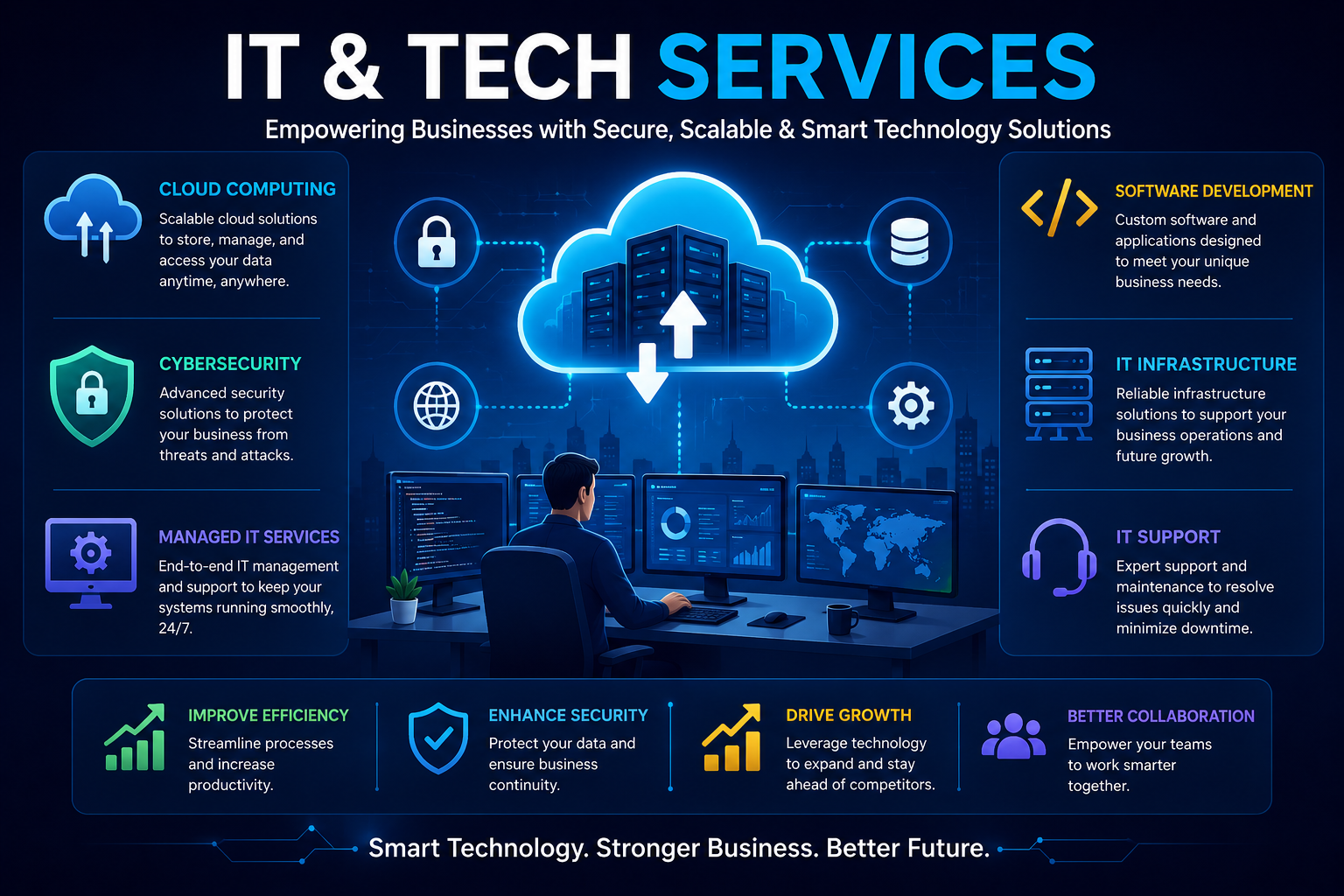
  • IT and Tech Services: The Stuff That Keeps Work From Falling Apart

    IT and Tech Services: The Stuff That Keeps Work From Falling Apart

    Most businesses don’t think much about technology when it’s doing its job. Emails go out. Files open. Payments process. Meetings happen. Everything feels normal.

    Then one day, something stops working.

    That’s usually the moment people realize how much they depend on IT and tech services.

    The truth is, technology is holding businesses together in ways most people never notice. IT services aren’t about fancy tools or big words. They’re about keeping daily work moving without friction, panic, or downtime.

    This blog isn’t written to sell anything or impress anyone. It’s here to explain, in plain language, what IT and tech services really are, how businesses actually use them, and why they matter so much.


    What IT and Tech Services Really Are (No Complicated Definitions)

    At its simplest, IT and tech services help businesses use technology without constantly struggling with it.

    That’s it.

    It means:

    • Someone makes sure systems don’t crash
    • Someone protects business data
    • Someone fixes things when they break
    • Someone helps you choose better tools when the old ones stop working

    Good IT support feels boring—and that’s a good thing. When it’s working properly, no one notices it.


    How Businesses Actually Use IT and Tech Services

    Managed IT Services: Letting Someone Else Worry About It

    Most businesses don’t want to deal with IT problems every day. They want to run their business.

    Managed IT services exist for that reason. Instead of calling for help only after something breaks, a team quietly watches over systems all the time. Updates happen. Problems get fixed early. Issues are avoided.

    For business owners, this usually means:

    • Fewer emergencies
    • Less downtime
    • Fewer angry emails about “the system not working”
    • One predictable monthly cost

    It’s not exciting—but it’s reliable.

    🔗 Internal Link: Managed IT Services for Growing Businesses


    Cloud Services: Working Without Being Stuck in One Place

    Not long ago, work happened in one location. Files lived on one computer. Systems lived in one office.

    That’s not how things work anymore.

    Cloud services let businesses store files online, use software through a browser, and work from almost anywhere. Teams can log in from home, from another city, or from another country.

    What businesses like about cloud services:

    • Easy access to files
    • No heavy servers to maintain
    • Simple scaling when the business grows
    • Better collaboration

    🎥 Watch:
    Cloud computing explained in simple terms
    https://www.youtube.com/watch?v=MXoJkXj5yGk


    Software Development: When Normal Tools Aren’t Enough

    Sometimes, the software everyone else uses just doesn’t fit.

    Maybe it’s too slow. Maybe it does things you don’t need. Maybe it doesn’t do the one thing your business really depends on.

    That’s where custom software comes in.

    Software development services build tools around how a business actually works—not the other way around. It could be a small internal system or a full product used by customers.

    Good software saves time quietly. Bad software creates daily frustration.

    🔗 Internal Link: Custom Software Development Services


    Cybersecurity: Protecting Things You Can’t Replace

    Cybersecurity isn’t just an IT topic anymore. It’s a business survival issue.

    Data leaks, hacked systems, and ransomware attacks don’t just hit big companies. Small businesses get targeted too—often because their security is weaker.

    Cybersecurity services focus on prevention:

    • Protecting networks
    • Securing devices
    • Keeping data safe
    • Watching for suspicious activity

    Most attacks don’t happen because people are careless. They happen because systems aren’t protected properly.

    📘 Trusted Resource:
    Cybersecurity standards by NIST
    https://www.nist.gov/cybersecurity


    IT Consulting: Getting Clear Before Making a Mess

    A lot of tech problems start with rushed decisions.

    New software is bought without planning. Systems are added without checking compatibility. Costs grow quietly over time.

    IT consultants help businesses pause and think before moving forward. They look at what’s working, what’s not, and what actually needs changing.

    Good advice early saves money later.


    AI and Automation: Small Tools Doing Quiet Work

    Most businesses using AI don’t talk about it much. They just enjoy the results.

    Maybe customer questions get answered faster. Maybe reports generate automatically. Maybe repetitive tasks disappear from someone’s workload.

    That’s AI and automation at work.

    It’s not about replacing people. It’s about removing boring, repetitive work so people can focus on things that actually need human thinking.

    🎥 Watch:
    Real-world AI use in businesses
    https://www.youtube.com/watch?v=ad79nYk2keg

    🔗 Internal Link: AI Adoption Trends in 2026


    Why IT and Tech Services Matter More Than People Admit

    Less Stress

    When systems work, people work better.

    Fewer Interruptions

    Downtime kills productivity faster than almost anything else.

    Better Security

    Data protection is trust protection.

    Easier Growth

    Good systems grow with the business instead of holding it back.

    Happier Customers

    Reliable technology leads to smoother service.


    Where IT Services Show Up (Even If You Don’t Notice)

    • Hospitals use IT for records and patient data
    • Schools rely on online learning systems
    • Online stores depend on secure payments and inventory tools
    • Banks survive on secure, reliable systems

    Every industry runs on technology now—even the ones that don’t feel “tech-focused.”


    Choosing an IT Partner (This Actually Matters)

    Not all IT providers are equal.

    Some fix problems.
    Some prevent them.
    Some disappear when you need help most.

    A good IT partner:

    • Understands your business
    • Communicates clearly
    • Doesn’t overcomplicate things
    • Is there when something goes wrong

    The best ones feel like part of your team, not an outside vendor.


    Where IT and Tech Services Are Heading

    Technology won’t slow down. IT services will keep adapting.

    Expect:

    • More automation built into daily tools
    • Stronger security as threats grow
    • Faster systems
    • Easier software creation

    🎥 Watch:
    Future of IT services
    https://www.youtube.com/watch?v=2ePf9rue1Ao


    Simple Habits That Prevent Big IT Problems

    • Keep systems updated
    • Train people on basic security
    • Back up important data
    • Don’t ignore small issues

    Most disasters start small.


    FAQs (Real Questions People Ask)

    Do small businesses really need IT services?
    Yes. Especially small businesses.

    Are managed IT services expensive?
    Usually cheaper than fixing constant problems.

    Is cybersecurity really necessary?
    Absolutely. One incident can shut a business down.

    Can IT services help with growth?
    Only if they’re planned properly—but yes.


    Final Thoughts

    IT and tech services don’t exist to impress anyone. They exist to make work easier, safer, and less stressful.

    When technology works quietly in the background, businesses can focus on people, ideas, and growth instead of constant troubleshooting.

    That’s what good IT support really looks like.


    ☎️ 919967940928

    ✉︎ http://aibuzz.net

    🌐 https://aibuzz.net/

  • 7 Powerful Facts About Artificial Intelligence That Are Changing the World

    7 Powerful Facts About Artificial Intelligence That Are Changing the World

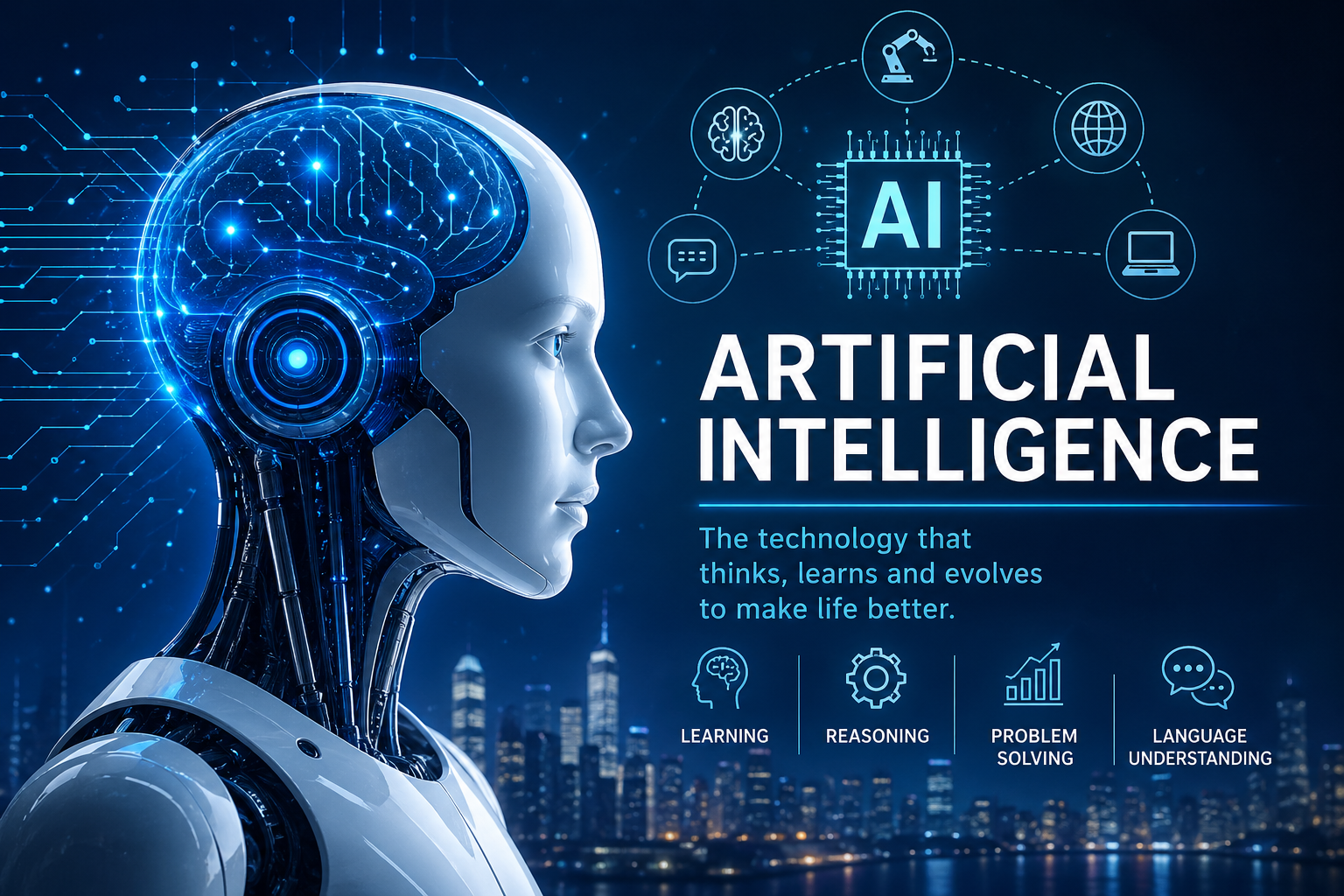
    Artificial Intelligence is no longer a futuristic concept—it is a powerful technology that is already transforming industries, businesses, and everyday life. From intelligent assistants to predictive analytics and automation, AI-driven systems are reshaping how decisions are made and how work gets done.

    This informational guide explains Artificial Intelligence in a clear and structured way, covering how it works, its core technologies, real-world applications, benefits, challenges, and future potential.


    What Is Artificial Intelligence?

    Artificial Intelligence refers to the ability of machines and software systems to perform tasks that normally require human intelligence. These tasks include learning from experience, recognizing patterns, understanding language, analyzing data, and making decisions.

    Unlike traditional programs that follow fixed rules, AI-based systems improve over time by processing data and adapting to new information. This adaptability is what makes AI such a transformative technology.


    🖼️ Rich Media Image 1

    Image Title: Artificial Intelligence Overview
    Alt Text: Artificial Intelligence technology transforming digital systems
    Placement: Below introduction


    How Artificial Intelligence Works

    Artificial Intelligence works through the combination of data, algorithms, and computing power. These elements allow systems to analyze information, identify patterns, and make intelligent decisions.

    Core Elements Behind AI Systems

    Data

    Data is the foundation of intelligent systems. Large and diverse datasets help models learn accurately and reduce errors.

    Algorithms

    Algorithms are mathematical instructions that guide how data is processed and how learning occurs.

    Computing Power

    High-performance hardware and cloud platforms enable complex calculations and real-time processing.


    🎥 Rich Media Video 1 (External – DoFollow)

    How AI Works – Visual Explanation
    🔗 https://www.ibm.com/topics/artificial-intelligence
    (DoFollow external educational resource)


    Main Types of Artificial Intelligence

    AI systems can be categorized based on their level of intelligence and functionality.

    Narrow AI (Task-Specific Intelligence)

    This form of intelligence is designed to perform a single task efficiently.

    Common Examples:

    • Voice assistants
    • Recommendation engines
    • Fraud detection systems

    General AI (Human-Level Intelligence)

    General AI refers to systems capable of performing any intellectual task a human can do. This type of intelligence is still under development and research.


    Super AI (Beyond Human Intelligence)

    Super AI is a theoretical concept where machines surpass human capabilities in creativity, reasoning, and problem-solving.


    Technologies That Power Intelligent Systems

    Machine Learning

    Machine Learning enables systems to learn from historical data and improve performance without explicit programming.

    Deep Learning

    Deep Learning uses multi-layer neural networks and is widely applied in image recognition, speech processing, and autonomous technologies.

    Natural Language Processing

    NLP allows machines to understand and respond to human language, powering chatbots and virtual assistants.


    🖼️ Rich Media Image 2

    Image Title: Machine Learning and Deep Learning Comparison
    Alt Text: Artificial Intelligence models using machine learning and deep learning


    Real-World Applications Across Industries

    Intelligent technologies are widely adopted across multiple sectors.

    Healthcare

    • Disease prediction
    • Medical image analysis
    • Drug research

    Business and Marketing

    • Customer behavior analysis
    • Personalized campaigns
    • Virtual customer support

    Education

    • Adaptive learning platforms
    • Automated assessments
    • Smart tutoring systems

    Finance

    • Fraud prevention
    • Risk analysis
    • Intelligent trading systems

    Transportation

    • Autonomous vehicles
    • Traffic optimization
    • Predictive maintenance

    🎥 Rich Media Video 2 (External – DoFollow)

    AI in Real Life – Industry Use Cases
    🔗 https://www.weforum.org/stories/2023/01/artificial-intelligence-examples/
    (DoFollow external authority resource)


    Key Benefits of Artificial Intelligence

    Intelligent systems provide measurable advantages:

    • Faster and more accurate decision-making
    • Automation of repetitive tasks
    • Improved efficiency and productivity
    • Cost optimization
    • Enhanced user experiences
    • Scalable operations

    Challenges and Limitations

    Despite its strengths, AI adoption comes with challenges.

    Data Privacy and Security

    Large data usage increases privacy and compliance risks.

    Bias and Fairness

    Biased datasets can lead to inaccurate or unfair outcomes.

    High Development Costs

    Skilled professionals and infrastructure are required.

    Ethical Considerations

    Transparency, accountability, and workforce impact remain critical issues.


    The Future of Artificial Intelligence

    The future of AI is focused on ethical, explainable, and human-centered innovation.

    Emerging trends include:

    • Explainable decision models
    • Responsible automation
    • Integration with IoT and blockchain
    • Industry-specific intelligent solutions

    As adoption grows, AI will continue to shape global digital transformation.


    🔗 Internal Links (Added)

    • 👉 How AI Is Transforming Business Operations
      (Internal URL suggestion: /ai-business-operations)
    • 👉 Machine Learning vs Deep Learning Explained
      (Internal URL suggestion: /ml-vs-deep-learning)

    Frequently Asked Questions (FAQ)

    What does Artificial Intelligence mean?

    It refers to machines that can learn, reason, and make decisions using data.

    Is AI safe to use?

    Yes, when developed responsibly with ethical standards and regulations.

    Which industries benefit the most?

    Healthcare, finance, education, marketing, and transportation.

    Will intelligent systems replace human jobs?

    They automate tasks but also create new roles requiring advanced skills.

    Is AI a long-term technology?

    Yes, it is a foundational technology for future innovation.


    Final Thoughts

    Artificial Intelligence is a powerful force driving innovation across industries. When used responsibly, it enhances efficiency, improves decision-making, and unlocks new opportunities for growth. Understanding its fundamentals helps individuals and businesses prepare for a smarter, technology-driven future.