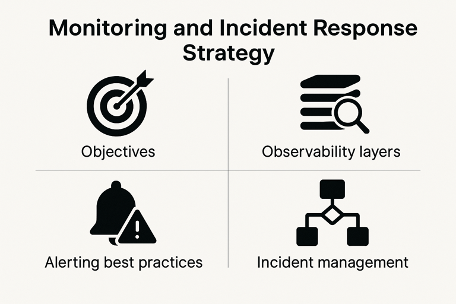
Modern digital systems are more complex than ever. Microservices, cloud-native architectures, third-party APIs, and distributed infrastructures make it harder to maintain performance, reliability, and user experience. This is where Monitoring, Observability, and Incident Response become critical.
This step-by-step guide explains how these three pillars work together, why they matter, and how organizations can implement them effectively to reduce downtime, improve resilience, and deliver reliable software at scale.
What Are Monitoring, Observability & Incident Response?
Before diving into the steps, let’s clarify the fundamentals.
Monitoring
Monitoring focuses on tracking known metrics such as CPU usage, memory consumption, error rates, and response times. It answers the question:
“Is something broken?”
Observability
Observability goes deeper. It helps teams understand why something is broken by analyzing logs, metrics, and traces together. It answers:
“Why is this happening?”
Incident Response
Incident response is the structured process used to detect, respond to, resolve, and learn from system failures or outages.
Together, these practices form the backbone of modern Site Reliability Engineering (SRE) and DevOps strategies.
Why Monitoring, Observability & Incident Response Matter
In today’s always-on digital world, even a few minutes of downtime can lead to revenue loss, reputational damage, and poor customer trust.
Key benefits include:
- Faster issue detection
- Reduced Mean Time to Detect (MTTD)
- Reduced Mean Time to Resolve (MTTR)
- Improved system reliability
- Better user experience
- Data-driven decision-making
Step-by-Step Guide to Monitoring, Observability & Incident Response
Step 1: Define Clear System Objectives
Before implementing tools, define what success looks like.
Key elements to define:
- Service Level Indicators (SLIs)
- Service Level Objectives (SLOs)
- Service Level Agreements (SLAs)
Example:
- SLI: API latency
- SLO: 99.9% requests under 300ms
- SLA: Customer commitment for uptime
👉 Internal link: Read more on Non-Functional Requirements
Step 2: Implement Foundational Monitoring
Monitoring is your first line of defense.
What to monitor:
- Infrastructure metrics (CPU, memory, disk)
- Application metrics (error rate, throughput)
- Network metrics (latency, packet loss)
- Business metrics (conversion rates, transactions)
Best practices:
- Avoid alert fatigue
- Focus on actionable alerts
- Use thresholds aligned with SLOs
Popular monitoring tools:
- Prometheus
- Grafana
- Datadog
- New Relic
📊 Rich media:
Prometheus Architecture Diagram – https://prometheus.io/assets/architecture.png
Step 3: Enable Observability with the Three Pillars
Observability relies on three core data types.
Metrics
Numerical data over time (CPU usage, request count).
Logs
Detailed event records providing context.
Traces
End-to-end request flows across services.
When combined, they give teams deep visibility into system behavior.
Observability tools:
- OpenTelemetry
- Elastic Stack
- Jaeger
- Honeycomb
📈 Rich media:
Distributed Tracing Visualization – https://opentelemetry.io/img/otel-diagram.svg
Step 4: Correlate Data for Faster Root Cause Analysis
True observability comes from correlating metrics, logs, and traces.
Example scenario:
- Metrics show high latency
- Logs reveal database timeout errors
- Traces identify a specific microservice causing delays
This correlation dramatically reduces investigation time and guesswork.
Step 5: Set Up Intelligent Alerting
Alerts should notify, not overwhelm.
Best practices:
- Alert on symptoms, not causes
- Use severity levels (P1, P2, P3)
- Route alerts to the right teams
- Integrate alerts with collaboration tools
Alerting integrations:
- PagerDuty
- Opsgenie
- Slack
- Microsoft Teams
Step 6: Create a Structured Incident Response Plan
Incident response should never be improvised.
Core phases:
- Detection
- Triage
- Mitigation
- Resolution
- Recovery
Key roles:
- Incident Commander
- Communications Lead
- Technical Responders
Having predefined roles ensures faster, calmer responses during outages.
Step 7: Automate Incident Detection & Response
Automation reduces human error and speeds up resolution.
Examples:
- Auto-scaling during traffic spikes
- Automated rollbacks on failed deployments
- Self-healing infrastructure
Tools supporting automation:
- Kubernetes
- Terraform
- AWS Lambda
- Azure Automation
👉 Internal link: Learn more about Secure DevOps Practices
Step 8: Communicate Clearly During Incidents
Transparent communication builds trust.
Communication best practices:
- Provide regular status updates
- Use clear, non-technical language for stakeholders
- Maintain a public status page
Status page tools:
- Statuspage
- Better Uptime
- Freshstatus
Step 9: Conduct Post-Incident Reviews (Postmortems)
After every incident, conduct a blameless postmortem.
What to include:
- Incident timeline
- Root cause analysis
- Impact assessment
- What worked well
- What needs improvement
The goal is learning, not blaming.
📄 Rich media:
Post-Incident Review Template – https://sre.google/workbook/postmortem/
Step 10: Continuously Improve & Optimize
Monitoring and observability are not one-time setups.
Continuous improvement actions:
- Refine alerts
- Improve dashboards
- Update runbooks
- Train teams
- Review SLOs regularly
Organizations that continuously optimize experience fewer incidents over time.
Common Challenges and How to Overcome Them
Tool Sprawl
Too many tools create confusion.
Solution: Consolidate platforms and standardize observability practices.
Alert Fatigue
Excessive alerts reduce effectiveness.
Solution: Focus on user-impacting symptoms.
Lack of Ownership
Unclear responsibility delays response.
Solution: Define ownership and escalation paths.
Monitoring, Observability & Incident Response Best Practices Summary
- Align monitoring with business goals
- Invest in observability early
- Automate wherever possible
- Practice incident response regularly
- Learn from every incident
- Treat reliability as a shared responsibility
Frequently Asked Questions (FAQ)
What is the difference between monitoring and observability?
Monitoring tracks predefined metrics and alerts when thresholds are crossed, while observability helps understand unknown issues by analyzing metrics, logs, and traces together.
Why is observability important in microservices?
Microservices are distributed and complex. Observability provides end-to-end visibility, making it easier to diagnose performance bottlenecks and failures.
How does incident response improve system reliability?
Incident response reduces downtime by ensuring issues are detected, escalated, and resolved quickly through structured processes.
What tools are best for monitoring and observability?
Popular tools include Prometheus, Grafana, Datadog, OpenTelemetry, Elastic Stack, and Jaeger.
How often should post-incident reviews be conducted?
After every significant incident, ideally within 24–72 hours, while details are still fresh.
Final Thoughts
Monitoring, Observability, and Incident Response are no longer optional. They are essential for building resilient, scalable, and user-centric systems. By following a step-by-step approach, organizations can move from reactive firefighting to proactive reliability engineering.
When implemented correctly, these practices transform failures into learning opportunities and help teams deliver consistent value with confidence.
Leave a Reply