Tag: immersive technology

  • Virtual Reality (VR): It’s Not the Future Anymore—It’s Already Here

    Virtual Reality (VR): It’s Not the Future Anymore—It’s Already Here

    Introduction :

    Let’s start with something simple.

    Close your eyes for a second and imagine this:
    You’re standing on a beach. You can hear the waves. You look around—there’s no screen, no phone… just the ocean stretching endlessly.

    Now open your eyes.

    You’re still in your room, right?

    That gap between imagination and reality—that’s exactly where Virtual Reality (VR) lives.

    And the crazy part? You don’t need to imagine it anymore. You can actually experience it.


    So, What is Virtual Reality (Really)? :

    Forget the technical definitions for a moment.

    Virtual Reality is basically this:
    👉 It tricks your brain into feeling like you’re somewhere else.

    Not watching.
    Not scrolling.
    Not clicking.

    Actually being there.

    You put on a headset… and suddenly:

    • Your room disappears
    • A new world appears
    • And your brain goes, “Okay… this is real now”

    That’s VR.


    How Does VR Pull This Off? :

    It might sound like magic, but it’s actually a clever mix of simple things.

    1. The Headset (Your Escape Door) :

    This is what you wear. It blocks the real world and shows you a digital one.

    Think of it like closing one door… and opening another.


    2. Movement Tracking (Why It Feels Real) :

    Ever noticed how you naturally turn your head when you hear something?

    VR tracks that.

    You look left → the world moves left
    You look up → the sky appears

    No delay. No lag. Just smooth, natural movement.


    3. Controllers (Your Hands in Another World) :

    You’re not just watching—you’re doing things.

    • Picking up objects
    • Opening doors
    • Drawing in the air

    It feels weird at first… then suddenly, it feels normal.


    The First Time You Try VR :

    Let’s be honest—this is the part nobody explains properly.

    The first time you try VR:

    • You’ll feel amazed
    • Slightly confused
    • Maybe even laugh for no reason

    And then something strange happens…

    You forget you’re wearing a headset.

    You duck when something flies at you.
    You step back when you reach an edge.

    Your brain just accepts it.


    Where VR is Showing Up in Real Life :

    This is where people get surprised.

    VR is not just for gamers sitting in dark rooms.


    1. Gaming (Yes, But It’s Different Now) :

    Gaming in VR isn’t about pressing buttons anymore.

    It’s about:

    • Moving your body
    • Reacting in real time
    • Feeling inside the story

    You don’t play the game.
    You become part of it.


    2. Education (Finally… Not Boring) :

    Think about how we usually learn:
    Books. Notes. Lectures.

    Now imagine instead:

    • Standing inside a human heart
    • Watching history happen around you
    • Practicing skills without fear of failure

    VR turns “studying” into experiencing.


    3. Healthcare (Quietly Revolutionary) :

    This one doesn’t get enough attention.

    Doctors are using VR to:

    • Practice surgeries safely
    • Help patients deal with anxiety
    • Even reduce pain without medication

    It’s not flashy—but it’s powerful.


    4. Real Estate (No More Wasting Weekends) :

    You know those long property visits?

    VR replaces that with:

    • Virtual home tours
    • Walking through rooms
    • Exploring spaces anytime

    From your couch.


    5. Work & Meetings (Goodbye Boring Calls) :

    We’ve all sat through awkward online meetings.

    VR changes that.

    Instead of staring at a grid of faces:

    • You sit in a virtual room
    • Talk naturally
    • Interact like you’re actually there

    It feels… human again.


    6. Travel (Even When You Can’t Go Anywhere) :

    Not everyone can travel anytime.

    But VR lets you:

    • Visit places virtually
    • Explore landmarks
    • Experience cultures

    It’s not a replacement—but it’s surprisingly close.


    Why People Are Getting Hooked on VR :

    Let’s keep it real.

    1. It Feels Personal :

    You’re not watching someone else’s experience—you’re having your own.


    2. It Breaks Routine :

    Same room. Same screen. Same apps.

    VR breaks that pattern instantly.


    3. It’s Fun Without Trying Too Hard :

    No learning curve. No complexity.

    Just put it on… and go.


    But It’s Not Perfect :

    Let’s not pretend VR is flawless.

    1. It’s Still a Bit Expensive :

    Not crazy expensive—but not cheap either.


    2. Motion Sickness Happens :

    Some people feel dizzy at first.

    Good news? It usually goes away with time.


    3. It Can Feel Isolating :

    You’re in another world… which means you’re also away from this one.


    4. Content is Still Growing :

    There’s a lot—but not everything is VR-ready yet.


    The Future of VR :

    Here’s the interesting part.

    VR isn’t trying to replace real life.

    It’s trying to expand it.

    Soon, you’ll see:

    • Lighter, more comfortable headsets
    • More realistic environments
    • Smarter interactions powered by AI
    • Entire digital worlds (yes, the metaverse idea)

    And slowly… VR will stop feeling like “technology”
    and start feeling like something normal.


    VR vs AR vs MR :

    • VR (Virtual Reality): You leave the real world
    • AR (Augmented Reality): Digital things come into your world
    • MR (Mixed Reality): Both worlds interact together

    Simple.


    Popular VR Headsets Right Now :

    If you’re curious, these are widely used:

    • Meta Quest
    • HTC Vive
    • PlayStation VR

    Each one offers a slightly different experience.


    Internal Linking Ideas :

    You can connect this with:

    • Artificial Intelligence blog
    • Mixed Reality guide
    • Software Development article
    • Digital Marketing insights

    External Resources :

    • IBM VR Guide
    • Meta VR Platform
    • Unity VR Development

    Add Rich Media :

    To make this blog even better:

    • Add a VR gameplay video
    • Embed a 360° tour
    • Show a headset demo

    This increases engagement massively.


    (Frequently Asked Questions) FAQs :

    1. Is VR safe to use every day?

    Yes—just don’t overdo it. Take breaks and you’ll be fine.


    2. Do I need a gaming PC?

    Not always. Some headsets work completely on their own.


    3. Why do people feel dizzy in VR?

    Your eyes and body get slightly confused—but it improves with use.


    4. Is VR only for gaming?

    Not at all. It’s used in education, healthcare, business, and more.


    5. Is VR worth trying?

    Honestly? Yes.
    It’s one of those things you don’t fully understand… until you try it.


    Conclusion :

    Virtual Reality isn’t just “cool tech.”

    It’s something more personal.

    It changes how you:

    • See things
    • Learn things
    • Experience things

    And maybe that’s why it’s growing so fast.

    Because at the end of the day,
    we don’t just want to see the world anymore…

    We want to feel it.

    ☎️ : 919967940928

    🌐 : https://aibuzz.net/

  • Mixed Reality: The Moment When Digital Starts Feeling Real

    Mixed Reality: The Moment When Digital Starts Feeling Real

    Introduction :

    Have you ever wished you could see something before it actually exists?

    Like placing a sofa in your room before buying it…
    Or walking through a house that hasn’t been built yet…
    Or learning science by literally standing inside a 3D model?

    That’s exactly what Mixed Reality (MR) is starting to make possible.

    And the interesting part?
    It doesn’t feel like technology anymore—it feels like a natural extension of your world.

    We’re slowly moving away from just staring at screens… to actually interacting with digital things around us.

    In this blog, let’s explore Mixed Reality in a way that actually makes sense—no complicated jargon, just real understanding.


    So, What is Mixed Reality (Really)? :

    Let’s not overcomplicate it.

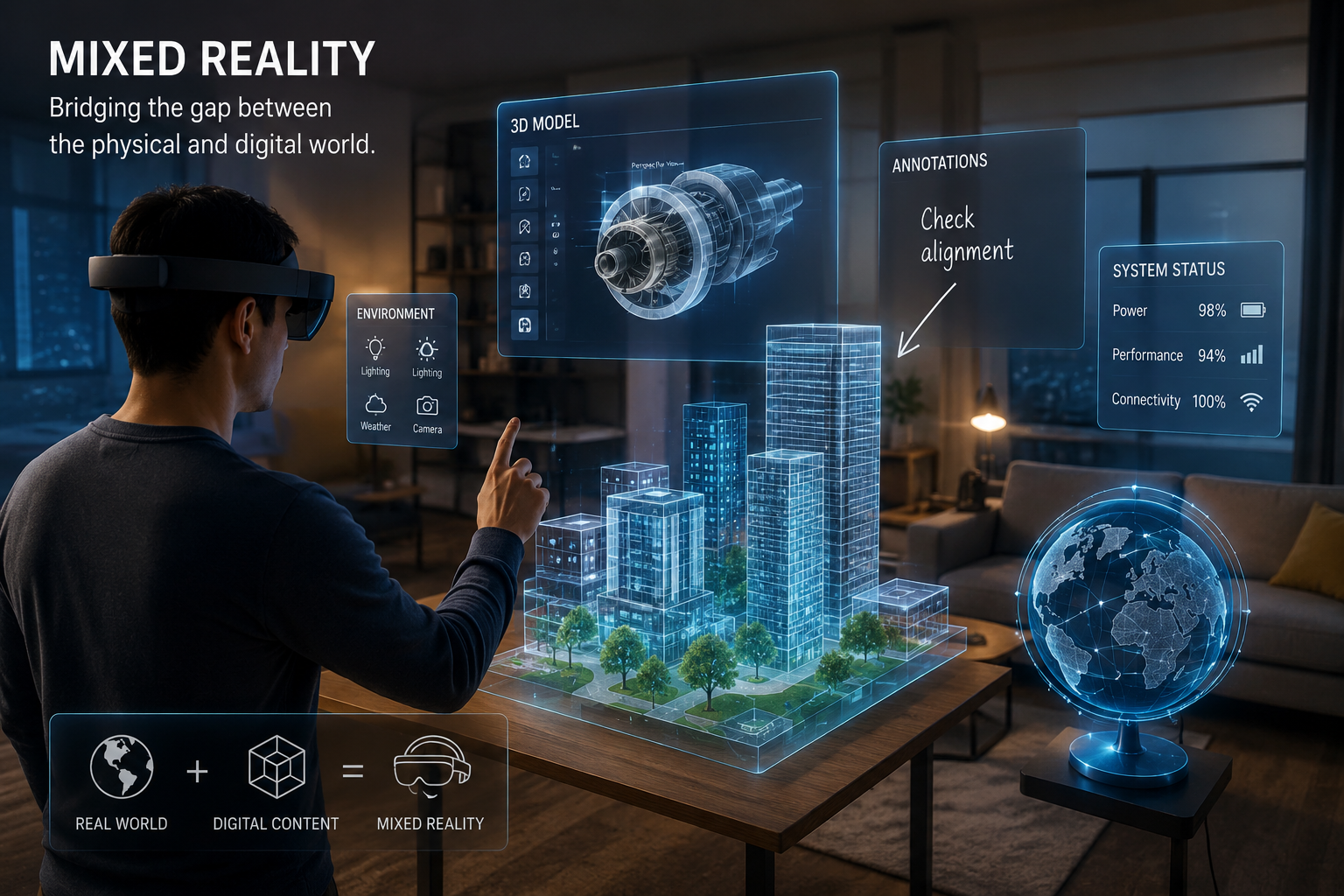
    Mixed Reality is when digital things and real-world things exist together—and interact with each other.

    Not just side by side.
    Not just on your screen.

    But together, in your space.

    👉 Imagine this:
    You place a virtual coffee table in your room… and when you walk around it, it stays exactly where it should be.

    That’s Mixed Reality.

    It’s not just “seeing” digital objects—it’s experiencing them as if they belong in your world.


    Why Everyone Gets Confused (AR vs VR vs MR) :

    Honestly, this is where most people get stuck. So let’s make it super simple.

    Augmented Reality (AR) :

    AR adds things to your world.

    Filters, games, effects…
    Fun, but they don’t really “understand” your space.


    Virtual Reality (VR) :

    VR replaces your world completely.

    You wear a headset and you’re gone—into a different reality.


    Mixed Reality (MR) :

    MR connects both worlds.

    👉 It understands your space
    👉 It places digital things inside it
    👉 And lets you interact naturally

    That’s the difference.


    How Does It Actually Work? :

    Let’s break it down without sounding like a textbook.

    It Looks Around :

    MR devices use cameras to “see” your room—walls, floors, objects.


    It Understands the Space :

    It figures out depth, distance, and layout.

    Kind of like how your brain understands where things are.


    It Adds Digital Objects :

    Now it can place things exactly where they should be.

    Not floating randomly—but placed correctly.


    It Keeps Everything Real :

    As you move, the object stays in place.

    You bend down? It’s still there.
    You walk around? Same position.

    👉 That’s the magic—it behaves like a real object.


    Where You’re Already Seeing Mixed Reality :

    Even if you don’t realize it, MR is slowly entering everyday life.


    Gaming is Changing Fast :

    Games are no longer stuck inside screens.

    Now imagine:

    • Characters in your living room
    • Gameplay happening around you
    • You moving inside the game

    It feels less like playing… and more like being inside it.

    🎥 Rich Media Idea:
    Add a real Mixed Reality gameplay video here to show this visually.


    Learning Finally Becomes Interesting :

    Let’s be honest—most people don’t enjoy traditional studying.

    Now imagine:

    • Exploring the solar system in your room
    • Watching a heart beat in 3D
    • Interacting with what you’re learning

    👉 You don’t just read anymore—you experience it.


    Healthcare is Getting Smarter :

    Doctors can now:

    • Practice surgeries without risk
    • Visualize organs in 3D
    • Plan procedures more accurately

    This isn’t just innovation—it’s saving lives.


    Shopping Feels Less Risky :

    We’ve all bought something online and regretted it.

    MR changes that.

    Now you can:

    • See furniture in your home
    • Try products virtually
    • Make better decisions

    👉 Less guessing. More confidence.


    Work & Business Are Evolving :

    Instead of long explanations…

    You can show things visually:

    • Designs in real space
    • Training in real scenarios
    • Remote collaboration that feels physical

    Why Mixed Reality Feels So Powerful :

    This is the part people don’t talk about enough.

    It Feels Natural :

    You don’t “learn” MR—you just use it.

    Like using your hands.


    It Makes Things Click Faster :

    Seeing something beats reading it.

    Every time.


    It Reduces Mistakes :

    When you can preview things, you make better decisions.


    It Saves Time :

    Training, designing, testing—it all becomes faster.


    But Let’s Be Honest :

    It’s not perfect yet.

    It’s Still Expensive :

    Devices are not cheap (for now).


    It’s Still Growing :

    Not everyone is using it yet.


    It Needs Strong Tech :

    Good hardware, good internet, powerful systems.


    Privacy is a Concern :

    Scanning real spaces raises valid questions.


    The Future Feels Closer Than You Think :

    This isn’t some “10 years later” tech.

    It’s already here—and evolving fast.

    Soon:

    • MR glasses may replace phones
    • Meetings may happen in shared virtual spaces
    • Shopping, learning, working—all enhanced

    👉 The line between digital and real will keep fading.


    If You’re Curious—Start Here :

    You don’t need to be an expert.

    Start simple:

    • Learn AR/VR basics
    • Try tools like Unity
    • Watch real demos
    • Stay curious

    That’s enough to begin.


    Internal Resources :

    You can connect this blog to:

    • Artificial Intelligence
    • Software Development
    • Future Technology
    • Digital Transformation

    External Resources :

    • Microsoft Mixed Reality
    • Unity XR Platform
    • IBM Technology Insights

    (Frequently Asked Questions) FAQ :

    What is Mixed Reality in simple words? :

    It’s when digital objects and the real world exist together and interact.


    Is it better than VR? :

    Not better—just different. It combines real and virtual.


    Do I need a headset? :

    Yes, most MR experiences require special devices.


    Is it expensive? :

    Right now, yes. But prices will drop over time.


    Is this the future? :

    Very likely. It’s already shaping how we interact with technology.

    Final Thoughts :

    Mixed Reality isn’t just about technology.

    It’s about changing how we experience things.

    We’re moving from:
    👉 Watching → To experiencing
    👉 Clicking → To interacting
    👉 Imagining → To seeing

    And once you experience it…
    It’s hard to go back.

    ☎️ : 919967940928

    🌐 : https://aibuzz.net/

  • Artificial Intelligence : A Simple, Honest Guide for Everyone :

    Artificial Intelligence : A Simple, Honest Guide for Everyone :

    Let’s not overcomplicate this.

    You’ve heard the term Artificial Intelligence a hundred times by now. It’s everywhere—news, social media, business, apps… even casual conversations.

    But if someone asked you, “What exactly is AI?”
    there’s a good chance you’d pause for a second.

    And that’s completely okay.

    Because AI sounds complex—but when you break it down, it’s actually quite simple… and surprisingly relatable.


    What is Artificial Intelligence? :

    Think of it this way.

    Normally, we tell machines exactly what to do. Step by step.

    But with AI, we do something different—we teach machines how to learn.

    That’s the real shift.

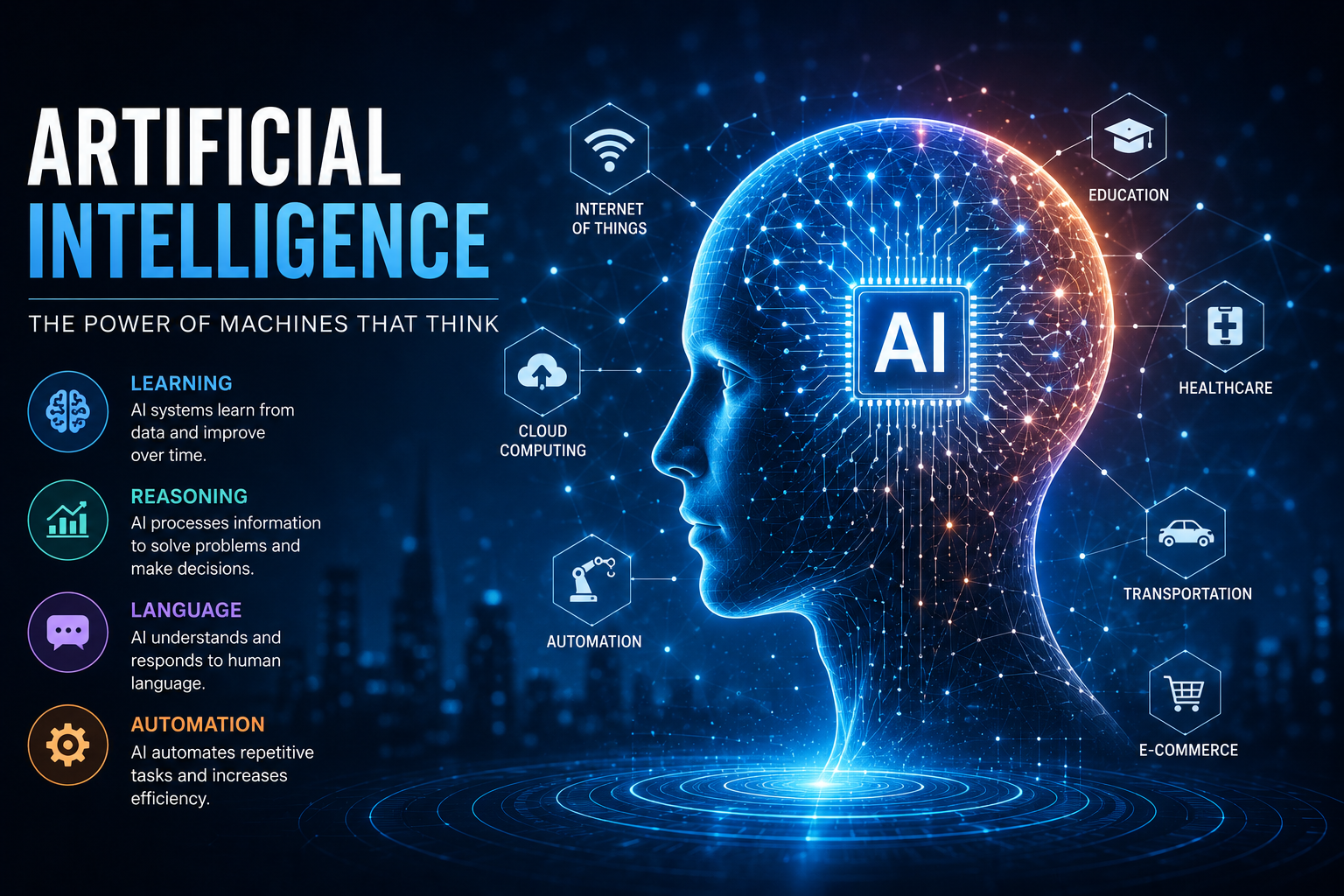
    AI systems look at data, find patterns, and slowly get better at making decisions. No emotions, no intuition—just learning through experience.

    Kind of like how we learn… just faster.


    You’re Already Living with AI :

    Here’s something interesting.

    AI isn’t some future technology waiting to happen.
    It’s already part of your everyday life.

    • When your phone unlocks using your face
    • When YouTube somehow knows exactly what you want to watch next
    • When Google Maps saves you from traffic
    • When a chatbot replies instantly on a website

    That’s AI doing its job quietly in the background.

    You don’t see it—but it’s definitely working for you.


    A Quick Story of How AI Got Here :

    AI didn’t just appear out of nowhere.

    Years ago, people started wondering:
    “Can machines actually think?”

    That question sparked everything.

    In the beginning, progress was slow. Technology wasn’t ready. Data wasn’t available.

    But over time, things changed.

    The internet grew. Data exploded. Computers became powerful.

    And suddenly, AI went from being an idea… to something real, useful, and everywhere.


    Types of AI :

    Let’s keep this simple and clear.

    Narrow AI :

    This is the AI you interact with daily.

    It focuses on one task—and does it well.

    Like recommending videos, answering queries, or filtering spam emails.


    General AI :

    This would be AI that can think like a human across different situations.

    We’re not there yet—but it’s something researchers are trying to build.


    Super AI :

    This is where AI becomes smarter than humans.

    It’s still theoretical, but it raises important questions about control, ethics, and responsibility.


    How Does AI Actually Work? :

    Let’s not dive into heavy technical stuff.

    Here’s the simple version:

    AI learns from data.

    The more data it gets, the better it becomes at understanding and predicting things.

    Behind the scenes, it uses:

    • machine learning to spot patterns
    • deep learning to handle complex tasks
    • language processing to understand what we say
    • computer vision to “see” images

    You can think of it like training a person—the more practice they get, the better they perform.


    Where AI is Making a Real Difference :

    This is where AI stops being “theory” and becomes something real.

    In Healthcare :

    Doctors are using AI to detect diseases earlier than ever.

    In Finance :

    Banks use it to catch fraud before it becomes a problem.

    In Education :

    Students get learning experiences tailored just for them.

    In Online Shopping :

    Ever wondered how websites show you exactly what you like? That’s AI.

    In Transportation :

    From predicting traffic to self-driving tech—AI is changing how we move.


    Why AI Matters So Much Today :

    People aren’t excited about AI just because it’s “new.”

    They’re excited because it actually helps.

    It Saves Time :

    No one enjoys repetitive work—and AI handles it effortlessly.

    It Reduces Mistakes :

    Machines don’t get tired or distracted.

    It Works Anytime :

    Day or night, AI keeps running.

    It Helps You Make Smarter Decisions :

    It can process more data than any human ever could.


    But Let’s Be Honest—AI Has Its Challenges :

    No technology is perfect, and AI is no exception.

    Job Concerns :

    Yes, some jobs will change. But new roles will also be created.

    Bias Issues :

    AI is only as fair as the data it learns from.

    High Costs :

    Building AI systems takes time, money, and expertise.

    Security Risks :

    Like any system, it can be misused if not handled properly.


    What Does the Future of AI Look Like? :

    AI is still evolving—and honestly, we’re just getting started.

    In the coming years, you’ll likely see:

    • smarter assistants that feel more “human”
    • better personalization in everything you use
    • AI helping in medicine, research, and innovation
    • closer collaboration between humans and machines

    The goal isn’t to replace people—it’s to support them.


    AI in Marketing :

    If you’re running a business, this part matters.

    AI helps you understand your audience better than ever before.

    You can:

    • show personalized ads
    • respond instantly to customers
    • analyze behavior
    • even create content

    👉 Internal Link :
    Learn more: /digital-marketing-services-guide


    Popular AI Tools People Are Using Today :

    You’ve probably heard of some of these:

    • ChatGPT → for writing and ideas
    • Google AI → powering search and smart tools
    • IBM Watson → business solutions
    • Midjourney → creating stunning visuals

    👉 External Links :


    Want to Make This Blog More Engaging? :

    If you’re publishing this, don’t just rely on text.

    Add:

    • a short explainer video
    • a clean infographic
    • a few real-life examples in visuals

    It keeps readers interested—and helps with SEO too.

    (Frequently Asked Questions)FAQs :

    Is AI difficult to understand? :

    Not really. Once you look at real-life examples, it becomes clear.

    Is AI only for tech experts? :

    No. It’s already being used by businesses, students, and everyday users.

    Will AI replace humans completely? :

    No. It will change roles, not eliminate humans.

    Is AI safe to use? :

    Yes—if used responsibly and ethically.

    Why is AI growing so fast? :

    Because we now have more data and better technology than ever before.


    Final Thoughts :

    AI isn’t something you need to fear.

    It’s something you need to understand.

    Because whether we notice it or not—it’s becoming part of how the world works.

    And honestly, that’s not a bad thing.

    Used the right way, AI can:

    • save time
    • improve decisions
    • and make everyday life a little easier

    At the end of the day, it’s not about machines taking over.

    It’s about humans using smarter tools.

    ☎️ : 919967940928

    🌐 : https://aibuzz.net/

  • Software Development: Building Technology That Feels Human

    Software Development: Building Technology That Feels Human

    Let us be honest.
    When most people hear software development, they imagine complicated screens full of code, technical experts typing at lightning speed, and conversations filled with confusing jargon.

    But real software development is not about complicated code.

    It is about people.

    It is about noticing a small daily frustration — waiting in long queues, managing endless spreadsheets, missing customer follow-ups — and asking a simple question:

    “Can we make this easier?”

    That question is where software development truly begins.

    What is Software Development — Really?

    Software development is the journey of turning an idea into a working digital solution.

    It starts with a problem:

    • Customers cannot track orders.
    • Employees spend hours doing repetitive tasks.
    • Students need better online learning systems.
    • Businesses struggle to manage data.

    Developers step in, understand the problem deeply, and design a solution that works smoothly.

    That solution might become:

    • A website
    • A mobile app
    • An internal business tool
    • A cloud platform
    • An AI-powered system

    Companies like Microsoft, Google, and Apple Inc. did not succeed just because they could write code. They succeeded because they built products that made people’s lives simpler.

    Software development is empathy + logic + creativity.


    Why Software Development Feels Invisible :

    Think about your day:

    • You unlock your phone.
    • You scroll social media.
    • You transfer money online.
    • You book a cab.
    • You attend a video meeting.

    Each of these actions depends on software built by development teams.

    We rarely think about it because good software feels natural. It works quietly in the background.

    That is the real goal of software development — to make technology feel effortless.


    The Different Faces of Software Development :

    Not all software is the same. Let us look at it in a more relatable way.


    1. Web Development — Your Digital Storefront :

    Every business today needs an online presence. Web development builds:

    • Company websites
    • E-commerce platforms
    • Online booking systems
    • SaaS tools

    When someone opens a browser and visits your website, web development is doing its job.


    2. Mobile App Development — Technology in Your Pocket :

    Smartphones changed everything.

    Apps built for:

    • Android
    • iOS by Apple Inc.

    allow businesses to connect directly with users.

    Food delivery, fitness tracking, digital banking — all powered by mobile app development.


    3. Enterprise Software — The Engine Behind Big Companies :

    Large organizations use complex internal systems to manage:

    • Payroll
    • Customer data
    • Inventory
    • Operations

    Cloud platforms like Amazon Web Services and Microsoft Azure host many of these systems.

    Enterprise software may not be visible to customers, but it keeps businesses running.


    4. AI and Intelligent Software — Smarter Systems :

    Artificial intelligence is now part of modern software.

    Organizations such as OpenAI are building systems that can generate text, analyze data, and assist with complex tasks.

    But even AI tools are created by developers who first understand human needs.


    The Software Development Life Cycle (SDLC) :

    Software is not built randomly. There is a structured process.

    1. Listening First

    Developers talk to stakeholders and users.
    They ask questions. They observe. They understand pain points.

    2. Planning the Blueprint

    Just like architects design before construction, software teams create detailed plans.

    3. Designing the Experience

    How will it look?
    How will users navigate it?
    How easy will it feel?

    4. Writing the Code

    Now the technical work begins. Developers build the actual system.

    5. Testing and Fixing

    Bugs are natural. Testing ensures the software is reliable and secure.

    6. Launching to the World

    The product goes live.

    7. Continuous Improvement

    Software is never truly finished. Updates, improvements, and security upgrades continue.

    The best software evolves with its users.


    How Modern Teams Work :

    Traditional development followed strict step-by-step methods.

    Today, many teams use Agile.

    Agile means:

    • Smaller work cycles
    • Frequent feedback
    • Continuous improvement

    Companies like Spotify use squad-based Agile models to innovate quickly.

    Agile feels more human because it allows adaptation. It accepts that change is normal.


    Programming Languages :

    Languages like:

    • Python
    • Java
    • JavaScript
    • C#
    • Go

    are simply tools.

    The goal is not to master every language.
    The goal is to solve problems effectively.

    For official learning:


    Real Challenges Developers Face :

    Software development is rewarding, but it is not always easy.

    Common struggles include:

    • Changing client expectations
    • Tight deadlines
    • Communication gaps
    • Technical debt
    • Security concerns

    Sometimes the hardest part is not coding — it is aligning people’s expectations.

    Strong communication skills are as important as technical skills.


    Why Businesses Choose Custom Software :

    Ready-made tools are convenient, but custom software offers:

    • Full control
    • Better scalability
    • Stronger security
    • Competitive advantage
    • Tailored user experiences

    Custom solutions grow with the business.


    The Future of Software Development :

    The future feels exciting and slightly unpredictable.

    AI-Assisted Coding

    Developers now use intelligent assistants to speed up coding.

    Cloud-Native Systems

    Applications are designed specifically for scalability and flexibility.

    Cybersecurity-First Approach

    Security is no longer optional. It is built from the start.

    Low-Code Platforms

    Even non-developers can create simple tools.

    Technology will evolve, but the need for creative problem-solvers will remain constant.


    Is Software Development a Good Career? :

    Absolutely.

    It offers:

    • High demand globally
    • Competitive salaries
    • Remote work flexibility
    • Continuous learning opportunities

    But more importantly, it gives you the ability to build something meaningful.

    Few careers allow you to create tools that millions of people might use daily.


    Internal Linking Opportunities :

    For better SEO structure, connect this blog with:

    • Artificial Intelligence Guide
    • Big Data Services Guide
    • Virtual Reality Guide
    • Cryptocurrency Development Guide

    Internal linking improves website authority and Rank Math SEO score.


    Rich Media Suggestions :

    To improve engagement and dwell time:

    • Add an SDLC infographic
    • Embed a beginner-friendly YouTube explanation video
    • Include workflow diagrams
    • Add a real-world case study example

    Rich content improves both user experience and search performance.


    Frequently Asked Questions (FAQ) :

    1. Is software development only for tech experts?

    No. Anyone willing to learn and practice can enter the field.

    2. How long does it take to learn?

    Basic understanding can take months. Mastery takes years of practice.

    3. Is coding the most important skill?

    Problem-solving and logical thinking are equally important.

    4. Can small businesses benefit from software development?

    Yes. Even simple automation tools can increase efficiency significantly.

    5. Will AI replace software developers?

    AI will assist developers, not replace them. Human creativity and problem-solving remain essential.


    Final Thoughts :

    At the end of the day, software development is not about machines.

    It is about understanding people.

    It is about building something that saves time, reduces stress, and creates opportunities.

    The next time you open an app and think,
    “Wow, this makes life easier,”

    remember — behind that simplicity is a team of developers who cared enough to solve a real problem.

    And that is what software development truly is.

    ☎️: 919967940928

    🌐:https://aibuzz.net/

  • Mixed Reality (MR): The Technology That Feels Less Like Tech and More Like Magic

    Mixed Reality (MR): The Technology That Feels Less Like Tech and More Like Magic

    Close your eyes for a moment and imagine this.

    You are sitting at your desk. Suddenly, a 3D model of a car engine appears in front of you. You can walk around it. Zoom in. Pull parts apart with your hands. The engine responds as if it is physically there — even though it is completely digital.

    That is not science fiction.
    That is Mixed Reality (MR).

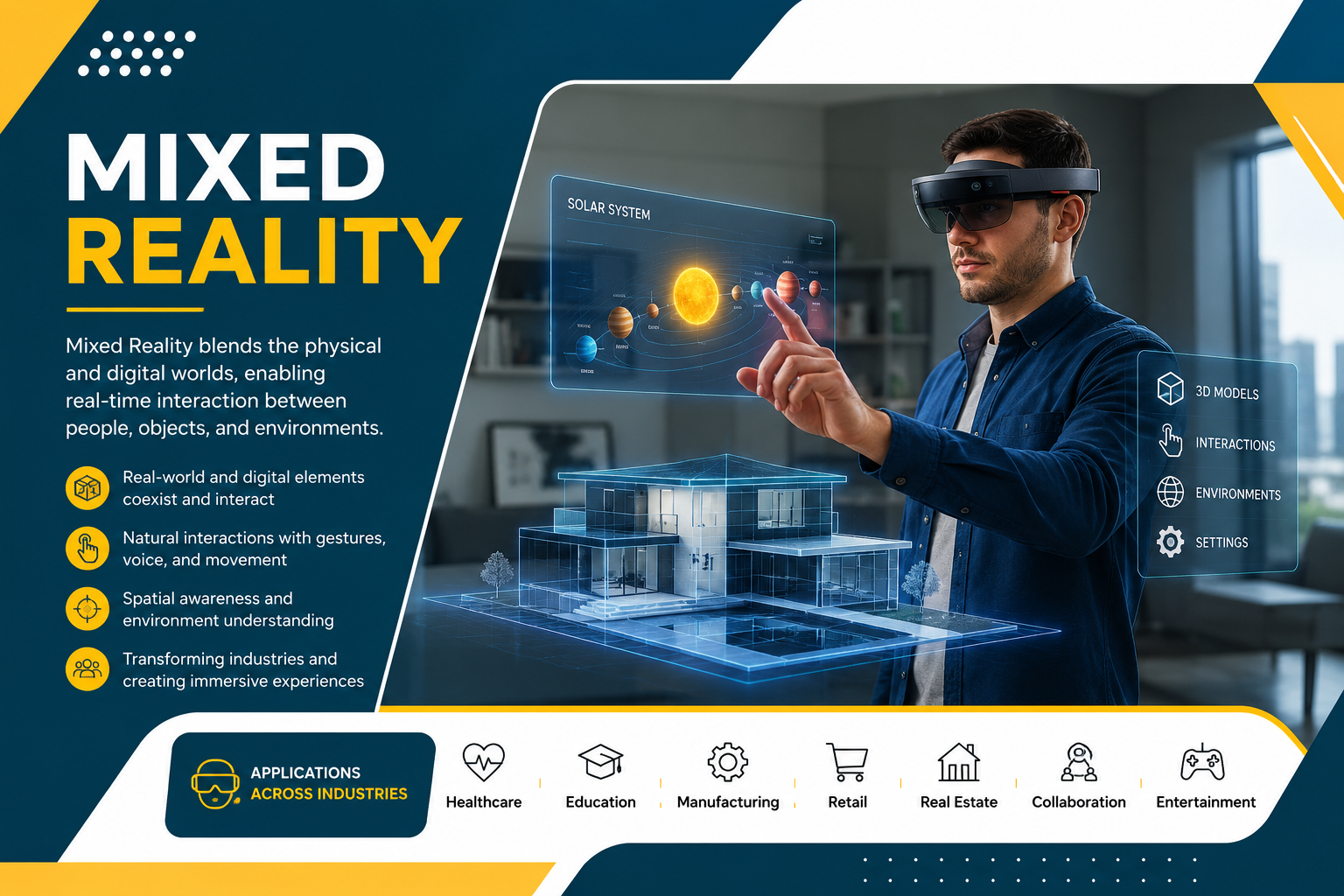
    Mixed Reality is the next big step in immersive technology. It does not trap you in a digital world like Virtual Reality. It does not simply add filters or floating text like Augmented Reality.

    Instead, it blends the digital and physical worlds so naturally that they start to feel like one.

    And once you experience it, it doesn’t feel like “using technology.”
    It feels like interacting with the future.


    What is Mixed Reality — In Simple Human Words? :

    Mixed Reality is technology that allows digital objects to exist in your real-world space and behave as if they belong there.

    Not just floating.
    Not just overlaying.
    But actually understanding your room, your walls, your table, your movements.

    Companies like Microsoft, Apple, and Meta Platforms are investing billions into devices that make this possible.

    Devices such as the Microsoft HoloLens and Apple Vision Pro are leading this transformation.

    And here is the important part:
    Mixed Reality is not about replacing your world.
    It is about enhancing it in ways that feel natural.


    Let’s Make It Clear — VR vs AR vs MR :

    We often hear these terms together. Let’s break them down like we’re explaining them to a friend.

    Virtual Reality (VR) :

    VR completely replaces your surroundings with a digital world. When you wear a headset like the Meta Quest, you are transported somewhere else.

    You are no longer in your room.
    You are inside a game, simulation, or virtual space.

    VR replaces reality.


    Augmented Reality (AR) :

    AR adds digital elements on top of the real world. Think about mobile apps that show how a sofa would look in your living room.

    But the digital object does not deeply understand your environment.

    AR enhances reality.


    Mixed Reality (MR) :

    MR goes deeper.

    The digital object understands your table.
    It knows where your walls are.
    It can hide behind furniture.
    It casts shadows correctly.

    It behaves like it is part of your world.

    MR blends reality.

    That difference might sound small, but it changes everything.


    Why Mixed Reality Feels So Different :

    What makes MR feel magical is interaction.

    You are not just watching something.
    You are interacting with it.

    Imagine:

    • Doctors practicing surgery on holographic organs.
    • Students walking around a 3D solar system in their classroom.
    • Engineers testing machine parts before they are even built.

    These are not experiments anymore. They are real use cases happening today.


    How Mixed Reality Works (Without the Complicated Jargon) :

    Behind the scenes, MR uses advanced technologies working together:

    Spatial Mapping

    The device scans your environment and understands surfaces.

    Depth Sensors

    It measures distance between objects and you.

    Computer Vision

    It recognizes your hands, gestures, and sometimes even objects.

    Artificial Intelligence

    AI helps the system respond intelligently to your actions.

    Cloud Computing

    Heavy data processing happens instantly for smooth experiences.

    Platforms like Unity and Unreal Engine are commonly used to build MR applications.

    The result?
    Technology that disappears into the experience.


    Where Mixed Reality is Changing Lives :

    Let’s move beyond theory and talk about real impact.


    Healthcare :

    Surgeons can visualize organs in 3D before operating. Students can explore anatomy without needing physical specimens.

    That means:

    • Better preparation
    • Reduced risk
    • Improved patient safety

    This is not just innovation. It saves lives.


    Education :

    Students often struggle because learning feels abstract.

    Now imagine walking inside a historical event. Or exploring molecules at a microscopic scale.

    When students experience learning, they remember it better.


    Manufacturing & Engineering :

    Before building expensive machinery, engineers can test everything virtually — but inside their real environment.

    This reduces:

    • Production errors
    • Costs
    • Wasted materials

    Retail & Shopping :

    You can see how a product fits into your home before buying it.

    Less guesswork.
    More confidence.
    Fewer returns.


    Remote Collaboration :

    Imagine meetings where team members stand around a virtual 3D model instead of staring at flat video screens.

    Work feels more connected and interactive.


    The Human Side of Mixed Reality:

    Here is what often gets ignored.

    Mixed Reality is not just about technology.
    It is about experience.

    It makes digital content:

    • More intuitive
    • More engaging
    • More memorable

    Instead of learning from slides, you explore.
    Instead of imagining designs, you see them.
    Instead of guessing outcomes, you test them.

    Technology becomes invisible — and that is when it becomes powerful.


    Challenges We Should Honestly Talk About :

    No technology is perfect.

    Mixed Reality still faces:

    • High device costs
    • Hardware bulkiness
    • Battery limitations
    • Privacy concerns

    But remember how expensive smartphones once were?

    Innovation reduces cost over time. Adoption drives improvement.

    We are still early in this journey.


    The Future of Mixed Reality :

    Here is where it gets exciting.

    In the next decade:

    • Devices will become lighter than glasses.
    • 5G will enable real-time global collaboration.
    • AI will make interactions feel even more natural.
    • Digital workspaces may replace traditional screens.

    We may stop saying “Mixed Reality.”
    It may simply become how we interact with information.

    Just like we no longer say “mobile internet.”
    It is just internet.


    Internal & External Learning Resources :

    Internal Reading:

    • Our detailed blog on Artificial Intelligence
    • Our guide on Virtual Reality
    • Our post about Augmented Reality

    External Resources:

    • Microsoft Mixed Reality Official Documentation
    • Apple Vision Pro Official Overview
    • Unity Official Developer Guide

    These resources help developers and businesses dive deeper.


    Frequently Asked Questions (FAQ):

    1. Is Mixed Reality safe to use?

    Yes, when used responsibly. Privacy and data security must always be prioritized.

    2. Is MR only for big companies?

    No. While early adoption is enterprise-focused, costs are gradually decreasing.

    3. Can MR replace smartphones?

    Not immediately. But spatial computing may reduce reliance on flat screens over time.

    4. Do I need coding skills to build MR apps?

    Yes. Development typically requires tools like Unity or Unreal Engine.

    5. Is Mixed Reality just a trend?

    No. It represents a fundamental shift in how humans interact with digital content.


    Final Thoughts — Why Mixed Reality Truly Matters :

    Mixed Reality is not about flashy holograms.
    It is about making technology feel human.

    It reduces the distance between imagination and execution.
    It makes learning more immersive.
    It makes work more collaborative.
    It makes experiences more memorable.

    We are standing at the edge of a new computing era.

    Not screen-first.
    Not keyboard-first.

    But space-first.

    The future will not live inside our devices.
    It will live around us.

    And that future is Mixed Reality.

    ☎️: 919967940928

    🌐: https://aibuzz.net/

  • TD Pipeline Development:

    TD Pipeline Development:

    If you’ve ever watched a movie, played a AAA game, or even seen a polished ad on Instagram, you’ve already experienced the results of a strong pipeline.

    But behind the scenes?

    There’s a hidden system quietly doing the heavy lifting—making sure artists, animators, editors, and developers can work smoothly without chaos.

    That system is called a TD Pipeline.

    And in this blog, we’re going to break down TD Pipeline Development in a simple, human-friendly, informational way—like RankMath-style content that actually reads like a real person wrote it.


    Table of Contents :

    • What is TD Pipeline Development?
    • What Does a Pipeline TD Do?
    • Why Pipeline Development Matters
    • Core Components of a TD Pipeline
    • Common Tools and Technologies Used
    • Step-by-Step Pipeline Development Process
    • Pipeline Best Practices
    • Real-World Examples
    • Challenges in Pipeline Development
    • Future of TD Pipelines
    • FAQs

    TD Pipeline Development – A Practical Guide to Building Production Pipelines :

    TD Pipeline Development is the process of designing, building, and maintaining workflows, automation tools, and systems that help creative teams deliver projects faster, cleaner, and with fewer mistakes.

    In short:

     Artists focus on creativity
    The pipeline handles technical consistency
    Production becomes smoother and scalable

    TD pipeline development is heavily used in industries like:

    • VFX (Visual Effects)
    • Animation Studios
    • Game Development
    • Virtual Production
    • Motion Graphics
    • AR/VR Production
    • Advertising and Post-production

    What is TD Pipeline Development? :

    TD Pipeline Development means building a structured workflow that connects every step of production.

    For example, in a VFX studio, a pipeline might manage:

    • Asset creation (characters, props, environments)
    • Rigging and animation
    • Simulation and FX
    • Lighting and rendering
    • Compositing
    • Review and approvals
    • Publishing final output

    Without a pipeline, every department might work differently, save files differently, and name assets differently—which creates a lot of confusion and wasted time.

    A good pipeline ensures:

    • Everyone uses the same rules
    • Files stay organized
    • Work is trackable
    • Automation reduces repetitive tasks
    • Teams collaborate efficiently

    What Does a Pipeline TD Do? :

    A Pipeline Technical Director (Pipeline TD) is the person (or team) responsible for building and managing the pipeline.

    They act like the bridge between:

    🎨 Artists
    and
    🧠 Engineering / Technology


    Key Responsibilities of a Pipeline TD

    A Pipeline TD typically handles:

    • Developing tools for artists (GUI-based scripts, plugins)
    • Managing asset publishing systems
    • Automating render submissions
    • Creating file structure and naming conventions
    • Integrating software like Maya, Houdini, Nuke, Blender, Unreal
    • Connecting production tracking tools (ShotGrid, ftrack, Jira)
    • Handling version control systems (Perforce, Git)
    • Building review workflows and dailies tools
    • Supporting production when things break

    Pipeline TDs don’t just write code.

    They solve workflow problems.


    Why TD Pipeline Development is Important :

    Pipeline development is not “extra.”

    It’s the difference between a studio that survives and a studio that collapses under deadlines.


    Benefits of a Strong Pipeline

    A well-built pipeline gives you:

    ✅ Faster Production

    Automation reduces manual work and speeds up tasks like:

    • publishing files
    • creating folder structures
    • rendering submissions
    • exporting playblasts

    ✅ Fewer Errors

    Standard naming, file validation, and version control reduce mistakes like:

    • wrong file versions
    • missing textures
    • broken references

    ✅ Better Collaboration

    When everyone works inside the same system, departments stop fighting file chaos.

    ✅ Scalability

    If your studio grows from 5 artists to 50, the pipeline ensures things still work smoothly.

    ✅ Consistent Output Quality

    A pipeline enforces consistent rendering settings, color management, and formats.


    Core Components of TD Pipeline Development :

    A pipeline is not just one tool. It’s a system.

    Here are the most important components.


    1) Project Structure and Naming Conventions

    This is the foundation.

    A pipeline usually defines:

    • Folder structure (assets, shots, renders, caches)
    • Naming rules for files
    • Naming rules for versions
    • Shot numbering format
    • Asset IDs and categories

    Example naming format:

    shot_010_comp_v003.nk
    char_hero_rig_v012.ma


    2) Asset Management

    Asset management ensures:

    • assets are stored properly
    • versions are tracked
    • dependencies are maintained

    It includes:

    • characters
    • props
    • environments
    • textures
    • rigs
    • shaders

    3) Shot Management

    Shot-based production needs:

    • shot folders auto-generated
    • file templates
    • shot version tracking
    • shot status tracking

    4) Publishing System

    Publishing is a controlled process that moves work from “work-in-progress” to “approved production-ready.”

    A good publishing system:

    • validates files before publishing
    • stores published versions in a clean location
    • updates dependencies automatically

    5) Render Farm and Automation

    Rendering is expensive and time-sensitive.

    Pipeline development often includes:

    • render submission tools
    • farm monitoring dashboards
    • auto error reporting
    • render queue management

    Popular render farm tools include:

    • Deadline
    • Qube!
    • OpenCue

    6) Review and Dailies Workflow

    This is where shots get reviewed.

    Pipeline dailies tools often include:

    • auto playblast generation
    • auto conversion to MP4
    • uploading to review systems
    • syncing with ShotGrid/ftrack

    7) Production Tracking Integration

    Most studios use tracking tools like:

    • Autodesk ShotGrid
    • ftrack
    • Jira
    • Monday.com

    Pipeline development connects the production tracking system with:

    • file structure
    • publishing system
    • render system
    • reviews

    Common Tools and Technologies Used in TD Pipeline Development :

    Pipeline development is a mix of coding, scripting, and software integration.


    Programming Languages

    Most common:

    • Python (industry standard)
    • MEL (for Maya legacy scripting)
    • JavaScript (some web dashboards)
    • C++ (plugins, performance tools)
    • Bash / PowerShell (system automation)

    DCC Software Integration

    Pipeline TDs commonly integrate:

    • Autodesk Maya
    • SideFX Houdini
    • Blender
    • Nuke
    • Unreal Engine
    • Unity
    • Substance Painter
    • Mari
    • Cinema 4D

    Databases and APIs

    A pipeline often stores data in:

    • SQLite
    • PostgreSQL
    • MongoDB

    APIs used:

    • ShotGrid API
    • ftrack API
    • Deadline API
    • AWS APIs

    Version Control Systems

    • Git
    • Perforce (very common in studios)
    • SVN (older setups)

    Step-by-Step TD Pipeline Development Process :

    Let’s talk about how pipelines are actually built in real studios.


    Step 1 – Understand the Production Requirements

    Before writing any code, a Pipeline TD must understand:

    • the studio workflow
    • team size
    • software used
    • project type (VFX, animation, games)
    • deadlines and delivery formats

    Step 2 – Map the Workflow

    This includes:

    • how assets move through departments
    • what file formats are needed
    • what approvals are required
    • where things usually break

    Step 3 – Build a Pipeline Framework

    Most studios build or use a framework such as:

    • OpenPype
    • USD-based pipelines
    • Custom Python frameworks
    • Rez-based package systems

    Step 4 – Create Core Tools

    Tools are created for:

    • publishing
    • loading assets
    • shot setup creation
    • render submission
    • playblast generation

    Step 5 – Integrate Tracking and Review

    The pipeline connects:

    • shot status
    • artist task assignment
    • review approvals
    • production reports

    Step 6 – Test, Deploy, and Support

    A pipeline is never “done.”

    Pipeline TDs must:

    • test with real artists
    • collect feedback
    • fix bugs
    • improve UI and speed

    Pipeline Best Practices :

    Pipeline development is not only about coding. It’s about building something people actually use.


    1) Build for Artists, Not for Engineers

    If a tool is too complex, artists won’t use it.

    The best pipelines feel like:

    “Click, publish, done.”


    2) Keep Everything Consistent

    Consistency is the secret to scalable pipelines:

    • same folder structure
    • same naming rules
    • same publishing rules

    3) Automate Repetitive Work

    If artists do something 50 times per day, automate it.

    Examples:

    • folder creation
    • versioning
    • caching
    • conversions

    4) Use Logging and Error Reporting

    A good pipeline includes:

    • logs for debugging
    • clear error messages
    • automatic crash reporting

    5) Document Everything

    Pipeline documentation should include:

    • how to install tools
    • how to publish
    • naming rules
    • troubleshooting guide

    Real-World Examples of TD Pipeline Development:

    Here are practical examples of pipeline tools studios use.


    Example 1 – Asset Publish Tool

    A tool that allows an artist to:

    • select the asset
    • check dependencies
    • publish a clean version
    • automatically update tracking status


    Example 2 – One-Click Shot Setup

    A tool that automatically:

    • creates shot folders
    • sets frame range
    • loads cameras
    • imports assets
    • sets render settings

    Example 3 – Render Submission Tool

    A tool that:

    • detects the correct render engine
    • assigns farm settings
    • submits to Deadline/Qube
    • tracks render progress

    Challenges in TD Pipeline Development :

    Even great pipelines face challenges.


    1) Multiple Software Compatibility

    Every DCC behaves differently. Supporting Maya + Houdini + Nuke together is not easy.


    2) Artists Resist Change

    If artists are used to a workflow, they may avoid pipeline tools.

    The solution?

    Make tools simple, fast, and reliable.


    3) Pipeline Bugs Under Deadline Pressure

    Pipeline issues often happen when deadlines are close.

    That’s why testing and monitoring are essential.


    4) Scaling Across Teams

    What works for 5 artists may break with 100 artists.

    Scalability requires:

    • good architecture
    • caching
    • database optimization
    • clear permissions

    The Future of TD Pipeline Development :

    Pipeline development is evolving fast.

    Here are trends shaping the future.


    1) USD-Based Pipelines

    USD (Universal Scene Description) is becoming a standard for:

    • sharing assets across tools
    • non-destructive workflows
    • large scene handling

    2) Cloud Rendering and Remote Pipelines

    Studios are moving to:

    • AWS
    • Google Cloud
    • Azure

    This enables remote production at scale.


    3) AI-Assisted Pipeline Tools

    AI is starting to help with:

    • auto tagging assets
    • detecting errors in scenes
    • optimizing render settings
    • predicting pipeline failures

    4) Real-Time Pipelines

    With Unreal Engine and real-time rendering, pipelines now include:

    • live review
    • virtual production workflows
    • LED stage integration

    Internal Links :

    Here are internal link ideas you can use on your website:

    • Artificial Intelligence (AI): A Human-Friendly Guide
    • Virtual Reality (VR): The Tech That Doesn’t Feel Like Tech
    • Cryptocurrency Development: Beginner’s Guide
    • Mixed Reality: The Future of Interactive Tech

    (You can link these to your existing blog posts or create them for better topical authority.)


    External Links :

    Use these for credibility and rich SEO:

    • Autodesk ShotGrid Official Site
    • SideFX Houdini Documentation
    • Pixar USD (Universal Scene Description)
    • Thinkbox Deadline Render Manager
    • OpenPype Pipeline Framework

    Rich Media Link :

    Add a rich media resource like:

    🎥 YouTube Video Suggestion:
    “What is a VFX Pipeline?” (Search on YouTube – multiple studio-level explainers available)

    📌 OR
    A documentation link:
    Pixar USD Overview (official docs)


    (FrequentlyAskedQuestion)FAQs :

    1) What does TD stand for in pipeline development?

    TD usually stands for Technical Director. In pipeline development, it refers to a specialist who builds workflows and tools that connect production departments.


    2) Is pipeline development only for big studios?

    No. Even small studios benefit from pipelines. A lightweight pipeline can save hours every week by reducing errors and improving organization.


    3) What skills are required for a Pipeline TD?

    Common skills include:

    • Python scripting
    • Knowledge of Maya/Houdini/Nuke
    • Understanding of production workflows
    • Databases and APIs
    • Problem-solving and communication

    4) Which is better: Open-source pipeline or custom pipeline?

    It depends. Open-source frameworks like OpenPype are great for fast setup. Custom pipelines are better for studios with unique workflows and bigger teams.


    5) What is the difference between a pipeline and a workflow?

    A workflow is the process.
    A pipeline is the system + tools that support and automate the workflow.


    Conclusion :

    TD Pipeline Development is one of the most valuable systems in any production studio.

    It keeps everything organized, automated, and scalable—so teams can focus on creative work instead of fighting file chaos.

    If your studio wants faster delivery, fewer errors, and better collaboration, building a proper pipeline is not optional anymore.

    It’s essential.

    ☎️: 919967940928

    🌐: https://aibuzz.net/

  • Virtual Reality (VR): The Tech That Doesn’t Feel Like Tech Once You Try It

    Virtual Reality (VR): The Tech That Doesn’t Feel Like Tech Once You Try It

    Let’s be real.

    Most people don’t wake up thinking,
    “Hmm… I wonder how Virtual Reality works.”

    But the moment you try VR for the first time, you instantly get why it’s such a big deal.

    You put on the headset…
    you look around…
    and suddenly your brain goes:

    “Okay, I’m not in my room anymore.”

    That’s the magic of Virtual Reality.

    VR isn’t just another gadget like a smartwatch or a fancy phone. It’s different because it doesn’t sit in your hand — it takes over your senses. And when a technology can do that, it stops being “technology” and starts feeling like an experience.

    In this blog, we’re going to talk about VR like normal people — not like a textbook. You’ll learn what VR is, how it works, where it’s used, and why it’s growing so fast (even outside gaming).


    What is Virtual Reality:(VR)?

    Virtual Reality (VR) is a technology that creates a digital environment you can step into using a headset.

    Instead of watching something on a screen, VR makes you feel like you’re inside the scene.

    And yes — that “inside” part is the key.

    The simplest way to understand VR

    Imagine you’re watching a football match on TV.

    Now imagine you’re standing on the field, hearing the crowd, seeing players run past you, and turning your head naturally to follow the ball.

    That’s what VR does.

    It turns content into an environment.


    How Virtual Reality Works:(No boring explanation, I promise)

    VR works by doing something your brain already does every day:

    It combines sight, movement, and sound to understand reality.

    VR just replaces the “real world” input with digital input.

    1) The headset gives you a 3D world

    A VR headset shows two images — one for each eye.

    Your brain merges them and creates depth.

    That’s why VR doesn’t feel flat like a video.

    It feels like a space.

    2) Motion tracking makes it feel real

    This part is honestly the secret sauce.

    The headset tracks your head movements.

    So when you look left, the VR world moves left.
    When you look up, the VR world moves up.

    This tiny detail is what makes VR feel believable.

    3) Controllers (or hand tracking) let you interact

    Most VR systems come with controllers.

    So you can:

    • pick up objects
    • open doors
    • aim, shoot, throw
    • press buttons
    • draw or build

    Some newer headsets don’t even need controllers. They track your hands directly, which feels even more natural.

    4) 3D audio seals the deal

    VR uses spatial audio, which means sound has direction.

    If something speaks behind you, you’ll hear it behind you.

    This is one of those details you don’t think about until you experience it — and then you realize how powerful it is.


    Types of Virtual Reality :(Yes, there are different “levels”)

    Not all VR experiences feel the same. Some feel like a basic simulation, and some feel like you teleported.

    1) Non-Immersive VR

    This is like VR-lite.

    Example:

    • a 3D simulation on a computer screen
    • a training program on a monitor

    It’s still virtual, but you’re not inside it.

    2) Semi-Immersive VR

    This is used a lot in professional training.

    Example:

    • flight simulators
    • driving training systems
    • military practice environments

    You feel immersion, but not full headset-level immersion.

    3) Fully Immersive VR

    This is the one people get excited about.

    You wear a headset, use controllers, and experience a full 360° environment.

    This is the VR that makes people laugh, scream, and lose track of time.


    VR vs AR vs MR :(Quick and clear)

    People mix these up constantly, so let’s clear it up like a normal conversation.

    Virtual Reality (VR)

    You enter a digital world.
    The real world disappears.

    Augmented Reality (AR)

    Digital objects appear in your real world.
    Example: Snapchat filters, Pokémon Go.

    Mixed Reality (MR)

    Digital objects appear in your real world and interact with it.
    Example: a virtual object sitting realistically on your table.

    Internal link suggestion:
    👉 Read also: Mixed Reality: The Tech That Makes You Say “Wait… Is That Real?
    (Perfect internal link for your website)


    Where Virtual Reality is Used:(And yes, gaming is only one part)

    If you think VR is only for games, you’re not alone.

    But the truth is: gaming is just the loudest use case.

    The biggest VR growth is happening in industries that don’t go viral on social media — like healthcare, education, and business training.

    Let’s go through the real-world uses.


    Virtual Reality in Education:(This is where VR shines)

    Traditional learning is usually:

    • reading
    • listening
    • memorizing

    But VR makes learning feel like living.

    Real examples of VR in education

    Students can:

    • explore the solar system in 3D
    • visit historical places like the Taj Mahal or pyramids
    • walk inside the human body to learn anatomy
    • practice science experiments safely

    And here’s the important part:

    When students experience something, they remember it better.

    That’s why VR in education is growing fast.


    Virtual Reality in Healthcare :(The most meaningful use case)

    VR in healthcare is not just impressive — it’s genuinely useful.

    1) VR for surgical training

    Doctors can practice complex procedures in VR.

    No risk.
    No real patient.
    Just training until they get it right.

    2) VR for therapy and mental health

    VR is used in exposure therapy.

    Example:
    If someone has a fear of heights, VR can slowly help them face it.

    It’s also used for:

    • PTSD
    • anxiety
    • stress management
    • fear of flying
    • public speaking practice

    3) VR for pain relief

    This one surprises people.

    Some hospitals use VR to distract patients during painful treatments. And it works because your brain can only focus deeply on so many things at once.

    So when your brain is busy “being in a beach in VR,” it reduces focus on pain.


    Virtual Reality in Gaming :(Still the biggest crowd-puller)

    Okay, now let’s talk about the fun part.

    VR gaming is popular because it changes the whole idea of gaming.

    In traditional games, you control a character.

    In VR?

    You become the character.

    That’s why VR horror games are terrifying.
    That’s why VR sports games make you sweat.
    That’s why VR shooting games feel way too intense sometimes.

    VR gaming makes you feel like you’re inside the action — not just watching it.


    Virtual Reality in Business :(The quiet revolution)

    This is the part most people don’t realize:

    Businesses love VR.

    Not because it’s trendy — because it saves time, money, and mistakes.

    VR is used for:

    • employee onboarding
    • safety training
    • customer service practice
    • factory simulations
    • equipment handling training

    Instead of training workers with manuals or videos, companies can put them in VR and let them practice safely.

    This is huge for industries like:

    • manufacturing
    • aviation
    • oil and gas
    • construction
    • logistics

    Virtual Reality in Real Estate: (Tour homes without traveling)

    VR is basically made for real estate.

    Because property buying has one big problem:

    People can’t visit every location.

    With VR, customers can:

    • walk through a home virtually
    • explore rooms in 360°
    • check the layout properly
    • view apartments before they’re even built

    For real estate companies, VR is a serious competitive advantage.


    Virtual Reality in Retail and Shopping: (Still early, but coming)

    VR shopping is not mainstream yet.

    But it’s growing.

    The idea is simple:

    Instead of scrolling through product photos, you can walk through a virtual showroom and explore products like you’re physically there.

    This is already being tested in:

    • car showrooms
    • furniture previews
    • luxury retail

    Benefits of Virtual Reality: (Why VR keeps growing)

    VR is not growing just because it’s cool.

    It’s growing because it solves real problems.

    1) It makes training safer

    You can practice risky tasks without risk.

    2) It makes learning faster

    People learn better through experience than reading.

    3) It boosts engagement

    VR removes distractions.

    When you’re in VR, you’re in.

    4) It saves money long-term

    Yes, VR setup can be expensive.

    But long-term, it reduces:

    • travel costs
    • repeated training expenses
    • physical equipment damage
    • training time

    5) It creates unforgettable brand experiences

    This is why VR is powerful for marketing too.


    Limitations of Virtual Reality: (The honest side)

    VR is amazing, but it still has issues.

    1) Motion sickness

    Some people feel dizzy.

    This happens when your eyes feel movement but your body doesn’t.

    2) Headsets can still be expensive

    Prices are dropping, but good VR devices still cost money.

    3) Content creation takes effort

    VR experiences require:

    • 3D design
    • development
    • testing
    • optimization

    4) VR needs physical space

    Some VR experiences require room to move.

    Not everyone has that.


    Popular VR Headsets:(Most used today)

    Here are the common VR headsets right now:

    • Meta Quest
    • PlayStation VR
    • HTC Vive
    • Valve Index
    • Pico VR

    For beginners, Meta Quest is usually the easiest option.


    The Future of Virtual Reality :

    We’re still early in VR.

    And the next stage will be much bigger.

    1) VR headsets will feel like glasses

    They’ll become lighter, smaller, and more comfortable.

    2) VR will look more realistic

    Better displays and graphics will make VR worlds feel close to real life.

    3) Full-body tracking will become common

    Not just hands — legs and body movement too.

    4) AI + VR will explode

    AI will make VR worlds smarter.

    Imagine:

    • virtual teachers
    • AI-powered training assistants
    • NPCs that talk naturally
    • VR characters that respond like humans

    5) VR will become a normal tool

    Just like smartphones became normal, VR will become normal too — for work, learning, and entertainment.


    How Businesses Can Start Using Virtual Reality:

    If you’re a business owner, VR can help you stand out — especially in 2026 and beyond.

    Choose one goal

    Start small.

    Pick one:

    • training
    • marketing
    • product demos
    • virtual tours

    Step 2: Choose a platform

    Standalone VR headsets are easiest.

    Step 3: Build your VR experience

    This could be:

    • a VR training simulation
    • a virtual showroom
    • an interactive demo

    Step 4: Test comfort

    Comfort matters more than graphics.


    Frequently Asked QuestionsFAQ :

    What is Virtual Reality in simple words?

    Virtual Reality is a technology that lets you enter a digital world using a headset, making you feel like you’re actually inside it.

    Is VR only for gaming?

    No. VR is used in education, healthcare, business training, real estate, and therapy.

    Can VR help in mental health?

    Yes. VR is used for anxiety, PTSD, phobias, and stress therapy.

    Does VR require internet?

    Not always. Many VR apps work offline, but online VR games and updates require internet.

    What’s the difference between VR and AR?

    VR replaces the real world with a digital one. AR adds digital objects into the real world.


    Rich Media Link :

    🎥 Virtual Reality Explained (YouTube)
    https://www.youtube.com/results?search_query=virtual+reality+explained


    External Links :


    Internal Link Suggestions :

    • Artificial Intelligence (AI): A Super Human, No-Pressure Guide
    • Mixed Reality: The Next Big Shift After Mobile Apps
    • Types of Artificial Intelligence: Narrow AI vs General AI vs Super AI

    Final Thoughts: Why VR Actually Matters:

    Virtual Reality is one of those technologies that doesn’t make sense until you try it.

    And once you try it, you realize:

    This isn’t just a gadget.

    It’s a new way of experiencing the digital world.

    VR is already changing how we learn, train, heal, shop, and entertain ourselves.

    And as it gets cheaper, lighter, and smarter (especially with AI), it’s going to become part of normal life.

    Not tomorrow.

    But sooner than most people think.

    ☎️ : 919967940928

    🌐 : https://aibuzz.net/

  • Mixed Reality: The Tech That Makes You Say “Wait… Is That Real?”

    Mixed Reality: The Tech That Makes You Say “Wait… Is That Real?”

    Let’s start with a simple truth:

    Most people don’t care about technology.

    They care about what technology does for them.

    That’s why Mixed Reality is so interesting. Because the moment you experience it, you don’t feel like you’re using a gadget… you feel like you’ve stepped into a new kind of reality—one where the digital world finally stops living inside screens and starts living with you.

    Mixed Reality (MR) is one of those rare technologies that doesn’t just improve something.

    It changes the way you interact with the world.

    And once you understand it properly, you’ll realize something important:

    Mixed Reality isn’t a “trend.”
    It’s the next natural step after mobile apps.


    What Is Mixed Reality? :

    Mixed Reality is a technology where the real world and the digital world blend together in a way that feels natural.

    Not like a filter.
    Not like a sticker.
    Not like a random 3D object floating on your phone.

    In Mixed Reality, digital objects feel like they actually belong in your space.

    So instead of just seeing a digital object…

    You can:

    • walk around it
    • look at it from different angles
    • move it with your hands
    • interact with it like it’s real

    Think of it like this:

    AR shows you something.
    VR takes you somewhere.
    MR brings something into your world.

    And that’s why MR feels so powerful.


    Mixed Reality vs AR vs VR :(The Easiest Explanation You’ll Ever Read):

    If you’ve ever felt confused between AR, VR, and MR—don’t worry. Everyone does.

    Here’s the easiest way to understand them:

    AR (Augmented Reality):

    AR is like putting digital makeup on the real world.

    Example:

    • Snapchat filters
    • Instagram effects
    • Pokémon GO

    AR is fun, but the digital objects don’t truly interact with your environment. They mostly just “sit there.”


    VR (Virtual Reality):

    VR is like leaving Earth for a while.

    You wear a headset and you’re inside a fully digital world.

    Example:

    • VR games
    • VR training
    • VR tours

    It’s immersive, but you’re completely disconnected from your real surroundings.


    MR (Mixed Reality):

    Mixed Reality is like your real world becomes a stage.

    Digital objects enter your space and behave realistically.

    Example:
    A digital robot walks across your real floor, hides behind your real sofa, and reacts when you move closer.

    That’s Mixed Reality.

    And once you see it, it feels like magic.


    Why Mixed Reality Feels Like the Next Big Shift:

    Let’s talk about why people are taking MR seriously.

    Because the truth is… mobile apps are getting boring.

    Not because they’re bad.

    But because we’ve reached the stage where apps are everywhere. They load fast, look good, and do their job. Nothing feels surprising anymore.

    Mixed Reality brings back that feeling of “Whoa…”

    Because it makes technology feel less like something you stare at… and more like something you experience.

    And that’s why many people call MR:

    The next big shift after mobile apps.

    Internal Link: If you want to explore that idea deeper, read:
    Why Mixed Reality Is the Next Big Shift After Mobile Apps


    How Mixed Reality Works (No Technical Headache):

    Okay, I won’t bore you with heavy technical terms.

    But here’s the simple version of what happens behind the scenes.

    Mixed Reality devices use sensors, cameras, and smart software to understand your surroundings.

    1) It Scans Your Space

    The device understands where your floor is, where your walls are, and where your furniture is.

    2) It Understands Depth

    So if a digital object is behind your real chair, it actually appears behind it.

    3) It Places Digital Objects Correctly

    Not floating. Not shaky. Not random.

    It places them in your space like they belong there.

    4) It Lets You Interact

    With hand tracking, controllers, voice commands, and sometimes even eye tracking.

    And this is the part that makes MR feel so real.


    Where Mixed Reality Is Actually Used (Not Just in Sci-Fi):

    A lot of people think MR is just for gaming.

    Gaming is definitely one part of it.

    But the real power of Mixed Reality is how useful it is in industries where mistakes are expensive.

    Let’s go through the real-world uses.


    Mixed Reality in Education (Learning That Doesn’t Feel Like Studying):

    Let’s be honest:

    Most education still looks like this:

    • textbooks
    • lectures
    • memorization
    • exams

    But humans don’t learn best that way.

    We learn best by seeing, touching, and experiencing.

    Mixed Reality makes education feel like discovery.

    Real examples:

    • Students exploring a 3D solar system in their classroom
    • Medical students studying the human body in full 3D
    • Engineering students examining machines without needing the physical equipment

    Instead of imagining concepts, students can literally see them.

    And that makes learning faster and more memorable.


    Mixed Reality in Healthcare (Where Accuracy Matters):

    Healthcare is one of the biggest MR game-changers.

    Because in healthcare, the cost of mistakes is extremely high.

    Surgery assistance

    Doctors can view 3D scans and overlays while performing surgery.

    Medical training

    Students can practice procedures safely before working with real patients.

    Patient education

    Patients can understand their condition visually, instead of trying to decode medical language.

    External Link: Microsoft’s official Mixed Reality solutions:
    https://www.microsoft.com/hololens


    Mixed Reality in Architecture & Real Estate (No More Guessing):

    If you’ve ever looked at a building plan and thought:

    “Okay… but I still can’t picture it.”

    You’re not alone.

    Mixed Reality makes architecture feel real before it’s built.

    What MR helps with

    • walking through a building before construction
    • seeing interior designs in real scale
    • testing furniture placement
    • checking lighting and space

    This reduces redesign costs and makes clients more confident.


    Mixed Reality in Shopping & Retail (Buy Smarter, Return Less):

    Online shopping is convenient.

    But it also creates a problem:

    You can’t always trust what you’re buying.

    Mixed Reality solves that by letting you preview products in your real space.

    Real examples

    • placing a sofa in your room
    • checking if a TV fits on your wall
    • trying on glasses digitally
    • previewing a watch on your wrist

    It makes shopping feel less like guessing.

    External Link: Meta Quest Mixed Reality official page:
    https://www.meta.com/quest/


    Mixed Reality in Manufacturing & Industry (The Practical Superpower):

    This is where MR becomes less “cool” and more “seriously useful.”

    Factories and industrial teams use MR for:

    Step-by-step work guidance

    Instructions appear in front of workers while they assemble parts.

    Repair and maintenance support

    Technicians can see exactly what to do without stopping work.

    Remote expert help

    An expert sitting in another city can guide a worker in real time.

    This saves time, reduces errors, and improves safety.


    Mixed Reality in Gaming (Where It Gets Wild):

    Now yes… MR gaming is the part that makes people excited instantly.

    Because it’s not like sitting on a sofa playing a game.

    Your room becomes the game.

    Imagine this

    • your wall becomes a portal
    • enemies hide behind your furniture
    • your table becomes a battlefield
    • you physically move to dodge and explore

    It feels personal, active, and immersive.

    And honestly?

    It brings back that childhood feeling of wonder.


    Why Businesses Are Taking Mixed Reality Seriously:

    Businesses don’t invest in tech because it’s “cool.”

    They invest because it saves money, time, and effort.

    Mixed Reality helps businesses by improving:

    Training

    People learn faster by doing instead of reading.

    Product visualization

    Customers understand what they’re buying.

    Collaboration

    Teams can work together in shared 3D spaces even from different countries.

    Efficiency

    Less physical prototyping and fewer costly mistakes.


    The Challenges of Mixed Reality (The Realistic Side):

    Now let’s not pretend MR is perfect.

    Mixed Reality still has challenges.

    1) Headsets can be expensive

    High-quality MR devices aren’t cheap yet.

    2) Content creation requires skills

    You need 3D designers and developers to build MR experiences.

    3) Some users need time to adjust

    Not everyone is comfortable wearing a headset at first.

    But here’s the thing:

    This is normal.

    Every major technology starts like this.

    Smartphones were expensive once.
    Internet was slow once.
    AI was confusing once.

    MR is in that early stage right now.


    Mixed Reality Devices You Should Know:

    Some popular Mixed Reality devices include:

    • Meta Quest (MR-enabled)
    • Microsoft HoloLens
    • Apple Vision Pro

    External Link: Apple Vision Pro official page:
    https://www.apple.com/apple-vision-pro/


    Is Mixed Reality Really the Future?:

    Yes.

    But not in a “tomorrow everything changes” way.

    Mixed Reality will grow the same way smartphones grew.

    First:

    • expensive
    • niche
    • mostly for tech lovers

    Then:

    • useful
    • more affordable
    • adopted by businesses

    Then:

    • normal
    • everywhere
    • part of daily life

    And one day you’ll realize it became normal without you even noticing.


    Internal Links :

    To improve RankMath SEO, connect this blog to your related content:

    • Internal Link: Artificial Intelligence (AI): A Super Human, No-Pressure Guide
    • Internal Link: Virtual Reality (VR): What It Is and How It Works
    • Internal Link: Why Mixed Reality Is the Next Big Shift After Mobile Apps

    (Frequently Asked Questions) FAQ :

    1) What is Mixed Reality in simple words?

    Mixed Reality is when digital objects appear in your real environment and interact with it realistically.

    2) Is Mixed Reality the same as AR?

    No. AR adds objects to the real world, but MR makes them behave like they belong there.

    3) Is Mixed Reality only for gaming?

    No. MR is used in education, healthcare, retail, architecture, and manufacturing.

    4) Do you need a headset for Mixed Reality?

    For the best experience, yes. Headsets provide deeper immersion and better interaction.

    5) What is the biggest benefit of Mixed Reality?

    It makes learning, training, shopping, and collaboration more natural by blending digital content into real spaces.


    Final Thoughts: Mixed Reality Isn’t a Buzzword, It’s a New Way of Living :

    Mixed Reality is exciting because it doesn’t feel like technology is pulling you away from real life.

    It feels like technology is stepping into real life.

    It’s the kind of shift that doesn’t just improve apps.

    It changes how humans interact with information.

    Instead of reading about something…

    You experience it.

    And that’s why Mixed Reality isn’t just “the next big thing.”

    It’s the next normal.

    ☎️ :919967940928

    🌐:https://aibuzz.net/

  • Artificial Intelligence (AI): A Super Human, No-Pressure Guide (Like a Friend Explaining It)

    Artificial Intelligence (AI): A Super Human, No-Pressure Guide (Like a Friend Explaining It)

    Let’s be honest.

    Artificial Intelligence is one of those topics that sounds way more complicated than it actually needs to be.

    When people hear “AI,” they usually imagine one of these things:

    • A robot taking over the world
    • A machine stealing everyone’s jobs
    • A supercomputer that knows everything
    • Or… something so technical that they immediately stop listening

    But the real AI you see today is not like that.

    Most AI is actually pretty simple in purpose:

    It’s a tool that helps computers notice patterns and make smart guesses.

    And yes—AI is already around you.
    Not in a scary way. More like a quiet assistant that’s been living in your phone and apps for years.


    What Is Artificial Intelligence (AI), Really?:

    Artificial Intelligence (AI) is a technology that helps computers do tasks that usually need human intelligence.

    But instead of explaining it like a textbook, here’s a real-life version:

    AI is like a super-fast learner

    If you show AI enough examples, it starts learning patterns.

    Just like humans do.

    For example:

    • If you show a child 100 pictures of cats, they start recognizing cats
    • If you show AI 100,000 pictures of cats, it becomes very good at spotting cats

    That’s AI.

    Not emotions.
    Not human thinking.
    Not “consciousness.”

    Just learning patterns from data.


    How AI Works (In the Most Human Way Possible):

    Imagine you run a small business.

    And you’re trying to answer questions like:

    • Which customers are likely to buy again?
    • Which products will sell best next month?
    • Which ads are wasting money?
    • Which leads are serious and which are just browsing?

    Now imagine doing that manually.

    You’d need hours… maybe days.

    This is where AI comes in.

    AI doesn’t replace your brain — it supports it

    AI looks at your past data and says:

    “Based on what happened before, this is most likely to happen next.”

    That’s it.

    AI is basically a prediction machine.

    And in the business world, prediction is power.


    Types of Artificial Intelligence (Without the Confusing Stuff):

    AI is not one single thing. It has levels.

    Narrow AI (The Only AI That Actually Exists Right Now)

    This is the AI we use today.

    Narrow AI is designed to do one job well.

    Examples:

    • Google Search
    • YouTube recommendations
    • Face unlock on your phone
    • Chatbots on websites
    • ChatGPT-style tools

    Narrow AI is smart, but only inside its specific task.

    General AI (The “Human-Like AI” People Talk About)

    General AI would be able to:

    • Learn anything
    • Understand the world like humans
    • Solve problems across all topics

    But here’s the truth:

    General AI is not real yet.

    It’s still research and theory.

    Super AI (The Sci-Fi Version)

    Super AI is the idea of AI becoming smarter than humans in every way.

    This is still a future concept.

    So no—AI is not secretly building an army.
    Not today.


    The Main Technologies Behind AI (Explained Like a Normal Person):

    AI has big terms, but the ideas are simple.

    Machine Learning (ML)

    Machine learning means:

    The system learns from data instead of being programmed for every situation.

    So instead of writing 10,000 rules, you train it using examples.

    Deep Learning

    Deep learning is like machine learning on steroids.

    It’s what powers:

    • Face recognition
    • Voice assistants
    • Image detection
    • AI that can generate text, images, and video

    Natural Language Processing (NLP)

    NLP is what helps AI understand human language.

    It powers:

    • Chatbots
    • Translation apps
    • Voice assistants
    • AI writing tools

    Where AI Is Used in Real Life (And You Probably Don’t Notice):

    AI isn’t a “future thing.”
    It’s already working quietly in the background.

    AI in Your Smartphone

    Your phone uses AI for:

    • Face unlock
    • Camera improvements
    • Auto photo editing
    • Voice commands
    • Predictive typing

    Every time your phone suggests the next word while you type…

    That’s AI.

    AI in Social Media

    Instagram, Facebook, YouTube, TikTok—all use AI.

    AI decides:

    • What content to show you
    • What to recommend next
    • Which posts might keep you scrolling

    That’s why sometimes you open Instagram for 5 minutes…

    And suddenly it’s been 45 minutes. 😭

    AI in Online Shopping

    Amazon and other platforms use AI to:

    • Recommend products
    • Predict what you might buy
    • Show personalized offers

    AI in Banking

    Banks use AI for:

    • Fraud detection
    • Suspicious transaction alerts
    • Credit risk analysis

    When your bank sends you a message like:

    “Did you make this transaction?”

    That’s AI doing its job.

    AI in Healthcare

    AI helps doctors by:

    • Analyzing scans faster
    • Detecting diseases earlier
    • Predicting health risks

    But no, AI is not replacing doctors.

    Doctors still make the final decisions.

    AI is just the helper that reduces human mistakes.


    Why AI Is Such a Big Deal (In a Practical Way):

    People don’t love AI because it’s trendy.

    They love it because it saves time.

    And time is money.

    Benefits of Artificial Intelligence

    AI helps with:

    • Automating boring work
    • Reducing human error
    • Improving productivity
    • Making smarter business decisions
    • Working 24/7 without breaks

    In simple words:

    AI is like having a smart employee who never sleeps.


    The Dark Side of AI (Because Yes, There Is One):

    AI is powerful, but it’s not perfect.

    And it can cause problems if used carelessly.

    1. Privacy Concerns

    AI needs data.

    And sometimes companies collect too much data.

    So privacy is a real concern—especially in apps and social platforms.

    2. Bias in AI

    AI learns from data.

    So if the data is biased, AI becomes biased too.

    That’s why AI can sometimes make unfair decisions in areas like:

    • Hiring
    • Loans
    • Facial recognition
    • Legal systems

    3. Job Fear

    Let’s not lie.

    AI can automate certain jobs.

    Especially repetitive jobs.

    But here’s the balanced truth:

    AI is not removing all jobs.
    It is changing jobs.

    New roles are already growing fast, like:

    • AI content strategist
    • Prompt engineer
    • Automation expert
    • Data analyst
    • AI product manager

    4. People Trusting AI Too Much

    AI can sound confident even when it’s wrong.

    So the biggest danger is:

    People treating AI like it’s always correct.

    AI is a tool.
    Not a god.


    The Future of Artificial Intelligence (What’s Actually Coming):

    The future of AI is not robots walking on streets.

    The real future is:

    • AI inside business software
    • AI inside customer support
    • AI inside HR and hiring tools
    • AI inside education apps
    • AI inside healthcare systems

    Basically:

    AI will become as normal as email.

    You won’t even call it “AI” anymore.

    It’ll just be… part of how things work.


    How Businesses Can Start Using AI (Without Getting Overwhelmed):

    Many businesses avoid AI because they think:

    • It’s expensive
    • It’s complicated
    • It’s only for big companies

    But today, AI is more accessible than ever.

    Step 1: Start With One Small Use Case

    Pick one area like:

    • Customer support
    • Marketing reports
    • Sales follow-ups
    • Lead generation
    • Content planning

    Step 2: Use Ready Tools First

    You don’t need to build AI from scratch.

    You can start with tools like:

    • Chatbots
    • AI writing assistants
    • AI analytics
    • Automation tools

    Step 3: Grow Slowly

    AI works best when you:

    Start small → measure results → improve over time.


    Link (Suggested):

    Want to understand AI even deeper? Read:
    Types of Artificial Intelligence: (Alternative short version)
    /narrow-ai-vs-general-ai-vs-super-ai/

    (External link ):-Wikipedia – Artificial Intelligence (Strong AI / Weak AI concepts)
    https://en.wikipedia.org/wiki/Artificial_intelligence


    Rich Media Link (Recommended):

    If you want a simple, visual way to learn AI, explore:
    Google AI – Machine Learning Crash Course (Rich Media Link)


    Conclusion: AI Is Not Here to Replace Humans. It’s Here to Help Humans.:

    Artificial Intelligence is not a monster.

    It’s not your enemy.

    It’s not going to “take over the world” tomorrow.

    It’s simply a tool.

    A powerful one.

    And like every powerful tool, it depends on how humans use it.

    If used wisely, AI can:

    • Save time
    • Improve business growth
    • Reduce repetitive workload
    • Help people make better decisions

    But if used carelessly, AI can create:

    • Privacy issues
    • Bias
    • Confusion
    • Bad decisions

    So the smartest thing you can do isn’t fear AI.

    It’s learn it.

    Because once you understand AI, you control it—not the other way around.


    FAQs About Artificial Intelligence (AI):

    1. What is AI in simple words?

    AI is a technology that helps computers learn from data and perform tasks like recognizing images, understanding language, and predicting results.

    2. Is AI a robot?

    No. AI is software. Robots are machines. Some robots use AI, but most AI is not robotic.

    3. Can AI replace jobs?

    AI can replace repetitive tasks, but it also creates new jobs. Most jobs will change, not disappear completely.

    4. Is AI safe?

    AI can be safe if used responsibly. The biggest risks are privacy issues, biased training data, and over-trusting AI outputs.

    5. How can a beginner learn AI?

    Start with basic concepts like machine learning, and explore beginner-friendly resources like Google’s Machine Learning Crash Course.

    ☎️: 919967940928

    🌐: https://aibuzz.net/

  • Artificial intelligence:9 Powerful Cases That Will Transform the World in 2025

    Artificial intelligence:9 Powerful Cases That Will Transform the World in 2025

    Introduction: 2025 — The Year AI Becomes Mainstream

    By the time we hit 2025, Artificial Intelligence is no longer an add-on or a luxury—it’s the engine running global innovation. Across industries, AI is shifting from “experimental tech” to “daily necessity,” powering decisions, operations, creativity, and problem-solving at a scale we’ve never seen before.

    The biggest leap?
    Artificial Intelligence is finally becoming intuitive, accessible, and predictive—meaning you don’t need a PhD or a data lab to use it. Businesses, governments, schools, hospitals, creators, and even small teams are unlocking smarter, faster, more effective workflows with AI at the core.

    Here are 9 powerful AI use cases that will reshape industries and daily life in 2025.


    1. Predictive Analytics for Smarter, Faster Decision-Making

    In 2025, predictive analytics evolves from “nice to have” to “critical for survival.”
    AI analyzes massive data streams in real time and predicts:

    • Market demand
    • Customer behavior
    • Machine failure
    • Supply chain disruptions
    • Risk patterns

    Businesses no longer react—they anticipate.
    This gives companies an unfair advantage in competitive industries, and it’s becoming the new baseline for success.


    2. Healthcare Diagnostics That Beat Human Speed

    Artificial Intelligence in healthcare is hitting a new milestone in 2025:
    accurate diagnostic insights in seconds, thanks to deep learning models trained on millions of medical images and patient records.

    Artificial Intelligence supports doctors with:

    • Early disease detection
    • Personalized treatment plans
    • Real-time patient monitoring
    • Risk prediction

    It doesn’t replace medical professionals — it amplifies them, reducing errors and improving outcomes.


    3. AI-Powered Automation Across Every Industry

    From factories to finance departments, AI automation is delivering peak efficiency in 2025.
    Repetitive tasks like:

    • Data entry
    • Inventory updates
    • Email classification
    • Reporting
    • Scheduling

    …all happen automatically, freeing human teams for creative and strategic work.

    The biggest win?
    Automation scales effortlessly, making small teams feel like large ones.


    4. Hyper-Personalized Customer Experiences

    Artificial Intelligence is the new customer experience engine.
    Brands now offer:

    • Personalized product recommendations
    • Tailored marketing messages
    • Smart chatbots with human-like responses
    • Real-time behavior tracking
    • Dynamic website experiences

    By 2025, customers expect personalization.
    AI makes it possible—instantly.


    5. AI Cybersecurity for Real-Time Threat Defense

    The digital world is growing, and so are cyber threats.
    Thankfully, Artificial Intelligence in cybersecurity is becoming more intelligent and proactive.

    AI monitors:

    • Suspicious user behavior
    • Abnormal network patterns
    • Fraud attempts
    • Malware signatures
    • Intrusion risks

    It can detect, block, and report threats faster than any human team.
    And in 2025, that’s exactly what businesses need.


    6. AI in Education for Adaptive, Personalized Learning

    Education in 2025 is no longer one-size-fits-all.
    Artificial Intelligence transforms classrooms—with or without walls—by offering:

    • Personalized learning paths
    • Intelligent tutoring systems
    • Automated grading
    • Student progress predictions
    • Immersive learning content

    Students learn at their own pace.
    Teachers get better insights.
    Education becomes smarter and more inclusive.


    7. AI for Creative Work: Content, Design, and Media

    Artificial Intelligence isn’t replacing creators—it’s empowering them with speed and flexibility.

    In 2025, AI tools can:

    • Generate visual concepts
    • Write content drafts
    • Create short films
    • Produce 3D models
    • Mix music
    • Brainstorm ideas

    Creativity is exploding because AI removes the technical barriers and allows creators to focus on imagination.


    8. Smart Cities Powered by AI

    Cities are becoming more intelligent, sustainable, and safe thanks to AI-driven systems like:

    • Traffic flow optimization
    • Smart public transport
    • Predictive maintenance for roads and utilities
    • Real-time pollution tracking
    • Emergency response systems

    Smart cities improve quality of life with seamless services—everything runs smoother because Artificial Intelligence holds the controls.


    9. AI in Finance for Accuracy, Speed, and Stability

    Artificial Intelligence is becoming the heartbeat of modern financial systems.

    Use cases in 2025 include:

    • Fraud detection
    • Credit scoring
    • Portfolio management
    • Automated trading
    • Expense forecasting
    • Customer risk profiling

    Finance becomes more transparent, more secure, and more efficient.

    About AiBuzz Technoventures Pvt. Ltd.

    AiBuzz Technoventures Pvt. Ltd. is a leading digital innovation company helping businesses embrace the future with powerful technology solutions. Their expertise includes:

    AiBuzz is committed to helping organizations scale with innovation and digital excellence.
    Visit: www.aibuzz.net


    Conclusion: The AI Revolution of 2025 Is Here

    As we step deeper into 2025, Artificial Intelligence is no longer a future technology—it’s the most powerful tool shaping our present. These use cases prove that AI is transforming every industry with unmatched speed, innovation, and intelligence.

    And the best part?
    We’re still at the beginning of what’s possible.

    📞 Contact: 919967940928
    🌐 Visit:www.aibuzz.net
    📩 Mail:info@aibuzz.net