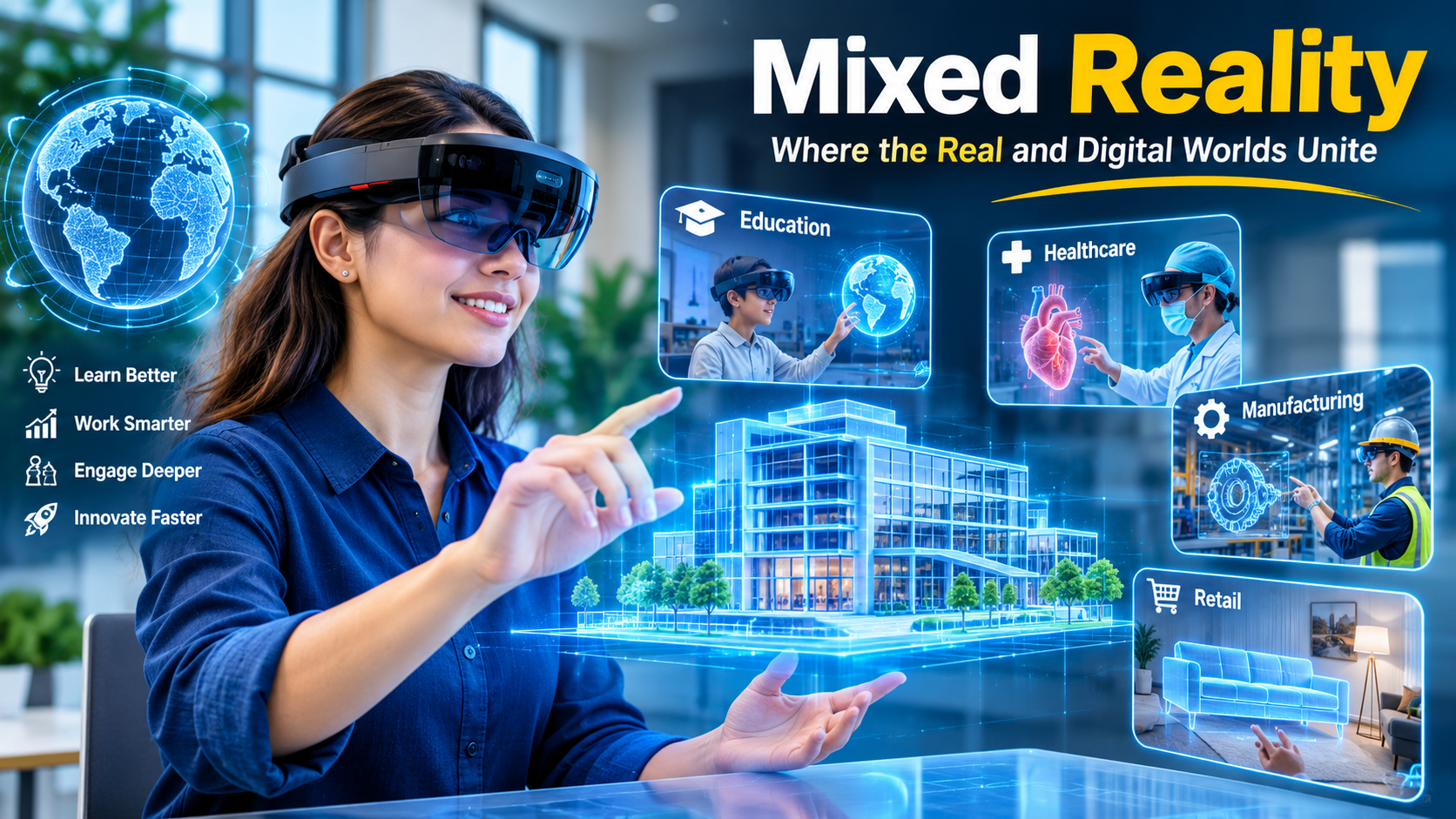
Tag: immersive technology

  • Software Development: A Complete Guide to Building Modern Software

    Software Development: A Complete Guide to Building Modern Software

    Software development has become an important part of how businesses operate, communicate, and serve customers. From mobile applications and websites to enterprise platforms and cloud-based systems, software is now involved in almost every industry.

    But software development is more than simply writing code. It involves understanding a problem, planning a solution, designing the user experience, developing the application, testing it, deploying it, and improving it over time.

    For businesses, choosing the right software development approach can make a significant difference in the quality, security, scalability, and long-term value of a digital product.


    What Is Software Development?

    Software development is the process of creating, testing, deploying, and maintaining software applications or systems. It can involve several technologies, programming languages, development methodologies, and professional roles.

    A software project may begin with a simple business requirement, such as creating an online ordering system. Developers and other team members then turn that requirement into a functional product through a structured development process.

    Modern software development is usually iterative. Instead of building everything at once, teams can develop features in smaller stages, test them, collect feedback, and improve the product continuously.

    The Software Development Life Cycle (SDLC) provides a structured framework for managing this process. Common SDLC phases include planning, analysis, design, coding, testing, deployment, and maintenance.


    Why Is Software Development Important for Businesses?

    Almost every modern business depends on technology in some way. Software can help organizations automate repetitive activities, manage information, communicate with customers, and create new digital services.

    1. Business Process Automation

    Software can automate repetitive tasks that would otherwise require significant manual effort. Examples include invoice generation, employee management, customer notifications, inventory tracking, and report generation.

    Automation can help employees spend more time on activities that require human decision-making and creativity.

    2. Better Customer Experiences

    Customers expect digital services to be convenient and responsive. A well-designed application or website can make it easier for customers to search for products, make payments, communicate with businesses, or access services.

    Good software development therefore considers both technical performance and the user’s experience.

    3. Improved Data Management

    Businesses generate large amounts of information every day. Custom software can help organize and process this information according to specific business requirements.

    For example, a company may use a centralized platform to manage customer records, sales information, employee data, and operational reports.

    4. Scalability

    Business requirements change as organizations grow. Software should ideally be designed so that new users, features, integrations, and data volumes can be accommodated without completely rebuilding the application.

    Scalable architecture is particularly important for cloud applications, SaaS platforms, e-commerce systems, and enterprise software.


    The Software Development Life Cycle

    The SDLC gives development teams a roadmap for turning an idea into a working software product. Although organizations may use different methodologies, the fundamental activities are broadly similar.

    1. Planning

    The first step is to understand what needs to be built and why.

    Teams identify the business objectives, target users, major features, estimated resources, technical requirements, and potential risks.

    A clear plan can reduce misunderstandings later in the project.

    2. Requirement Analysis

    Developers and stakeholders examine the requirements in greater detail.

    This stage answers questions such as:

    • Who will use the software?
    • What problems should it solve?
    • What features are necessary?
    • What platforms should it support?
    • What security and performance requirements exist?

    Clear requirements provide a foundation for the remaining development process.

    3. Software Design

    Once requirements are understood, the team creates the technical and visual design of the application.

    This may include:

    • System architecture
    • Database design
    • API structure
    • User interface design
    • Navigation
    • Security controls
    • Third-party integrations

    Security should be considered during design rather than treated as something to add after development. OWASP recommends integrating security activities throughout the software development lifecycle.

    4. Development and Coding

    Developers convert the approved design into working software.

    Depending on the project, development may involve technologies such as JavaScript, Python, Java, PHP, C#, Swift, Kotlin, or other programming languages and frameworks.

    Modern teams often use version control systems, automated testing, code reviews, and development environments to manage the codebase effectively.

    5. Testing

    Testing helps identify defects before software reaches users.

    Different types of testing can be used depending on the application, including:

    • Functional testing
    • Integration testing
    • Performance testing
    • Usability testing
    • Security testing
    • Regression testing
    • Automated testing

    Security verification can include architecture assessment, requirements-driven testing, automated security testing, and penetration testing.

    6. Deployment

    After testing and approval, the software can be released to its intended environment.

    Depending on the project, deployment may involve cloud infrastructure, application stores, web servers, enterprise environments, or private systems.

    CI/CD pipelines can automate many software build, test, and deployment activities, helping teams deliver changes in a repeatable way.

    7. Maintenance and Improvement

    Software development does not end when an application is launched.

    Applications require ongoing maintenance to fix bugs, improve security, update dependencies, improve performance, and introduce new features.

    Regular improvements also allow software to adapt to changing customer expectations and business requirements.


    Popular Software Development Approaches

    Different projects require different development approaches.

    Agile Development :

    Agile development focuses on iterative delivery, collaboration, customer feedback, and adapting to changing requirements.

    Instead of waiting until the entire application is finished, teams typically work on smaller features and deliver improvements incrementally.

    Waterfall Development :

    The waterfall approach follows a more sequential process in which requirements, design, development, and testing are generally handled in defined stages.

    It can be suitable for projects where requirements are well understood and changes are relatively limited.

    DevOps :

    DevOps combines development and operations practices to improve collaboration and automate software delivery.

    It commonly uses CI/CD pipelines, infrastructure automation, monitoring, and automated testing.

    DevSecOps :

    DevSecOps extends DevOps by integrating security practices into development and delivery processes. OWASP describes secure development as an approach where security activities are incorporated into the existing SDLC rather than treated as a completely separate process.


    Types of Software Development

    Software development covers many different types of products and platforms.

    Web Development :

    Web development focuses on websites and web applications that users access through browsers.

    Examples include:

    • Business websites
    • E-commerce platforms
    • Customer portals
    • SaaS applications
    • Online booking systems

    Mobile App Development :

    Mobile development focuses on applications for smartphones and tablets.

    Apps may be developed specifically for Android, iOS, or multiple platforms using cross-platform technologies.

    Enterprise Software Development :

    Enterprise applications are designed to support complex organizational processes.

    Examples include CRM platforms, ERP systems, HR software, supply-chain platforms, analytics systems, and internal business applications.

    Cloud Software Development :

    Cloud-based software runs on cloud infrastructure and can provide flexible access, scalability, and integration with other cloud services.

    Cloud development is commonly used for SaaS products, online platforms, data applications, and enterprise systems.


    Key Factors in Successful Software Development

    Creating functional software is only one part of a successful project. Teams also need to consider several other factors.

    Security :

    Security should be considered from requirements and architecture through development, testing, deployment, and maintenance. Secure design practices can help reduce unnecessary exposure and address risks earlier in the development process.

    Performance :

    Applications should respond efficiently under expected workloads. Performance testing and monitoring can help identify bottlenecks.

    Usability :

    A technically powerful application can still fail to meet user expectations if it is difficult to navigate. User experience should therefore be considered throughout design and development.

    Maintainability :

    Well-structured and documented software is generally easier to update and troubleshoot. Clean architecture, appropriate documentation, testing, and code reviews can support long-term maintenance.

    Scalability :

    Software should be designed with future growth in mind. This includes considering increasing users, larger datasets, additional features, and integrations.


    How to Choose a Software Development Partner

    Businesses evaluating a software development company should look beyond the quoted price.

    Consider factors such as:

    • Relevant technical experience
    • Understanding of your industry
    • Previous projects
    • Development methodology
    • Security practices
    • Communication process
    • Testing procedures
    • Post-launch support
    • Scalability expertise

    A development partner should also be able to explain technical decisions in language that business stakeholders can understand.


    The Future of Software Development

    Software development continues to evolve as new technologies become part of everyday development workflows.

    Artificial intelligence can assist developers with code generation, documentation, testing, debugging, and development workflows. Cloud platforms continue to support scalable applications, while APIs and third-party integrations make it easier for software products to connect with other services.

    At the same time, security remains an important consideration. Modern development teams increasingly integrate security into design, coding, testing, and deployment rather than treating it as a final-stage activity.

    The future of software development is therefore not only about writing code faster. It is also about creating software that is useful, secure, scalable, maintainable, and capable of adapting to changing requirements.


    Internal Links :

    • Artificial Intelligence
    • IT & Tech Services

    External Links :


    Frequently Asked Questions (FAQ’s)

    What is software development?

    Software development is the process of planning, designing, coding, testing, deploying, and maintaining software applications and systems.

    What are the main stages of software development?

    The main stages generally include planning, requirements analysis, design, development, testing, deployment, and maintenance. Organizations may organize these activities differently depending on their development methodology.

    How long does software development take?

    The development time depends on the application’s complexity, number of features, integrations, technology stack, team size, testing requirements, and project scope. A small application may take weeks, while a large enterprise platform can require months or longer.

    Why is software testing important?

    Testing helps identify functional problems, performance issues, security weaknesses, and other defects before or after release. It is an important part of maintaining software quality.

    What is custom software development?

    Custom software development involves creating software specifically for the requirements of a particular business or group of users rather than relying entirely on an off-the-shelf product.


    Conclusion

    Software development is a structured process that combines technology, planning, design, development, testing, and continuous improvement. For businesses, it can provide the foundation for digital services, automation, customer experiences, and new technology-driven processes.

    A successful software project should not focus only on getting an application to work. Security, usability, performance, scalability, and maintainability should also be considered throughout the development lifecycle.

    Whether a business needs a website, mobile application, SaaS platform, enterprise solution, or custom business system, a clear development process can help turn an idea into a reliable digital product.

    📞 Contact: 919967940928
    🌐 Visit: http://aibuzz.net
    📩 Mail: info@aibuzz.net

  • Artificial Intelligence: Understanding AI, Its Uses, Benefits, and Future

    Artificial Intelligence: Understanding AI, Its Uses, Benefits, and Future

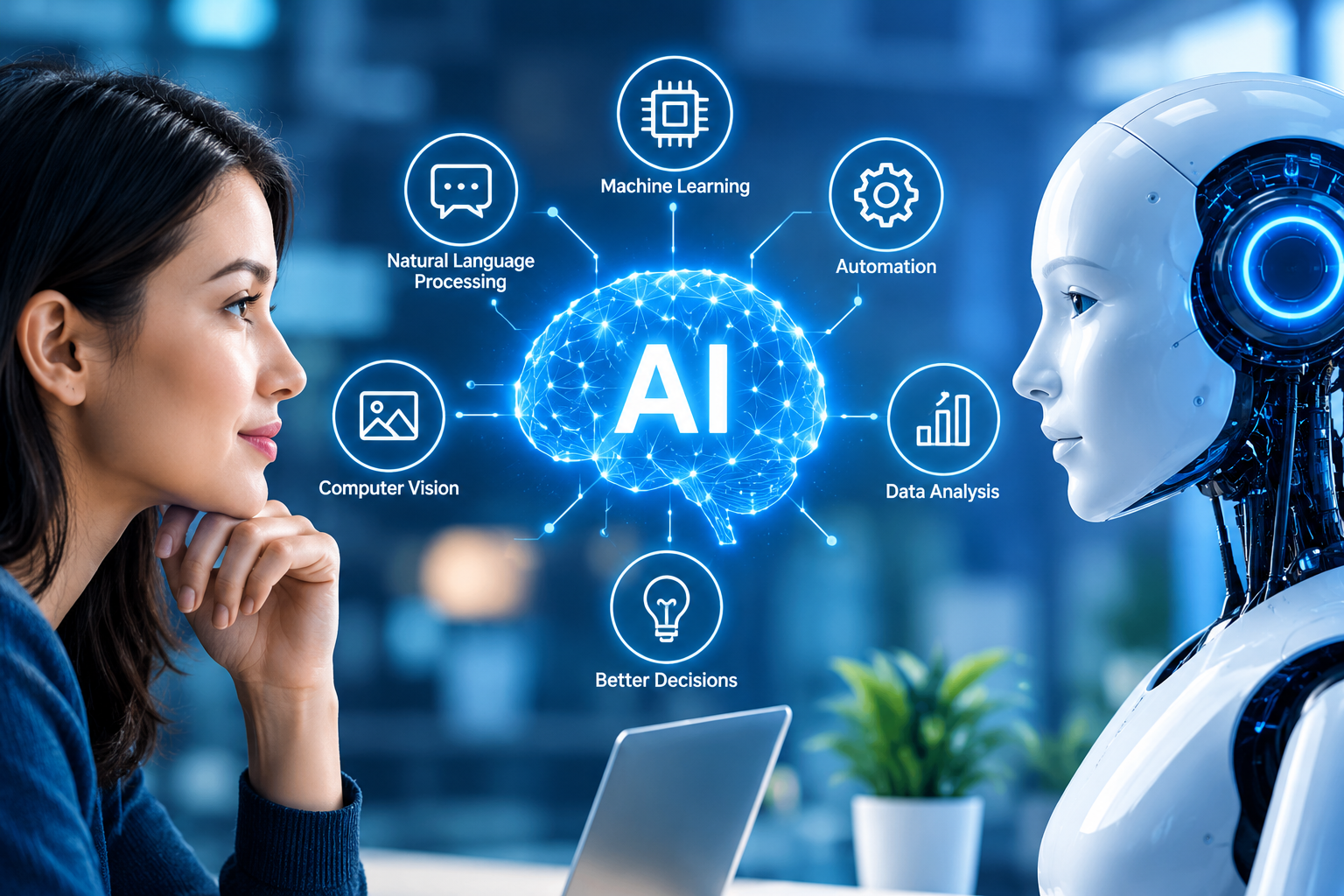
    Artificial Intelligence (AI) has moved from being a futuristic idea to becoming part of everyday life. When you unlock a phone with your face, ask a virtual assistant a question, receive a personalized recommendation, or use a chatbot to solve a problem, there is a good chance that AI is working behind the scenes.

    But AI is much more than chatbots and smart devices. It is a broad field of technology that allows machines and computer systems to perform tasks that normally require human intelligence, such as learning, recognizing patterns, understanding language, making decisions, and solving problems.

    As businesses and individuals continue adopting AI, understanding how it works, where it is used, and what its limitations are has become increasingly important.


    What Is Artificial Intelligence?

    Artificial Intelligence is a branch of technology that enables computers and machines to simulate aspects of human intelligence. AI systems can process information, identify patterns, learn from data, generate content, and sometimes make decisions or take actions with limited human intervention.

    A simple example is a recommendation system. When an online platform suggests a movie, product, or song based on your previous activity, AI may be analyzing patterns in your behavior to make that recommendation.

    AI does not necessarily “think” exactly like a human. Instead, different AI systems are designed to perform specific tasks using algorithms, data, models, and computing power.


    How Does Artificial Intelligence Work?

    At a basic level, AI depends on data and algorithms.

    1. Data

    AI systems need information to learn patterns. Depending on the application, this could include text, images, audio, numbers, videos, or business records.

    The quality of the data matters. Poor, incomplete, or biased data can affect the quality of an AI system’s results.

    2. Machine Learning

    Machine learning is one of the most important areas of AI. Instead of programming every possible response manually, developers can train a system using data so it can identify patterns and make predictions.

    For example, a machine-learning system trained with thousands of images can learn to recognize certain objects or characteristics in new images.

    3. Deep Learning

    Deep learning uses large neural networks with multiple layers to process complex information. It has played an important role in areas such as computer vision, speech recognition, and modern generative AI.

    4. Generative AI

    Generative AI is a type of AI that can create new content, including text, images, audio, video, and computer code. Its rapid development has made AI more accessible to everyday users and businesses.

    A useful way to understand the relationship is that machine learning and deep learning provide important foundations for many modern AI applications, while generative AI focuses on producing new content.


    Common Applications of Artificial Intelligence

    AI is already being used across many industries. Its applications are not limited to large technology companies.

    Healthcare

    AI can help healthcare organizations analyze medical information, support research, assist with image analysis, and improve administrative processes. When used in sensitive healthcare environments, however, AI systems require careful validation and human oversight.

    Finance

    Banks and financial organizations use AI for areas such as fraud detection, risk analysis, customer support, and transaction monitoring. AI can identify unusual patterns in large volumes of financial data much faster than manual analysis.

    Marketing and Advertising

    AI is changing how businesses understand audiences and create marketing campaigns. It can help analyze customer behavior, personalize recommendations, generate content ideas, and automate parts of campaign management.

    For businesses interested in digital growth, combining Artificial Intelligence with a strong digital marketing strategy can create more personalized customer experiences.

    Education

    AI-powered tools can support personalized learning, language practice, automated feedback, research, and administrative work. Instead of replacing teachers, AI can be used as an additional tool that helps educators save time and support students.

    Customer Service

    AI chatbots and virtual assistants can answer frequently asked questions, guide customers through basic processes, and provide support outside traditional business hours.

    Manufacturing

    In manufacturing, AI can help monitor equipment, identify defects, optimize production, and predict when machinery may require maintenance.


    Benefits of Artificial Intelligence

    The growing adoption of AI is largely driven by its ability to handle large amounts of information and automate repetitive tasks.

    Improved Efficiency

    AI can process large datasets and perform repetitive activities quickly. This can allow employees to spend more time on tasks that require creativity, communication, and strategic thinking.

    Better Decision Support

    AI can identify patterns that may be difficult to notice manually. Businesses can use these insights to support forecasting, planning, and operational decisions.

    Personalization

    From shopping recommendations to digital learning platforms, AI can help create experiences based on individual preferences and behavior.

    24/7 Availability

    AI-powered systems can operate continuously, making them useful for customer support, monitoring, and other services that need to be available around the clock.

    Innovation

    AI is also helping organizations explore products and services that were previously difficult or expensive to build. It is becoming a foundation for new approaches to software development, automation, research, and digital experiences.


    Challenges and Risks of AI

    AI has significant potential, but it is not a magic solution. Responsible implementation is important because AI systems can introduce technical, security, privacy, and social risks.

    Data Privacy

    AI systems may process large amounts of information. Organizations need to understand what data is being collected, where it is stored, who can access it, and how it is being used.

    Bias

    AI models can reproduce or amplify patterns present in their training data. If the underlying data is incomplete or biased, the resulting system may produce unfair or inaccurate outcomes.

    Incorrect Results

    AI-generated answers can sometimes be inaccurate. This is particularly important when AI is used in areas where mistakes can have serious consequences.

    Security Risks

    AI systems can face cybersecurity threats, while AI-generated content can also be misused. NIST notes that AI security involves concerns related to the confidentiality, integrity, and availability of AI systems and their data.

    Lack of Human Oversight

    AI should not automatically be trusted with every decision. Human review remains important, especially when decisions affect people’s finances, safety, rights, employment, or health.

    NIST’s AI Risk Management Framework encourages organizations to consider trustworthiness throughout the design, development, deployment, evaluation, and use of AI systems.


    How Businesses Can Adopt AI Responsibly

    Businesses do not need to transform everything overnight. A practical approach is to begin with a specific problem.

    First, identify a repetitive or data-heavy process where AI could provide measurable value. Next, evaluate the available data and choose an appropriate AI solution. The system should then be tested before being introduced on a larger scale.

    It is also important to establish clear rules around data privacy, security, access, human review, and performance monitoring.

    NIST’s AI Risk Management Framework organizes AI risk management around four functions: Govern, Map, Measure, and Manage. It is designed as a voluntary framework to help organizations develop and use AI more responsibly.

    This approach is useful because AI adoption should not be viewed only as a technology project. It is also a business, people, security, and governance decision.


    The Future of Artificial Intelligence

    The future of AI is likely to involve deeper integration into everyday software and business operations. AI assistants may become more capable of handling multi-step tasks, while organizations may use AI agents to automate parts of workflows.

    At the same time, the conversation around AI is shifting from simply asking “What can AI do?” to asking “How can we use AI effectively and responsibly?”

    That distinction matters. Successful AI adoption will not depend only on having powerful models. It will also depend on good data, thoughtful implementation, cybersecurity, human oversight, and clear business objectives.


    Frequently Asked Questions

    What is Artificial Intelligence in simple words?

    Artificial Intelligence is technology that enables computers and machines to perform tasks associated with human intelligence, such as learning, recognizing patterns, understanding language, and making predictions.

    What is the difference between AI and Machine Learning?

    AI is the broader field of creating systems that can perform intelligent tasks. Machine learning is a subset of AI in which systems learn patterns from data rather than relying entirely on explicitly programmed rules.

    Is Generative AI the same as Artificial Intelligence?

    No. Generative AI is a category within the broader AI field. It focuses on creating new content such as text, images, audio, video, and code.

    Can AI replace humans?

    AI can automate many tasks, but that does not mean it can replace human judgment in every situation. Human creativity, context, empathy, accountability, and decision-making remain important, particularly for complex or high-impact decisions.

    Why is responsible AI important?

    Responsible AI helps organizations address issues such as accuracy, privacy, security, bias, transparency, and human oversight. These considerations can make AI systems more trustworthy and useful.


    Conclusion

    Artificial Intelligence is no longer a technology reserved for research laboratories or futuristic movies. It is already influencing how people work, communicate, shop, learn, create, and make decisions.

    Its biggest value comes from using technology to solve meaningful problems rather than adopting AI simply because it is popular. Businesses that combine useful AI applications with quality data, strong security, human expertise, and responsible practices are better positioned to gain long-term value from the technology.

    AI will continue to evolve, but one thing is already clear: understanding Artificial Intelligence is becoming an important part of understanding the future of technology.

  • Software Development: A Complete Guide to Building Reliable Digital Solutions

    Software Development: A Complete Guide to Building Reliable Digital Solutions

    Software is now part of almost everything we do. From mobile banking and online shopping to healthcare platforms, business dashboards, and communication apps, software quietly powers many of our daily activities. Behind every useful application is a process that turns an idea into a working digital product. That process is known as software development.

    Software development is more than writing lines of code. It involves understanding a problem, planning a solution, designing the user experience, developing features, testing the product, launching it, and improving it over time. For businesses, choosing the right software development approach can make a major difference in productivity, customer experience, security, and long-term growth.


    What Is Software Development?

    Software development is the structured process of creating, testing, deploying, and maintaining software applications or systems. It can involve simple websites and mobile apps as well as complex enterprise platforms, cloud applications, artificial intelligence systems, and business management software.

    A typical software development project starts with an idea or business requirement. Developers and other team members then turn that requirement into a practical solution.

    Software development can include:

    • Web application development
    • Mobile app development
    • Desktop software development
    • Enterprise software development
    • Cloud-based applications
    • API and backend development
    • Custom business software
    • Software maintenance and upgrades

    Modern development also focuses heavily on security, scalability, performance, and user experience—not just whether the application works.


    Why Is Software Development Important for Businesses?

    Businesses often have different processes, customers, and operational requirements. Off-the-shelf software can be useful, but it may not always fit a company’s exact needs.

    Custom software development allows organizations to build solutions around their specific workflows.

    1. Improves Business Efficiency

    Well-designed software can automate repetitive tasks, reduce manual work, and help employees access information faster. Instead of switching between multiple tools, a business can bring important functions into one system.

    2. Creates Better Customer Experiences

    Customers expect digital services to be fast, simple, and convenient. A well-developed website, mobile application, or customer portal can make it easier for people to interact with a business.

    3. Supports Business Growth

    Good software should not only solve today’s problems. It should also be capable of handling future users, data, features, and integrations. Scalable architecture makes it easier to expand the product as the business grows.

    4. Strengthens Security

    Security needs to be considered throughout development rather than added as an afterthought. NIST’s Secure Software Development Framework recommends integrating secure development practices into software development processes to reduce vulnerabilities and their potential impact.


    The Software Development Life Cycle

    The Software Development Life Cycle (SDLC) provides a structured approach to building software. Although companies may use different methodologies, common SDLC stages include planning, analysis, design, coding, testing, deployment, and maintenance.

    1. Planning

    The process begins by defining the problem, project goals, target users, expected features, budget, and timeline.

    Good planning helps prevent confusion later. It also gives the development team a clear understanding of what needs to be built.

    2. Requirement Analysis

    At this stage, developers and stakeholders identify what the software must do. Functional and technical requirements are documented so everyone has the same expectations.

    For example, an e-commerce application may require product search, shopping carts, payments, customer accounts, order tracking, and an administration panel.

    3. Design

    The design stage determines how the software will look and work. This includes user interface design, database structure, system architecture, APIs, navigation, and overall user experience.

    A good design balances appearance with usability and performance.

    4. Development

    This is where developers turn designs and requirements into working software. Front-end developers work on what users see and interact with, while backend developers handle servers, databases, APIs, authentication, and business logic.

    For web development, resources such as MDN Web Docs provide structured learning material covering technologies and development practices.

    5. Testing

    Testing helps identify bugs, security issues, compatibility problems, and performance weaknesses before software reaches users.

    Depending on the project, testing can include functional testing, usability testing, security testing, performance testing, integration testing, and automated testing.

    6. Deployment

    After testing and approval, the software is released to its intended environment. This may involve publishing a mobile application, deploying a web application to the cloud, or installing software within an organization’s infrastructure.

    7. Maintenance

    Software development does not end at launch. Applications need regular updates, bug fixes, security patches, performance improvements, and new features.

    Maintenance keeps software useful as technology, customer expectations, and business requirements change.


    Popular Software Development Methodologies :

    Agile Development

    Agile development focuses on delivering software in smaller, manageable iterations. Teams receive feedback regularly and can adjust priorities as requirements change.

    This approach is particularly useful for projects where requirements are expected to evolve.

    Waterfall Development

    Waterfall follows a more sequential approach, where one major stage is completed before moving to the next. It can work well when requirements are clearly defined and unlikely to change significantly.

    DevOps

    DevOps brings development and operations closer together. Automation, continuous integration, continuous delivery, monitoring, and collaboration can help teams release software more efficiently.

    For security-focused development, NIST’s DevSecOps guidance highlights practices such as integrating security earlier in the development lifecycle and automating security testing.


    Technologies Used in Software Development

    The technology stack depends on the type of software being created. A modern project may use programming languages such as JavaScript, Python, Java, C#, PHP, Go, or Swift.

    Developers may also work with:

    • HTML and CSS
    • React, Angular, or Vue
    • Node.js and other backend technologies
    • SQL and NoSQL databases
    • Cloud platforms
    • APIs and third-party integrations
    • Git and version-control systems
    • Automated testing tools
    • CI/CD pipelines

    The right technology should be selected according to the project’s requirements rather than simply following the latest trend.


    How to Choose the Right Software Development Partner

    Choosing a development partner is an important decision. Before starting a project, businesses should evaluate the company’s technical expertise, previous work, communication process, security practices, development methodology, and post-launch support.

    It is also useful to clarify:

    • What problem will the software solve?
    • Who will use it?
    • Which features are essential for the first release?
    • How will data and user accounts be protected?
    • Can the system scale later?
    • What maintenance and support will be provided?

    For businesses exploring digital transformation, you can also explore our IT & Tech Services to understand how software solutions can support broader technology initiatives.


    Rich Media Resources for Learning Software Development

    Visual and interactive resources can make technical concepts easier to understand. The MDN Web Development learning guide is a useful resource for exploring web development concepts, tools, and workflows.

    For secure development practices, the NIST Secure Software Development Framework provides practical guidance that organizations can use as part of their software development processes.


    Internal Links :

    External Links :


    Future of Software Development

    Software development is evolving quickly. Artificial intelligence is increasingly being used to assist developers with coding, testing, documentation, debugging, and code analysis. Cloud-native development, automation, low-code tools, cybersecurity, and scalable architectures are also influencing how modern applications are built.

    However, technology alone does not guarantee successful software. Strong requirements, thoughtful architecture, skilled development, security, testing, and continuous improvement remain essential.


    Frequently Asked Questions :

    What is software development in simple words?

    Software development is the process of creating and maintaining applications or digital systems that solve specific problems or perform useful tasks.

    How long does software development take?

    The timeline depends on the project’s complexity, number of features, technology, team size, integrations, and testing requirements. A small application may take weeks, while a large enterprise platform can require months or longer.

    What is the difference between software development and software engineering?

    Software development focuses on building and maintaining software, while software engineering generally applies broader engineering principles to software architecture, development, testing, reliability, scalability, and maintenance.

    Is custom software better than ready-made software?

    Not always. Ready-made software can be quicker and more affordable for common requirements. Custom software can be a better option when a business has specialized workflows or needs deeper integrations and greater control.

    Why is software testing important?

    Testing helps identify defects, security weaknesses, compatibility problems, and performance issues before they affect users. It is an important part of delivering reliable software.


    Conclusion :

    Software development is the foundation behind many of the digital products businesses and consumers rely on every day. From a simple website to a sophisticated enterprise platform, successful software requires much more than coding. It requires clear planning, thoughtful design, reliable development, thorough testing, strong security, and ongoing maintenance.

    For businesses, the goal should not simply be to build software quickly. The goal should be to build software that solves a real problem, provides a smooth user experience, protects important data, and can adapt as the organization grows.

    When technology is combined with a clear business strategy and a user-focused development process, software can become more than just a digital tool—it can become a long-term driver of efficiency, innovation, and growth.

    📞 Contact: 919967940928
    📩 Mail: info@aibuzz.net

  • Virtual Reality (VR): How Immersive Technology Is Changing the Digital World

    Virtual Reality (VR): How Immersive Technology Is Changing the Digital World

    Virtual Reality (VR) once felt like something from a science-fiction movie. Today, it is becoming a practical technology used in gaming, education, healthcare, business, training, design, and many other fields.

    Instead of simply looking at information on a screen, VR places users inside a computer-generated environment. With a headset and motion-tracking technology, users can look around, move, and interact with digital objects in a more natural way.

    But what exactly is Virtual Reality, how does it work, and why are businesses and organizations paying more attention to it? Let’s explore.


    What Is Virtual Reality? :

    Virtual Reality is a technology that creates an interactive, computer-generated 3D environment designed to make users feel present inside a digital world.

    A typical VR experience uses a head-mounted display (HMD), sensors, controllers, spatial audio, and software. The headset displays separate images to the eyes and continuously adjusts the view according to the user’s head and body movements.

    This sense of presence is what makes VR different from watching a video or using a traditional computer screen. Instead of being an outside observer, the user becomes part of the experience.


    How Does Virtual Reality Work? :

    VR combines several technologies to create an immersive experience.

    1. VR Headset

    The headset provides the visual environment. Modern headsets use displays and lenses to create a stereoscopic 3D view, giving users a sense of depth.

    2. Motion Tracking

    Sensors track movements such as turning your head, moving your hands, or changing your position. The virtual environment responds in real time, making interactions feel more natural.

    3. Controllers and Hand Tracking

    Controllers allow users to pick up, move, or interact with virtual objects. Some systems can also recognize hand movements without traditional controllers.

    4. Spatial Audio

    Sound is another important part of immersion. Spatial audio can make a sound appear to come from a particular direction, helping users understand what is happening around them.

    Together, these components create a responsive digital environment rather than simply displaying information on a screen.


    Major Applications of Virtual Reality :

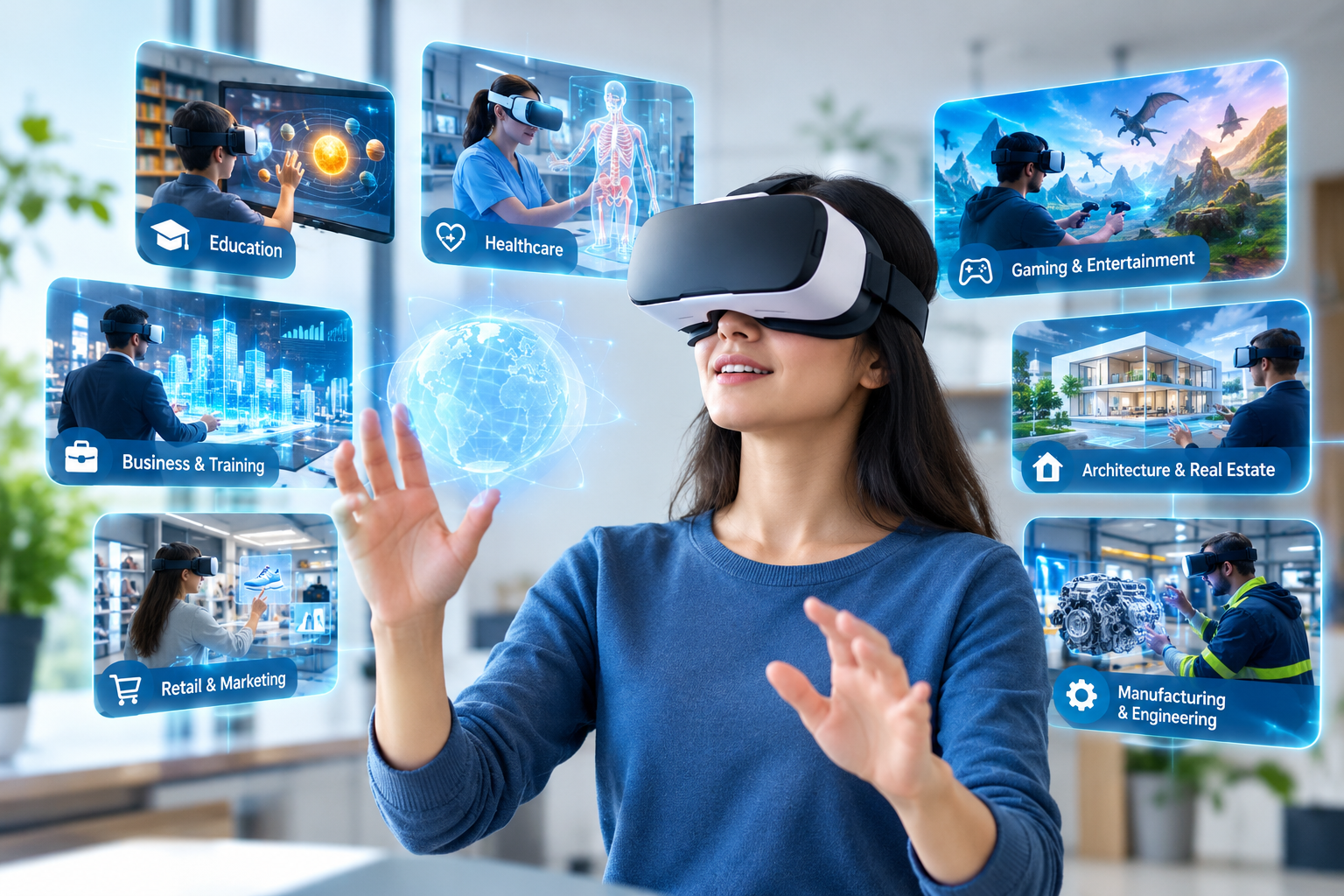
    VR is no longer limited to entertainment. Its applications are expanding across industries, particularly where practical experience, visualization, or simulation is valuable.

    Virtual Reality in Education

    Imagine learning about ancient history by walking through a virtual historical city instead of only reading about it in a textbook.

    VR can make lessons more interactive by allowing students to explore places, objects, scientific concepts, and simulations in three dimensions. It can also support skill-based learning where students need to practice rather than simply memorize information.

    Healthcare education is one example where VR is gaining attention. Recent research has found evidence supporting VR for areas such as procedural and surgical education.

    Virtual Reality in Healthcare

    Healthcare professionals can use VR simulations to practice procedures in controlled environments before working with real patients.

    VR is also being explored for rehabilitation, pain management, medical education, and psychological support. Research published in 2026 highlights applications across education, rehabilitation, pain management, and other healthcare settings.

    For healthcare, the biggest advantage is not simply immersion. It is the ability to repeat certain learning or therapeutic experiences in a controlled environment.

    Virtual Reality in Business and Training

    Businesses are increasingly exploring VR for employee training, product demonstrations, meetings, simulations, and customer experiences.

    For example, employees working in manufacturing, aviation, logistics, or other high-risk environments can practice scenarios virtually before facing them in the real world. This can make certain forms of training safer and easier to repeat.

    Companies can also use VR to demonstrate products or create virtual experiences for customers.

    Virtual Reality in Gaming and Entertainment

    Gaming remains one of the most recognizable applications of VR.

    Traditional games place the player in front of a screen. VR can place the player inside the game environment, allowing them to look around and interact with virtual surroundings.

    The same concept is also influencing virtual concerts, interactive storytelling, museums, tourism experiences, and other forms of digital entertainment.


    What Are the Benefits of Virtual Reality? :

    The value of VR depends on how it is used, but several benefits make the technology attractive.

    Immersive learning: Users can learn through experience rather than relying only on text or images.

    Safe simulation: Dangerous or expensive situations can sometimes be recreated virtually for training.

    Better visualization: Complex objects, spaces, and processes can be represented in three dimensions.

    Higher engagement: Interactive environments can make certain experiences more memorable.

    Remote experiences: People can explore virtual environments without physically traveling to the location.

    Repeatable training: A virtual scenario can often be practiced multiple times without recreating the entire real-world setup.


    Challenges and Limitations of VR :

    Despite its potential, Virtual Reality is not a perfect solution for every situation.

    The cost of hardware, software development, and content creation can be a barrier for some organizations. Technical requirements, user comfort, accessibility, and training also need consideration.

    Some users may experience motion sickness, eye strain, or discomfort during extended sessions. Organizations should therefore design VR experiences carefully and provide appropriate breaks.

    Privacy and data security are also important. VR systems can collect information about user interactions and behavior, making responsible data handling essential. Research on immersive technologies has also identified privacy, ethical, and implementation challenges.


    VR vs AR: What Is the Difference? :

    Virtual Reality and Augmented Reality are related, but they are not the same.

    Virtual Reality creates a digital environment that largely replaces the user’s view of the physical world.

    Augmented Reality (AR) adds digital information or objects to the user’s view of the real world.

    For example, exploring a completely digital training facility through a headset is a VR experience. Seeing digital instructions overlaid on a real machine through a compatible device is closer to AR.

    Both technologies are part of the broader immersive technology ecosystem.


    The Future of Virtual Reality :

    The future of VR will likely be shaped by improvements in hardware, artificial intelligence, spatial computing, haptic feedback, and connectivity.

    AI can make virtual environments more responsive and personalized, while better tracking and haptic technologies can make digital interactions feel increasingly natural.

    Healthcare, education, enterprise training, entertainment, and other industries are already exploring practical applications, suggesting that VR is moving beyond its reputation as simply a gaming technology.

    The most important question is no longer whether VR looks futuristic. It is whether a virtual experience can solve a real problem better, more safely, or more effectively than a traditional approach.


    Frequently Asked Questions :

    What is Virtual Reality in simple words?

    Virtual Reality is a technology that creates a computer-generated environment where users can look around and interact with digital content as though they are inside the environment.

    What equipment is needed for VR?

    A basic VR setup usually includes a VR headset. Depending on the experience, it may also use controllers, motion sensors, cameras, headphones, or a compatible computer or gaming system.

    Is Virtual Reality only used for gaming?

    No. VR is also used in education, healthcare, employee training, design, engineering, business, entertainment, and other industries.

    What are the main benefits of Virtual Reality?

    The main benefits include immersive learning, realistic simulation, improved visualization, interactive experiences, and repeatable training.

    What are the disadvantages of Virtual Reality?

    Common challenges include equipment costs, technical requirements, limited accessibility, user discomfort, motion sickness, privacy concerns, and the cost of developing high-quality VR content.


    Conclusion :

    Virtual Reality is changing the way people experience digital information. Instead of simply watching, reading, or clicking, users can enter an environment and interact with it.

    That shift opens interesting possibilities. Students can explore concepts in 3D, professionals can practice skills in simulations, healthcare workers can train in controlled environments, and businesses can create experiences that would be difficult to reproduce in the physical world.

    VR still has challenges to overcome, but its direction is clear: immersive technology is becoming a practical tool, not just a futuristic idea.

    📞 Contact: 919967940928
    📩 Mail: info@aibuzz.net

  • Mixed Reality (MR): The Future of Blending Physical and Digital Worlds

    Mixed Reality (MR): The Future of Blending Physical and Digital Worlds

    Technology has evolved rapidly over the last decade, transforming the way people work, learn, shop, and communicate. One of the most exciting innovations leading this transformation is Mixed Reality (MR). Unlike traditional digital experiences, Mixed Reality combines the physical and virtual worlds into a single interactive environment where users can see, interact with, and manipulate digital objects as if they were part of the real world.

    From healthcare and education to manufacturing and retail, Mixed Reality is helping businesses improve efficiency, reduce costs, and create immersive customer experiences. As organizations continue adopting digital transformation strategies, MR is becoming a valuable technology that bridges the gap between reality and imagination.

    In this guide, you’ll learn everything about Mixed Reality, including how it works, its benefits, real-world applications, challenges, and future trends.

    What is Mixed Reality?

    Mixed Reality (MR) is an advanced immersive technology that blends the real and virtual environments, allowing physical and digital objects to coexist and interact in real time.

    Unlike Virtual Reality (VR), which completely immerses users in a digital world, or Augmented Reality (AR), which overlays digital content onto the physical world, Mixed Reality enables both environments to interact naturally.

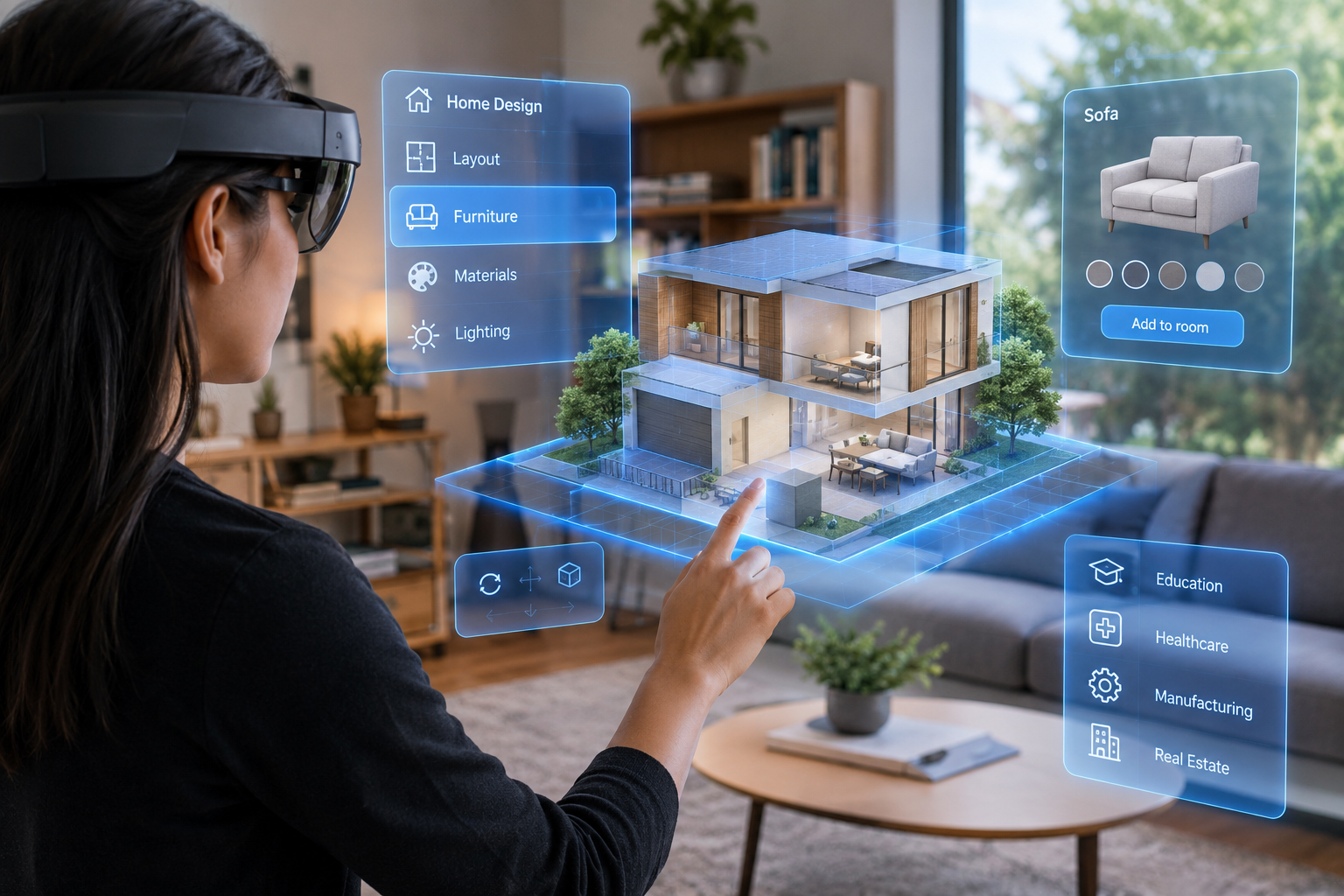
    For example, a virtual 3D machine placed on a real office desk can respond to hand gestures, remain fixed in the room, and interact with nearby physical objects.


    How Does Mixed Reality Work?

    Mixed Reality uses a combination of advanced technologies to create realistic experiences.

    1. Spatial Mapping

    The headset scans and understands the physical environment, identifying walls, floors, furniture, and other objects.

    2. Computer Vision

    AI-powered cameras recognize people, objects, and movements to enable realistic interactions.

    3. Motion Tracking

    Sensors continuously monitor the user’s head, eye, and hand movements.

    4. Artificial Intelligence

    AI improves object recognition, voice commands, gesture tracking, and scene understanding.

    5. Cloud Computing

    Cloud platforms process large amounts of 3D data, enabling collaborative experiences across multiple users.


    Key Features of Mixed Reality

    Real-Time Interaction

    Users can manipulate digital objects naturally using hand gestures, controllers, or voice commands.

    Spatial Awareness

    Digital content understands the surrounding environment and behaves realistically.

    Collaborative Experiences

    Multiple users can work together on the same virtual model from different locations.

    Persistent Digital Objects

    Virtual objects remain anchored in the same real-world location even after users leave and return.

    Natural User Interface

    Instead of keyboards and mice, users interact through eye tracking, gestures, and voice.


    Benefits of Mixed Reality :

    Mixed Reality offers numerous advantages for businesses and individuals.

    Improved Productivity

    Employees can visualize complex information faster, reducing errors and increasing efficiency.

    Better Learning

    Interactive 3D experiences improve knowledge retention compared to traditional learning methods.

    Cost Savings

    Companies can reduce travel, physical prototypes, and training expenses.

    Enhanced Collaboration

    Remote teams can interact with the same virtual objects regardless of location.

    Faster Decision-Making

    Engineers and designers can analyze products before manufacturing begins.


    Applications of Mixed Reality

    Healthcare :

    Medical professionals use Mixed Reality for:

    • Surgical planning
    • Medical training
    • Anatomy visualization
    • Remote consultation

    Doctors can view patient scans as interactive 3D models during procedures.

    Education :

    Schools and universities use MR to create engaging learning environments.

    Examples include:

    • Virtual science laboratories
    • Historical simulations
    • Interactive engineering models
    • Medical education

    Students learn through hands-on experiences rather than static textbooks.

    Manufacturing :

    Manufacturers use Mixed Reality to:

    • Assemble machinery
    • Train workers
    • Inspect equipment
    • Improve maintenance

    Technicians receive real-time instructions directly within their field of view.

    Architecture and Construction :

    Architects use MR to:

    • Walk through building designs
    • Detect design conflicts
    • Collaborate with clients
    • Reduce construction errors

    This improves communication before construction begins.

    Retail :

    Retail businesses use Mixed Reality for:

    • Virtual product demonstrations
    • Interactive shopping
    • Store planning
    • Furniture visualization

    Customers can see products in their homes before making a purchase.

    Entertainment and Gaming :

    Gaming companies create immersive experiences where digital characters interact with real environments.

    Theme parks, museums, and live events also use MR to enhance visitor engagement.


    Mixed Reality vs Augmented Reality vs Virtual Reality :

    FeatureMixed RealityAugmented RealityVirtual Reality
    EnvironmentReal + VirtualReal with overlaysFully Virtual
    InteractionHighLimitedHigh
    ImmersionMedium-HighLowVery High
    HardwareMR HeadsetsSmartphones/GlassesVR Headsets
    Use CasesHealthcare, IndustryMarketing, NavigationGaming, Training

    Challenges of Mixed Reality :

    Although MR has enormous potential, several challenges remain.

    High Hardware Cost

    Professional MR headsets are still expensive for many businesses.

    Technical Complexity

    Developing realistic MR applications requires advanced programming and 3D design skills.

    Battery Limitations

    Portable MR devices often have limited operating time.

    Privacy Concerns

    Cameras and sensors continuously collect environmental data, raising privacy considerations.

    Internet Requirements

    Cloud-based MR experiences often require stable, high-speed internet.


    Future of Mixed Reality :

    Mixed Reality is expected to become more accessible as hardware becomes smaller, lighter, and more affordable.

    Emerging technologies such as Artificial Intelligence, 5G, edge computing, and cloud rendering will make MR experiences faster and more realistic.

    Industries likely to see significant MR growth include:

    • Healthcare
    • Education
    • Manufacturing
    • Retail
    • Real Estate
    • Automotive
    • Defense
    • Remote Work

    As businesses increasingly adopt digital transformation, Mixed Reality will play a central role in improving collaboration, innovation, and customer engagement.


    Best Practices for Implementing Mixed Reality :

    Start with Clear Business Goals

    Identify specific problems that MR can solve before investing.

    Choose the Right Hardware

    Select devices based on your industry, budget, and use case.

    Prioritize User Experience

    Design intuitive interfaces that require minimal training.

    Ensure Data Security

    Protect sensitive information with secure authentication and encryption.

    Measure Performance

    Track productivity, user adoption, and return on investment to evaluate success.

    Suggested Internal Links

    Recommended External Links :

    Rich Media Suggestions :

    YouTube Video:
    https://www.youtube.com/results?search_query=Mixed+Reality+explained


    Frequently Asked Questions (FAQ) :

    1. What is Mixed Reality?

    Mixed Reality is an immersive technology that combines the physical and virtual worlds, allowing users to interact with both simultaneously.

    2. How is Mixed Reality different from Virtual Reality?

    Virtual Reality creates a fully digital environment, while Mixed Reality blends real and virtual environments where both can interact naturally.

    3. Which industries use Mixed Reality?

    Healthcare, education, manufacturing, retail, architecture, engineering, automotive, and entertainment are among the major industries using Mixed Reality.

    4. Is Mixed Reality expensive?

    While enterprise-grade hardware can be costly, prices are gradually decreasing as the technology becomes more widely adopted.

    5. What technologies power Mixed Reality?

    Mixed Reality relies on Artificial Intelligence, computer vision, spatial mapping, sensors, cloud computing, and advanced 3D graphics.


    Conclusion :

    Mixed Reality is no longer a futuristic concept—it is becoming a practical solution for businesses and individuals seeking smarter, more interactive ways to work and learn. By blending the physical and digital worlds, MR enables immersive experiences that improve collaboration, enhance productivity, and simplify complex tasks.

    As technology continues to evolve, Mixed Reality will become an essential component of digital transformation strategies across industries. Organizations that embrace MR today will be better positioned to innovate, reduce costs, and deliver exceptional user experiences in the years ahead.

    📞 Contact: 919967940928
    📩 Mail: info@aibuzz.net

  • Understanding IT and Tech Services: Your Go-To Guide

    Understanding IT and Tech Services: Your Go-To Guide

    In today’s world, technology is everywhere — powering businesses, connecting people, and making life easier in countless ways. But all that tech doesn’t just run on its own. Behind the scenes, IT and tech services keep everything humming smoothly. Whether you’re a business owner aiming to leverage technology or just curious about how these services impact your daily life, this guide will walk you through everything you need to know.

    Think of it as your friendly tour through the world of IT and tech services — what they are, why they matter, the types you might encounter, and how to pick the right ones for your needs. Plus, I’ve sprinkled in some helpful FAQs and cool resources so you can keep digging deeper.


    So, What Exactly Are IT and Tech Services?

    Let’s start simple. When we talk about IT services, we’re referring to all the behind-the-scenes work that keeps computers, networks, software, and data systems running smoothly. Imagine the tech equivalent of a pit crew in a racecar team—making sure everything’s in top shape so the car can perform at its best.

    Now, tech services is a bit broader. It includes everything from managing that tech infrastructure to helping you with your personal devices, building custom software, and integrating shiny new technologies like AI or cloud computing.

    Why Should You Care?

    Technology moves fast, and it’s easy to get overwhelmed. IT and tech services help by:

    • Making complex tech easy to use
    • Keeping your systems up and running without hiccups
    • Protecting your data from cyber baddies
    • Supporting remote work and seamless collaboration
    • Helping you stay ahead by adopting cool, innovative tech

    Breaking Down the Main Types of IT and Tech Services

    Here’s a quick tour of the main players in the IT services world:

    1. Network Management — The Digital Highway Crew :

    Networks connect everything — your computers, phones, printers, and more. Network management is all about:

    • Building and maintaining these connections securely
    • Monitoring performance so you don’t get traffic jams (or downtime!)
    • Managing hardware like routers and firewalls
    • Making sure your Wi-Fi is fast and reliable

    Real life example: Think about your local coffee shop’s payment system. Network management keeps all those transactions flowing smoothly, no matter how busy it gets.


    2. Cybersecurity — Your Digital Bodyguard :

    Cyber threats are real, and they’re getting craftier every day. Cybersecurity services include:

    • Scanning for vulnerabilities before hackers find them
    • Installing strong defenses like antivirus and firewalls
    • Responding quickly if something goes wrong
    • Training people to spot suspicious activity
    • Making sure businesses follow important laws about data

    Real life example: Hospitals use cybersecurity to protect sensitive patient records — that’s life-or-death stuff!


    3. Cloud Computing — Your Tech in the Sky :

    Cloud services let you store and access data and apps over the internet instead of a physical hard drive. This can mean:

    • Virtual servers and storage (IaaS)
    • Online platforms to build and run apps (PaaS)
    • Ready-to-use software accessed through a browser (SaaS)
    • Backup and disaster recovery

    Real life example: A startup can easily handle a sudden spike in website visitors during a product launch without buying expensive servers upfront.


    4. Technical Support — Your Tech Lifeline :

    Everyone hits a snag now and then. Tech support helps by:

    • Answering your calls, emails, or chats
    • Troubleshooting problems remotely or in person
    • Installing and updating software
    • Configuring devices so they just work

    5. Data Management and Analytics — Making Sense of the Numbers :

    Data is everywhere, but it only becomes useful when organized and analyzed:

    • Managing databases
    • Combining data from different sources
    • Creating easy-to-understand reports and dashboards
    • Using AI to predict trends and guide decisions

    Real life example: Online retailers analyze buying trends to send you personalized offers that actually interest you.


    6. Software Development — Tailored Tech for Your Needs :

    Sometimes off-the-shelf software doesn’t cut it. Custom software development includes:

    • Building apps for web and mobile
    • Customizing ERP/CRM systems to fit your business
    • Connecting different software through APIs
    • Thorough testing to make sure everything runs smoothly

    Why Do Businesses Literally Rely on IT and Tech Services?

    Working Smarter, Not Harder :

    IT services automate those boring, repetitive tasks so your team can focus on what really matters. For example, automated inventory systems keep stock levels just right, avoiding overstock or empty shelves.

    Locking Down Security :

    Protecting your business’s data and intellectual property isn’t optional—it’s essential. IT services build strong walls around your digital assets and keep watch 24/7.

    Growing Without Growing Pains :

    With cloud services, businesses can scale their technology up or down as needed—no costly guesswork or wasted resources.

    Bringing Innovation to Life :

    Tech services help you tap into exciting innovations like AI and IoT to create new products, improve customer experiences, and find fresh revenue streams.

    Keeping the Lights On :

    Disaster recovery plans mean your business can bounce back quickly from outages or cyberattacks.

    Want to dive deeper? Check out our Cloud Computing Benefits blog.


    How Do IT and Tech Services Touch Your Everyday Life? :

    It’s not just businesses that benefit. Everyday people do too:

    • Reliable internet and Wi-Fi keep you connected for work, school, and socializing
    • Streaming movies, gaming, and social networks depend on solid tech infrastructure
    • Personal firewalls and antivirus software keep your devices safe
    • Cloud storage means your photos, documents, and music are always within reach
    • Online courses and tutorials help you learn new skills on your schedule

    What’s Hot in IT and Tech These Days?

    Artificial Intelligence (AI) and Machine Learning :

    AI is taking over routine IT tasks, like monitoring systems and spotting threats early. It also helps businesses predict what’s coming next.

    Edge Computing :

    Instead of sending data all the way to a central server, edge computing processes it closer to where it’s created — speeding up everything from smart devices to self-driving cars.

    Zero Trust Security :

    This security approach assumes no one’s trustworthy by default — everyone and everything must prove who they are every time.

    Hybrid and Multi-Cloud Solutions :

    Businesses mix private and public clouds to get the best of both worlds — flexibility, cost savings, and security.

    5G Connectivity :

    The new 5G networks bring lightning-fast speeds and low latency that will revolutionize remote work and smart technology.

    Learn more on TechRadar’s IT Services Insights.


    How Do You Pick the Right IT and Tech Service Partner? :

    Here’s what I’d look for:

    • Experience in your industry — they’ll get your unique challenges and needs.
    • Range of services — from infrastructure to cloud, security, and support.
    • A solid reputation — check reviews, testimonials, and certifications.
    • Responsive customer service — you want help fast, anytime.
    • Security standards — they should be up-to-date with the latest protections.
    • Flexible and scalable — as you grow, your provider should too.
    • Clear pricing — no surprises or hidden fees.

    For a step-by-step guide, visit our IT Service Provider Selection Guide.


    Frequently Asked Questions (FAQs)

    What’s the real difference between IT services and tech services? :

    IT services mainly focus on managing business tech infrastructure — networks, servers, and data. Tech services include that plus consumer tech help, software development, and new technologies.

    How can small businesses benefit from IT services? :

    They get access to powerful technology, improve efficiency, boost security, and scale without major upfront costs.

    What exactly is cloud computing? :

    It’s using internet-based servers and software so you don’t need to own or maintain physical hardware.

    How do IT services help with cybersecurity?:

    By identifying risks, installing security tools, training staff, and responding to threats quickly.

    Can IT services help me work remotely? :

    Definitely! VPNs, secure access tools, and collaboration platforms keep you connected and safe wherever you are.


    Dive Deeper: Rich Media Resources You’ll Love


    More Learning Resources


    Conclusion :

    In short, IT and tech services are the unsung heroes of modern business and daily life. They help you work smarter, stay safe, grow faster, and keep up with the latest innovations.

    Want to learn more or get tailored advice? Check out our IT Solutions Blog or reach out anytime. We’re here to help you make the most of technology, easily and confidently.

    ☎️ 919967940928

    🌐 https://aibuzz.net/

  • Big Data Self-Service: Empowering Businesses to Make Smarter Decisions Faster

    Big Data Self-Service: Empowering Businesses to Make Smarter Decisions Faster

    Big Data has revolutionized how businesses extract value from information. Yet, the traditional process—waiting on IT teams for reports and dashboard updates—has often delayed decision-making. Enter Big Data Self-Service, a powerful approach that gives business users the freedom to access, analyze, and visualize data independently.

    As organizations evolve to be more agile and data-driven, the adoption of big data self-service tools has skyrocketed. This shift is not just technological—it’s cultural. It’s about empowering employees, streamlining operations, and fostering innovation across departments.

    In this blog, we’ll explore the 9 empowering benefits of big data self-service, why it’s crucial in 2025, and how businesses can make the most of this transformation.


    What is Big Data Self-Service?

    Big data self-service refers to systems and platforms that allow non-technical users—like marketers, HR professionals, sales teams, and executives—to access large-scale data sets, run queries, and generate insights without relying heavily on IT or data analysts.

    These tools often feature user-friendly dashboards, drag-and-drop analytics, intuitive data visualizations, and AI-powered suggestions, making data exploration faster and more efficient.


    Why Big Data Self-Service is a Game Changer

    In a world of real-time decisions and hyper-competition, waiting for insights is no longer an option. Companies need instant data access and the ability to act on it. Big data self-service tools democratize data access, enabling every department to become insight-driven.

    Let’s explore the 9 empowering benefits:


    1. Faster Decision-Making

    With big data self-service platforms, decision-makers no longer depend on IT to retrieve reports. They can explore data, spot trends, and act in real time. This significantly reduces turnaround time and supports proactive business strategies.

    Imagine a retail manager spotting a sudden dip in regional sales and immediately adjusting promotional efforts—without logging a support ticket or waiting hours for a report.


    2. Enhanced Productivity Across Teams

    Teams spend less time requesting reports and more time analyzing, strategizing, and implementing. By giving employees tools to extract insights themselves, organizations improve overall productivity and reduce data bottlenecks.

    Self-sufficiency fuels momentum. Teams no longer hit roadblocks waiting for analysis—they become the analysts.


    3. Cost Efficiency and IT Optimization

    While implementing big data self-service tools requires upfront investment, the long-term savings are substantial. IT teams are freed from repetitive reporting tasks and can focus on more critical infrastructure and innovation.

    Businesses save on labor costs, boost IT morale, and get a higher return on data infrastructure.


    4. Data Democratization and a Stronger Data Culture

    Data democratization means giving data access to everyone—not just analysts and engineers. Big data self-service platforms encourage a data-first mindset, where every employee can confidently explore, question, and utilize data to back their decisions.

    This shift builds a powerful data culture, where curiosity and innovation thrive.


    5. Improved Data Literacy

    As more employees engage with big data self-service tools, their comfort with data increases. They learn how to interpret charts, ask better questions, and draw meaningful conclusions.

    Over time, this raises the organization’s collective data IQ, turning basic users into savvy problem-solvers.


    6. Real-Time Insights and Dashboards

    Big data self-service tools often come equipped with live dashboards and real-time analytics. This means data reflects the current state of business, not yesterday’s news.

    Whether it’s website traffic, supply chain logistics, or customer sentiment, decisions can be made based on the latest data—no delay.


    7. Reduced Data Silos

    Traditionally, different departments often work in isolation, leading to fragmented insights. Big data self-service platforms centralize access and make data more shareable and unified.

    This removes silos and promotes cross-functional collaboration, where marketing, sales, and operations align using the same data sets.


    8. Customization and Personalization

    Modern big data self-service platforms allow users to create personalized dashboards, KPIs, and reports. This customization helps users focus on what matters most to them without the noise.

    Each department can tailor the tool to its workflow—marketing might track lead conversion, while finance monitors expense trends.


    9. Boosted Innovation and Competitive Edge

    When data access is open and easy, employees become innovators. They experiment, test hypotheses, and spot patterns others miss.

    This often leads to new ideas, optimized processes, and product improvements, giving businesses a sharp competitive edge in fast-moving markets.


    Short Paragraph: What is Software Development?

    Software development is the process of designing, building, testing, and maintaining applications and systems that solve problems or deliver value to users. It combines coding, user interface design, and system integration to create functional solutions for businesses and individuals. From web platforms to AI tools and mobile apps, software development underpins much of today’s digital innovation.


    Challenges of Big Data Self-Service (And How to Overcome Them)

    While big data self-service has massive benefits, it’s not without its hurdles:

    • Data Governance: With more users accessing data, the risk of misuse or misinterpretation increases. This can be mitigated with role-based permissions, audit trails, and training.
    • Quality and Trust Issues: Users must trust the data. Ensuring data is accurate, clean, and consistent is essential.
    • Training and Adoption: Not all employees are data-savvy. Businesses must invest in onboarding programs and tutorials to help teams make the most of self-service tools.

    With the right implementation, these challenges can be turned into strengths.


    Choosing the Right Big Data Self-Service Platform

    When selecting a platform, consider:

    • Ease of Use: Does the tool cater to non-technical users?
    • Integration: Can it pull data from your existing systems like CRMs, ERPs, and cloud storage?
    • Scalability: Can it handle the size and complexity of your data as you grow?
    • Security: Does it comply with data protection standards?
    • Collaboration Features: Does it allow sharing, commenting, and joint editing of dashboards?

    Popular tools in this space include TableauMicrosoft Power BIQlik, and Looker, each offering distinct features to empower your workforce.


    The Future of Big Data Self-Service

    In 2025 and beyond, AI and natural language processing will supercharge big data self-service tools. Users will be able to ask questions like, “What were our top-performing products last month?” in plain English and get visualized answers in seconds.

    Voice-enabled analytics, predictive modeling, and auto-generated insights will soon become standard features, making big data self-service even more intuitive and powerful.

    The trend is clear: businesses that adopt and evolve with these platforms will lead the way in innovation and agility.


    Conclusion: Big Data Self-Service with aibuzz

    Big data self-service is more than just a tech upgrade—it’s a cultural shift toward independence, speed, and smarter decisions. From empowering teams to accelerating business growth, the benefits are transformative.

    aibuzz offers robust solutions in big data self-service, helping businesses harness the full potential of their data ecosystems. With expert guidance and cutting-edge technology, we ensure your teams are equipped, your data is secure, and your insights are impactful.

    Partner with aibuzz to make your data work for you—not against you.


  • Mixed Reality: Bridging the Gap Between the Physical and Digital Worlds

    Mixed Reality: Bridging the Gap Between the Physical and Digital Worlds

    Technology is moving at a breakneck pace. Over the last decade, we have watched Artificial Intelligence, Virtual Reality (VR), and Augmented Reality (AR) leap from the pages of science fiction right into our daily lives.

    But among these innovations, Mixed Reality (MR) stands out as the true game-changer. It isn’t just an upgrade to how we view screens—it is completely redefining how we interact with the world around us as part of a wider digital transformation across enterprise workflows.

    Imagine slipping on a pair of sleek glasses and watching a digital engine blueprint appear on your physical desk. You don’t just look at it; you can reach out, turn a virtual gear with your fingers, and watch the physical shadows adjust accordingly. Unlike VR, which cuts you off from reality, or AR, which simply places flat data on top of your view, Mixed Reality flawlessly merges both worlds into a single, interactive sandbox.

    From operating rooms and classrooms to factory floors and retail spaces, MR is quietly spark-plugging an industry revolution. Let’s dive into how it works, why it matters, and where it’s taking us.


    Stripping Down the Tech: What Exactly is Mixed Reality? :

    At its core, Mixed Reality (MR) is a technology that weaves physical environments and digital content together so seamlessly that they can interact with one another in real time.

    In an MR space, you aren’t just a passive observer. You can:

    • Contextualize: See virtual objects sitting naturally on top of your real coffee table.
    • Interact Naturally: Use your actual hands, voice commands, or natural eye movements to manipulate data.
    • Navigate Freely: Walk around a digital statue and view it from different angles, just as if it were carved out of real marble.

    The Reality-Virtuality Continuum

    To see where MR fits, it helps to look at the broader spectrum of immersive tech:

    TechnologyWhat It DoesEveryday Example
    Virtual Reality (VR)Completely replaces your real-world surroundings with a 100% digital environment. Check out our Virtual Reality Development page to see how this builds fully enclosed digital spaces.Immersive gaming headsets like the Meta Quest.
    Augmented Reality (AR)Overlays static digital text or graphics onto your real-world view without spatial context. Learn more about simple overlays via our Augmented Reality Development guidelines.Pokémon GO or Instagram face filters.
    Mixed Reality (MR)Blends real and digital worlds so they can interact dynamically.A virtual anatomy model reacting to a surgeon’s hands.

    The Magic Behind the Curtain: How MR Works :

    Achieving this level of realism requires a complex symphony of hardware and software working together at lightning speed.

    1. Spatial Mapping & Computer Vision

    Before an MR device can place a digital object, it has to understand your room. It uses advanced computer vision to scan and recognize walls, floors, couches, and even minor obstacles. This ensures a virtual glass doesn’t clip through your solid wooden table.

    2. High-Tech Sensors and Cameras

    MR devices are packed to the brim with depth sensors, infrared cameras, and motion trackers. They continuously track your head movements and eye positioning so the digital world shifts instantly as you move—eliminating lag and motion sickness.

    3. Artificial Intelligence & Real-Time Rendering

    AI acts as the brain of MR, handles object recognition, and interprets your voice or hand gestures. Simultaneously, powerful graphic engines render those 3D visuals on the fly. Developers typically construct these responsive environments using major rendering platforms like Unity or Unreal Engine.


    Real-World Applications: Out of the Lab, Into the Wild :

    Mixed Reality is no longer just a cool demo at a tech convention. It is actively solving high-stakes problems across global industries today.

    🩺 Healthcare & Life Sciences :

    • Precision Surgery: Surgeons can overlay 3D holographic scans of a patient’s specific anatomy directly onto their body during a procedure, significantly reducing operating risks.
    • Risk-Free Training: Medical students can practice complex, rare surgeries thousands of times on digital twins before ever touching a scalpel.

    🏭 Manufacturing & Industry 4.0 :

    • Hands-Free Guidance: Field technicians working on complex machinery can view step-by-step digital repair manuals overlaid directly onto the parts they are fixing, keeping their hands free to work.
    • Smart Prototyping: Automotive and aerospace engineers can test aerodynamic designs on virtual car models without building expensive physical prototypes.

    🛍️ Retail & Real Estate :

    • “Try Before You Buy”: Customers can see exactly how a couch looks in their living room, or virtually try on clothing items that adapt to their body shape via high-performance Mobile App Development solutions.
    • Virtual Open Houses: Homebuyers can walk through properties across the globe, toggling different paint colors or furniture layouts in real-time.

    Watch it in Action :

    To truly grasp how these components mesh together on the business floor, check out this video explainer by Microsoft outlining how modern spatial computing works in real-world professional environments:

    👉 Watch “What is Mixed Reality?” by Microsoft on YouTube (Note: Replace with your embedded YouTube video player layout if your CMS supports direct iframe embeds)


    The Business Case: Why Companies are Investing Heavily :

    The ROI of Mixed Reality goes far beyond the “cool factor.” According to structural analysis from organizations like the World Economic Forum, immersive technologies are rapidly shifting from novelty to necessity.

    Massive Cost Savings: By replacing physical prototypes and reducing corporate travel through immersive workspaces, businesses cut overhead dramatically.

    Accelerated Training: Employees learn hands-on skills up to four times faster than in standard classrooms, with much higher knowledge retention.

    Minimized Human Error: Giving assembly line or maintenance workers real-time, visual checkpoints drastically reduces costly mistakes.

    Organizations looking to implement these tech stacks often pair them with flexible Cloud Computing Solutions to handle heavy processing workloads remotely, keeping onsite hardware requirements minimal and scalable.


    The Roadblocks: What’s Holding MR Back? :

    While the potential is massive, it isn’t entirely smooth sailing just yet. Mass adoption still faces a few speed bumps:

    • Hardware Form Factors: Many high-end MR devices, such as the Microsoft HoloLens, are still relatively bulky and carry an enterprise price tag.
    • Data & Privacy: Because MR devices must constantly scan your surroundings to work, they raise valid questions about data privacy and how environmental maps are stored.
    • Development Complexity: Creating high-fidelity, interactive 3D assets requires specialized talent. Navigating these requirements successfully typically demands expert IT Consulting Services and tailored Software Development Services to ensure smooth systems integration.

    Frequently Asked Questions (FAQs) :

    What is the main difference between AR and MR?

    Think of Augmented Reality (AR) as a sticker placed on a window—it sits on top of your vision but doesn’t interact with the outside world. Mixed Reality (MR) is like a hologram that knows the window is there; it can sit on the windowsill, cast a shadow, and be blocked if someone walks in front of it.

    Do I need a headset to experience Mixed Reality?

    Currently, the most immersive MR experiences require specialized headsets. However, advanced smartphone platforms are increasingly capable of entry-level MR experiences through advanced spatial computing applications.

    Where can I read more about the enterprise impact of emerging software models?

    For a deeper conceptual look at how data and immersive logic merge across modern tech frameworks, explore research topics such as IBM Emerging Technologies to see how big data informs interactive design.


    Final Thoughts :

    The line between our physical reality and the digital universe is permanently blurring. Mixed Reality isn’t just a new medium; it’s the next paradigm shift in human-computer interaction. For forward-thinking businesses, the message is clear: the early adopters of today will be the market leaders of tomorrow.

    ☎️ 919967940928

    🌐 https://aibuzz.net/

  • Mixed Reality: Bridging the Gap Between the Physical and Digital World

    Mixed Reality: Bridging the Gap Between the Physical and Digital World

    Technology has evolved at an incredible pace over the last decade. From smartphones and cloud computing to artificial intelligence and immersive experiences, innovation continues to reshape how people interact with the world around them. One of the most exciting advancements leading this transformation is Mixed Reality (MR).

    Mixed Reality is no longer a futuristic concept seen only in science fiction movies. Today, it is actively being used across industries including healthcare, education, manufacturing, retail, architecture, gaming, and entertainment. Businesses are investing heavily in MR solutions to improve productivity, collaboration, customer engagement, and training experiences.

    As organizations seek more interactive and efficient ways to connect digital information with real-world environments, Mixed Reality is emerging as a powerful solution. It combines the best elements of Virtual Reality (VR) and Augmented Reality (AR), creating immersive experiences where digital and physical objects coexist and interact in real time.

    In this comprehensive guide, we’ll explore everything you need to know about Mixed Reality, including how it works, its benefits, applications, challenges, technologies, and what the future holds for this revolutionary innovation.


    What Is Mixed Reality? :

    Mixed Reality (MR) is an advanced technology that blends the physical and digital worlds, allowing users to interact with both environments simultaneously.

    Unlike traditional digital experiences that separate users from their surroundings, Mixed Reality integrates virtual content directly into the real world. Digital objects can understand physical spaces, respond to user actions, and interact naturally with the environment.

    For example, imagine wearing a Mixed Reality headset and seeing a life-sized 3D model of a car in your living room. You can walk around it, open virtual doors, inspect internal components, and interact with it as though it were physically present.

    This seamless interaction between digital and real-world elements is what makes Mixed Reality unique.


    Understanding the Reality-Virtuality Spectrum :

    To understand Mixed Reality better, it helps to view it within the reality-virtuality spectrum.

    Physical Reality :

    The real-world environment that people interact with daily.

    Examples include:

    • Buildings
    • Vehicles
    • Furniture
    • People
    • Natural surroundings

    Augmented Reality (AR) :

    AR overlays digital information onto the real world.

    Examples:

    • Snapchat filters
    • Pokémon GO
    • Navigation overlays

    Users can see the physical world while digital content is added on top.

    Mixed Reality (MR) :

    MR takes AR a step further.

    Digital objects are not simply displayed—they understand and interact with the physical environment.

    Examples:

    • Virtual objects placed on real tables
    • Interactive 3D engineering models
    • Collaborative holographic workspaces

    Virtual Reality (VR) :

    VR creates a completely digital environment.

    Users are immersed in a computer-generated world and typically cannot see their physical surroundings.

    Examples:

    • Virtual gaming environments
    • Flight simulators
    • Virtual training systems

    How Mixed Reality Works :

    Mixed Reality relies on a combination of advanced hardware and software technologies.

    Environmental Mapping :

    MR devices scan and understand physical surroundings.

    They identify:

    • Walls
    • Floors
    • Furniture
    • Objects
    • Room dimensions

    This process creates a digital representation of the physical environment.

    Spatial Computing :

    Spatial computing enables virtual objects to occupy real-world spaces realistically.

    For example:

    • A holographic chair stays in one location.
    • A virtual screen remains attached to a wall.
    • Digital objects avoid passing through physical obstacles.

    Sensors and Cameras :

    MR devices use multiple sensors to gather environmental data.

    Common sensors include:

    Depth Sensors

    Measure distances between objects.

    Cameras

    Capture environmental details.

    Motion Sensors

    Track head and body movements.

    Eye Tracking

    Monitors user focus and gaze direction.

    Hand Tracking

    Allows natural interaction without controllers.

    Artificial Intelligence :

    AI enhances MR experiences by:

    • Recognizing objects
    • Understanding environments
    • Predicting user behavior
    • Improving interaction accuracy

    Key Components of Mixed Reality Systems :

    Several technologies work together to create effective MR experiences.

    MR Headsets :

    Headsets are the primary interface for Mixed Reality.

    Popular examples include:

    • Microsoft HoloLens
    • Magic Leap
    • Meta Quest (MR capabilities)
    • Apple Vision Pro

    These devices project digital content into real-world environments.

    Spatial Mapping Software :

    Software continuously analyzes surroundings and updates virtual content accordingly.

    Cloud Computing :

    Cloud platforms process large amounts of data and enable real-time collaboration.

    Artificial Intelligence :

    AI improves environmental awareness and object recognition.

    3D Content Creation Tools :

    Developers use specialized software to create immersive MR experiences.

    Examples include:

    • Unity
    • Unreal Engine
    • Blender

    Major Features of Mixed Reality :

    Mixed Reality offers several capabilities that distinguish it from other immersive technologies.

    Real-Time Interaction :

    Users can interact with digital objects instantly.

    Spatial Awareness :

    Virtual elements understand and respond to physical surroundings.

    Persistent Experiences :

    Digital content remains anchored in specific locations.

    Multi-User Collaboration :

    Multiple users can view and interact with the same digital environment.

    Natural User Interfaces :

    Interaction occurs through:

    • Hand gestures
    • Voice commands
    • Eye movements
    • Physical movement

    Benefits of Mixed Reality :

    Organizations across industries are embracing Mixed Reality due to its numerous advantages.

    Enhanced Learning and Training :

    MR provides realistic, hands-on training without physical risks.

    Benefits include:

    • Faster learning
    • Better knowledge retention
    • Reduced training costs
    • Safe practice environments

    Improved Collaboration :

    Remote teams can work together using shared holographic environments.

    Benefits include:

    • Real-time communication
    • Better visualization
    • Increased productivity

    Better Decision-Making :

    Interactive 3D data visualization helps professionals make informed decisions.

    Increased Efficiency :

    Workers can access digital information while performing physical tasks.

    Reduced Operational Costs :

    Organizations can save money on:

    • Physical prototypes
    • Travel expenses
    • Training resources
    • Equipment downtime

    Mixed Reality in Healthcare :

    Healthcare is one of the most impactful sectors adopting Mixed Reality technology.

    Surgical Planning :

    Doctors can visualize patient anatomy in 3D before surgery.

    Benefits include:

    • Improved precision
    • Better outcomes
    • Reduced complications

    Medical Training :

    Students gain hands-on experience through realistic simulations.

    Patient Education :

    Doctors can explain conditions using interactive 3D visualizations.

    Remote Assistance :

    Experts can provide guidance from different locations.


    Mixed Reality in Education :

    Education is undergoing a significant transformation through immersive technologies.

    Interactive Learning :

    Students can explore concepts visually rather than relying solely on textbooks.

    Examples include:

    • Virtual science experiments
    • Historical recreations
    • Interactive geography lessons

    Increased Engagement :

    Immersive experiences improve student attention and participation.

    Personalized Education :

    MR enables adaptive learning environments tailored to individual needs.


    Mixed Reality in Manufacturing :

    Manufacturers are increasingly adopting Mixed Reality to streamline operations.

    Equipment Maintenance :

    Technicians receive step-by-step holographic instructions.

    Employee Training :

    Workers practice procedures safely before handling actual equipment.

    Product Design :

    Engineers can visualize and modify 3D models in real environments.

    Quality Control :

    MR assists inspectors in identifying defects quickly.


    Mixed Reality in Retail :

    Retailers use Mixed Reality to create engaging customer experiences.

    Virtual Product Demonstrations :

    Customers can explore products interactively.

    Virtual Showrooms :

    Retailers showcase products without maintaining large inventories.

    Personalized Shopping :

    MR delivers customized recommendations based on user preferences.

    Home Visualization :

    Customers can see furniture and décor in their homes before purchasing.


    Mixed Reality in Architecture and Construction :

    Architects and builders benefit significantly from MR technology.

    Design Visualization :

    Clients can walk through virtual building models before construction begins.

    Construction Planning :

    Teams identify issues before implementation.

    Site Inspections :

    MR overlays design plans onto physical construction sites.

    Stakeholder Collaboration :

    Project teams communicate more effectively through shared visual models.


    Internal Links :

    To improve SEO and website navigation, link this article to related content:


    Rich Media links :

    Embed the following rich media to improve engagement:

    YouTube Videos


    External Resources :

    For additional information, readers can explore:


    Frequently Asked Questions (FAQs) :

    1. What is Mixed Reality (MR)? :

    Mixed Reality (MR) is an immersive technology that combines the physical and digital worlds. Unlike traditional Augmented Reality (AR), MR allows virtual objects to interact with real-world environments, creating more realistic and interactive experiences.

    2. What is the difference between Mixed Reality, Augmented Reality, and Virtual Reality? :

    • Augmented Reality (AR): Adds digital elements to the real world.
    • Virtual Reality (VR): Creates a completely virtual environment that replaces the real world.
    • Mixed Reality (MR): Blends physical and digital environments, allowing real and virtual objects to interact in real time.

    3. What industries benefit the most from Mixed Reality? :

    Mixed Reality is widely used in healthcare, education, manufacturing, retail, architecture, construction, gaming, and entertainment. It helps improve training, collaboration, visualization, and customer engagement across these industries.

    4. What devices are used for Mixed Reality experiences? :

    Mixed Reality experiences are typically accessed through specialized headsets and smart devices, such as Microsoft HoloLens 2, Apple Vision Pro, and Magic Leap 2. These devices use sensors, cameras, and advanced software to merge digital content with the physical world.

    5. What is the future of Mixed Reality? :

    The future of Mixed Reality looks promising as advancements in artificial intelligence, spatial computing, 5G connectivity, and wearable technology continue to evolve. Businesses are expected to adopt MR more widely for remote collaboration, training, product design, customer experiences, and digital transformation initiatives.


    Conclusion :

    Mixed Reality is transforming the way people interact with technology by seamlessly combining the physical and digital worlds. As businesses and consumers seek more immersive, efficient, and engaging experiences, MR is emerging as a powerful tool that goes beyond the capabilities of traditional Augmented Reality and Virtual Reality. From healthcare and education to manufacturing, retail, and architecture, organizations are using Mixed Reality to improve training, collaboration, visualization, and decision-making.

    The rapid advancement of technologies such as artificial intelligence, spatial computing, cloud computing, and 5G networks is making Mixed Reality more accessible and practical than ever before. What was once considered a futuristic innovation is now becoming an essential part of digital transformation strategies across industries.

    As adoption continues to grow, Mixed Reality will play a critical role in shaping the future of work, learning, entertainment, and communication. Businesses that invest in MR today will be better positioned to deliver innovative experiences, increase operational efficiency, and stay ahead in an increasingly digital world. Whether you are a technology enthusiast, business leader, developer, or entrepreneur, understanding Mixed Reality is key to preparing for the next generation of immersive technology.

    ☎️ 919967940928

    🌐 https://aibuzz.net/

  • Artificial Intelligence: The Technology That Slowly Became Part of Our Everyday Routine

    Artificial Intelligence: The Technology That Slowly Became Part of Our Everyday Routine

    Introduction

    A lot of people still hear the words Artificial Intelligence and imagine something futuristic.

    Robots.
    Science fiction movies.
    Machines taking over the world.

    But real-life AI doesn’t usually look dramatic.

    In fact, most of the time, it looks completely normal.

    It looks like:

    • Your phone unlocking with your face
    • Netflix suggesting a movie you actually enjoy
    • Google Maps helping you avoid traffic
    • Instagram somehow knowing what you’ll probably scroll for hours

    That’s AI.

    Quietly working in the background.

    And honestly, that’s what makes Artificial Intelligence so interesting. It didn’t suddenly arrive one day and announce itself to the world. It slowly blended into everyday life until using it became completely natural.

    Most people don’t even realize how often they interact with AI anymore.

    We’ve reached a point where technology is no longer just responding to us—it’s learning from us.

    And whether we notice it or not, that changes everything.


    What is Artificial Intelligence? :

    Let’s keep this simple and real.

    Artificial Intelligence is technology designed to learn from information and improve over time.

    Traditional software follows instructions exactly as they are programmed.

    AI is different.

    Instead of only following commands, AI studies:

    • Patterns
    • Behavior
    • Choices
    • Data

    Then it uses that information to make smarter decisions in the future.

    A simple example?

    When Spotify recommends songs that perfectly match your taste, it’s not guessing randomly. The system has learned what you enjoy listening to.

    The more you use it, the more accurate it becomes.

    That’s essentially how AI works.

    Learning through experience.


    Why AI Feels So Personal Today :

    Sometimes AI feels strangely accurate.

    You search for running shoes once… and suddenly every app seems to know you’re interested in fitness.

    You watch one cooking video… and now your feed is full of recipes.

    It can feel a little creepy sometimes, honestly.

    But AI isn’t “watching” you in the human sense.

    It’s studying patterns.

    It notices:

    • What you click
    • What you ignore
    • What you spend time watching
    • What you search repeatedly

    Over time, those patterns help AI predict what you’ll probably like next.

    And because modern systems process huge amounts of data so quickly, the recommendations often feel surprisingly good.

    That’s why technology today feels much more personalized than it did a few years ago.


    How Artificial Intelligence Actually Works :

    A lot of people assume AI is too technical to understand.

    But the core idea is actually pretty human.

    AI Learns from Examples :

    Think about how humans learn.

    We observe things.
    We practice.
    We improve after making mistakes.

    AI works in a very similar way.

    For example:

    • Show AI thousands of photos of cats → it learns how cats look
    • Show AI spam emails → it learns how to identify spam
    • Show AI shopping behavior → it learns customer habits

    The more information it receives, the smarter it becomes.

    Not because it’s “alive,” but because it becomes better at recognizing patterns.


    Machine Learning :

    Machine Learning is one of the most important parts of AI.

    Instead of manually teaching every single rule, developers allow machines to learn from data.

    This is what powers:

    • Recommendation systems
    • Search engines
    • Smart assistants
    • Social media algorithms

    And honestly, this is one of the biggest reasons technology feels smarter today than it did ten years ago.


    Deep Learning :

    Deep Learning is a more advanced type of AI inspired by the human brain.

    It helps systems:

    • Recognize faces
    • Understand speech
    • Translate languages
    • Analyze images

    This is why AI tools today can understand voices, photos, and conversations much more naturally.


    Natural Language Processing (NLP) :

    Natural Language Processing helps machines understand human language.

    Without it:

    • Chatbots would sound robotic
    • Voice assistants wouldn’t understand questions properly
    • AI writing tools wouldn’t exist

    NLP is what makes communication between humans and machines feel smoother and more natural.


    The Different Types of AI :

    Not all AI works the same way.

    Narrow AI :

    This is the type of AI we currently use every day.

    It focuses on one specific task and performs that task extremely well.

    Examples include:

    • Siri
    • Google Assistant
    • Netflix recommendations
    • Face recognition systems

    This AI is smart—but only within its assigned role.


    General AI :

    General AI refers to systems that could think and learn across multiple tasks like humans.

    This level of AI doesn’t fully exist yet, although researchers continue exploring it.


    Super AI :

    Super AI is the idea of machines becoming more intelligent than humans.

    Right now, it remains theoretical, but it’s one of the biggest discussions surrounding the future of technology.


    Where We Use AI in Everyday Life :

    One of the most fascinating things about AI is how normal it has become.

    Most people use it constantly without even noticing.


    AI in Smartphones :

    Your smartphone likely uses AI all the time.

    For example:

    • Face unlock
    • Camera improvements
    • Predictive typing
    • Voice assistants

    Even photo enhancement tools often rely on AI.


    AI in Social Media :

    Social media platforms use AI to decide:

    • What appears on your feed
    • Which videos get recommended
    • Which ads match your interests

    That’s why everyone’s feed feels different.

    AI personalizes content for each person.


    AI in Online Shopping :

    Online stores use AI to:

    • Recommend products
    • Predict customer interests
    • Improve user experiences

    That’s why shopping online often feels unusually personalized.


    AI in Healthcare :

    AI is helping doctors:

    • Detect diseases earlier
    • Analyze medical reports faster
    • Improve patient care

    In many cases, AI helps save time during critical situations.


    AI in Education :

    AI is also changing how students learn.

    It supports:

    • Personalized lessons
    • Smart tutoring systems
    • Faster learning feedback

    Education is becoming more flexible and interactive because of AI.


    The Biggest Benefits of Artificial Intelligence :

    There’s a reason businesses everywhere are investing heavily in AI.

    It Saves Time :

    AI can automate repetitive tasks much faster than humans.


    It Improves Accuracy :

    Machines can process large amounts of information with fewer mistakes.


    It Creates Personalized Experiences :

    From playlists to shopping recommendations, AI adapts to individual users.


    It Works Continuously :

    Unlike humans, AI systems don’t need breaks or sleep.


    The Concerns Around AI :

    Even though AI is exciting, it also raises important questions.

    Privacy Concerns :

    AI depends heavily on user data.

    Naturally, people worry about:

    • Data collection
    • Privacy protection
    • How information is being used

    Job Automation :

    Some repetitive jobs may become automated in the future.

    At the same time, AI is also creating entirely new industries and career opportunities.


    Bias in AI :

    AI learns from human-created data.

    So if the data contains bias, the AI can unintentionally reflect those same problems.

    That’s why ethical AI development matters so much.


    The Future of Artificial Intelligence :

    The future of AI feels exciting because we’re still only seeing the beginning.

    Over time, we’ll likely experience:

    • Smarter assistants
    • Better automation
    • More personalized technology
    • Faster innovation across industries

    Eventually, AI may become so normal that people stop thinking about it as “AI.”

    It will simply become part of everyday life—just like the internet did.


    Why Understanding AI Matters :

    You don’t need to become a software engineer to understand AI.

    But understanding the basics genuinely matters now.

    Because AI is already shaping:

    • Businesses
    • Careers
    • Communication
    • Technology
    • Everyday experiences

    And the people who understand these changes will adapt much faster in the future.


    Internal Links :


    External Links :


    Rich Media Suggestions :

    Images :

    Videos :


    Frequently Asked Questions (FAQ) :

    Q1: What is Artificial Intelligence in simple words? :

    Artificial Intelligence is technology that allows machines to learn from information and make smart decisions.


    Q2: Is AI already part of everyday life? :

    Yes. AI is used in smartphones, apps, social media, online shopping, healthcare, and many other technologies we use daily.


    Q3: Can AI replace humans completely? :

    No. AI can automate certain tasks, but human creativity, emotions, and judgment are still extremely important.


    Q4: Is learning AI difficult? :

    Not necessarily. Anyone can begin by understanding basic concepts and gradually exploring more advanced topics.


    Q5: Why is AI important for the future? :

    AI is improving efficiency, automation, healthcare, education, and many industries shaping modern life.


    Conclusion :

    Artificial Intelligence no longer feels distant or futuristic.

    It has quietly become part of how we live, work, shop, communicate, and consume information every day.

    And while AI will continue evolving, one thing is becoming very clear:

    The future won’t just belong to people who use technology.
    It will belong to people who understand how technology is changing the world around them.

    ☎️ 919967940928

    🌐 https://aibuzz.net/