Author: Almas Shaikh

  • Pipeline Development Tools

    Pipeline Development Tools

    The Key to Streamlined Workflows: A Deep Dive into Pipeline Development Tools

    In today’s fast-paced business environment, efficiency is paramount. Organizations across various industries are constantly seeking ways to streamline their operations and improve productivity. One crucial aspect of achieving this is through the effective implementation of robust workflows.

    What are Pipelines?

    In the context of business operations, a pipeline refers to a sequential series of stages or steps that a project, task, or process undergoes from its inception to completion.

    Planing of Pipelines

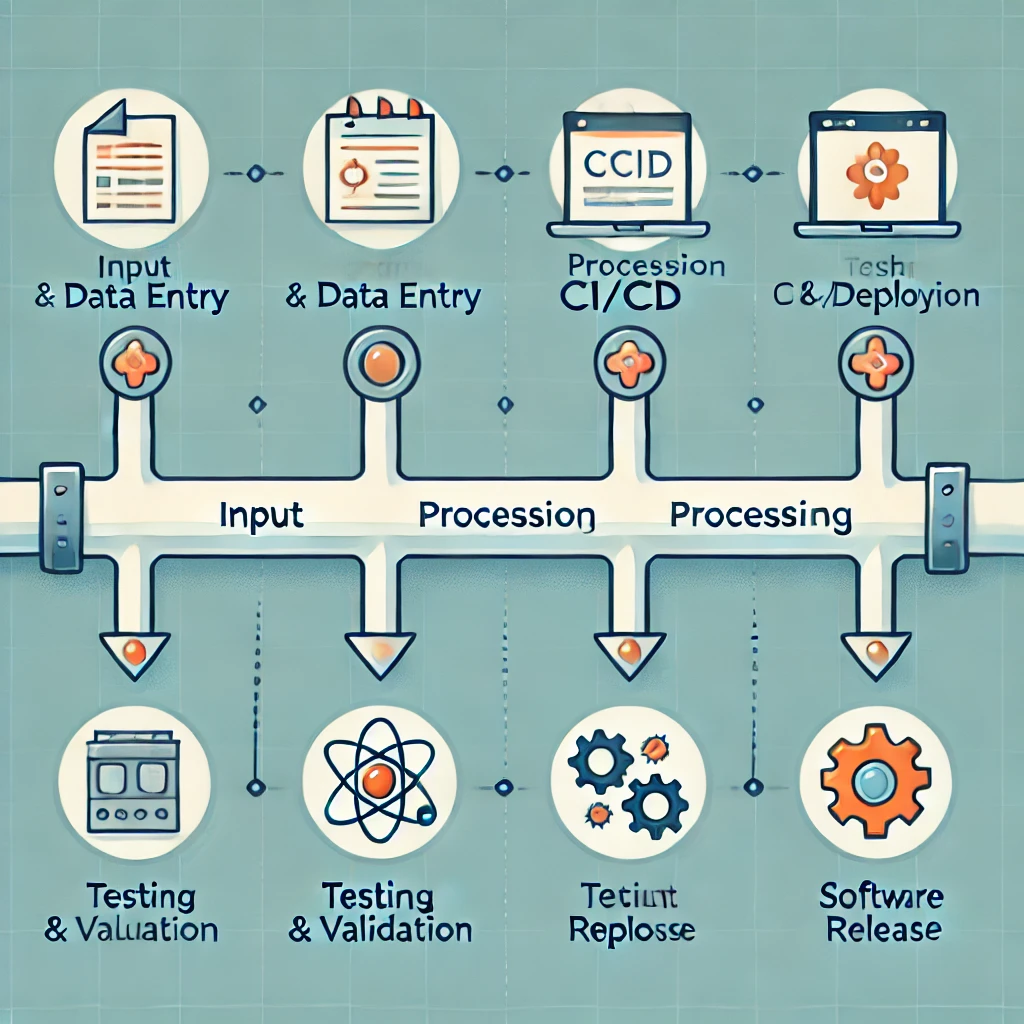
    These workflows can vary greatly depending on the industry and specific business needs. For example, in software development, a typical pipeline might involve stages like planning, coding, testing, and deployment. In sales, it could encompass prospecting, lead qualification, negotiation, and closing deals.

    The Importance of Workflow Management Tools

    While manual management of pipelines is possible, it can be time-consuming, error-prone, and inefficient. This is where specialized tools come into play. These solutions provide a structured framework for managing and optimizing workflows, offering a range of benefits:

    Increased Efficiency

    By automating repetitive tasks and streamlining workflows, these platforms significantly enhance operational efficiency. This frees up valuable time and resources for more strategic initiatives.

    Improved Visibility and Transparency

    These solutions provide real-time insights into the progress of projects and tasks. This visibility helps identify bottlenecks, track key metrics, and make data-driven decisions.

    Enhanced Collaboration

    Many workflow automation tools facilitate seamless collaboration among team members. This fosters better communication, improves coordination, and ensures everyone is aligned on project goals and timelines.

    Reduced Errors and Improved Quality

    By automating tasks and enforcing standardized processes, these systems minimize the risk of human error. This leads to improved data accuracy and higher-quality outcomes.

    Data-Driven Decision Making

    These platforms capture valuable data related to pipeline performance, such as conversion rates, cycle times, and key performance indicators (KPIs). This data can be analyzed to identify areas for improvement and optimize processes.

    Key Features of Effective Workflow Automation Tools

    To effectively manage and optimize your pipelines, it’s crucial to select solutions that offer the following key features:

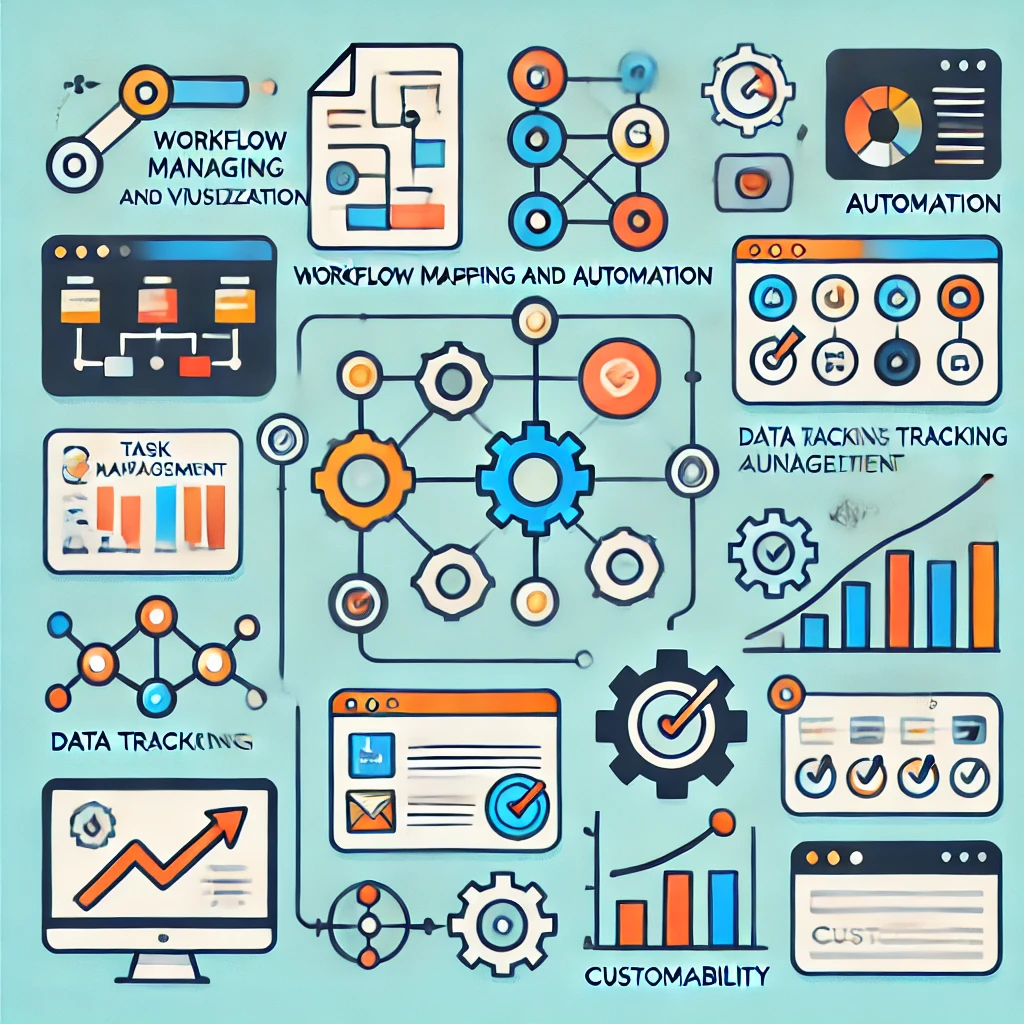
    Workflow Mapping and Visualization

    The ability to visually map out and understand the various stages of the pipeline is essential. This helps identify potential bottlenecks and areas for improvement.

    Task Management and Automation

    Tools should allow for the creation, assignment, and tracking of tasks within the workflow. Automation features, such as automated reminders and notifications, can significantly improve efficiency.

    Data Tracking and Reporting

    Robust data tracking and reporting capabilities are vital for monitoring performance, identifying trends, and making informed decisions.

    Integration Capabilities

    The ability to integrate with other business applications, such as CRM systems and project management tools, is crucial for seamless data flow and a holistic view of operations.

    Customizability

    The ability to tailor workflows to fit specific business needs is essential for optimal utilization.

    Popular Workflow Management Tools

    A wide range of automation tools are available in the market, each with its own unique strengths and features. Some of the most popular options include:

    Salesforce

    A leading CRM platform that offers robust workflow management features, including opportunity tracking, forecasting, and collaboration tools.

    HubSpot

    A comprehensive inbound marketing and sales platform that includes a powerful CRM with built-in workflow management capabilities.

    Pipedrive

    A visually intuitive sales CRM that focuses on visualizing the sales pipeline and helping teams close deals faster.

    Zoho CRM

    A cloud-based CRM solution that offers a range of features, including contact management, sales force automation, and workflow management.

    Agile CRM

    A comprehensive CRM platform that integrates sales, marketing, and service functions, providing a unified view of customer interactions.

    Choosing the Right Workflow Automation Tool

    Selecting the right platform for your business depends on various factors, including:

    Industry and Business Needs

    The specific requirements of your industry and the nature of your business processes will significantly influence your choice.

    Budget

    Automation tools come with varying price points. It’s important to choose a solution that fits within your budget constraints.

    Team Size and Technical Expertise

    Consider the technical expertise of your team and the level of complexity you require from the platform.

    Integration Requirements

    Evaluate the tool’s ability to integrate with other business applications you use.

    Scalability

    Ensure the system can grow and adapt as your business evolves.

    Implementing a Successful Pipeline

    Once you have selected and implemented a workflow automation tool, it’s crucial to follow these best practices for success:

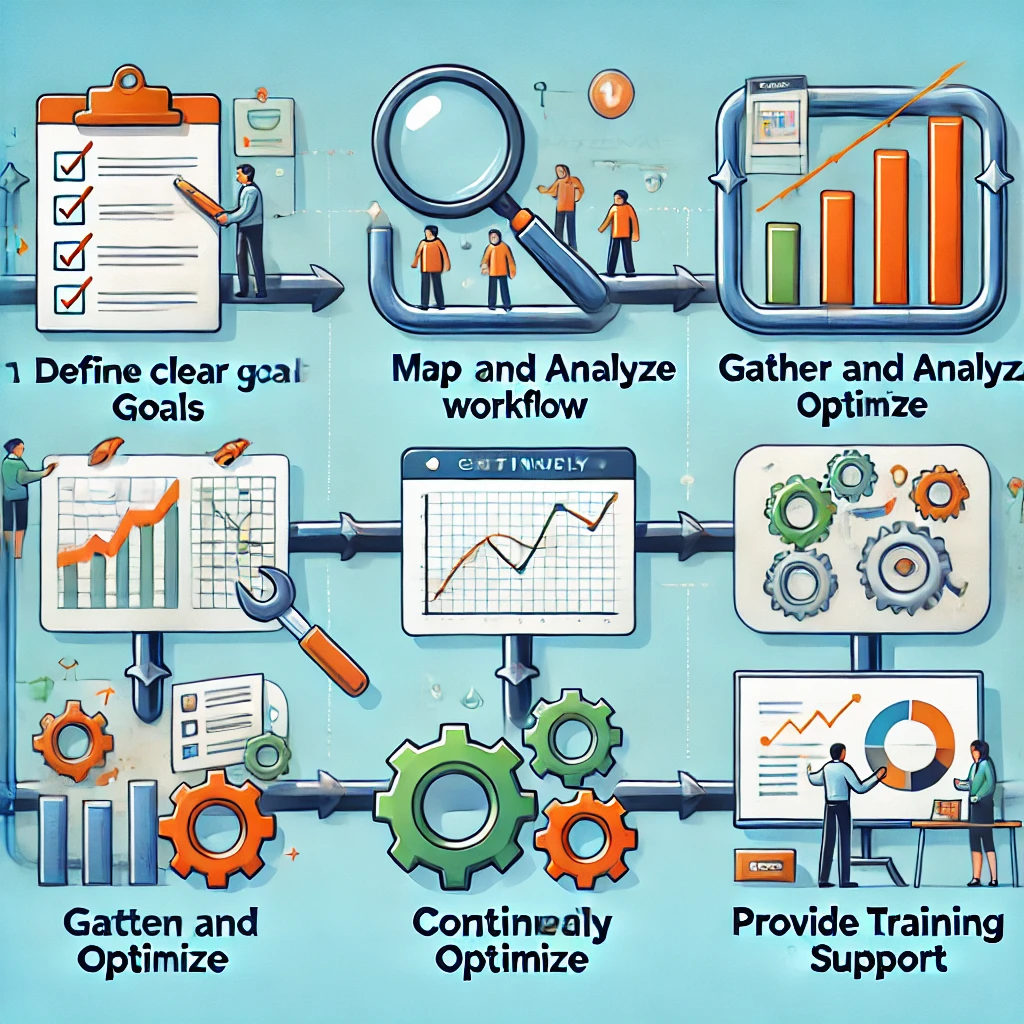
    Define Clear Goals and Objectives

    Establish clear goals and objectives for your workflow, such as increasing conversion rates, reducing cycle times, and improving customer satisfaction.

    Map Out Your Workflow

    Carefully map out the various stages of your process, ensuring a clear and logical flow.

    Gather and Analyze Data

    Regularly gather and analyze data related to workflow performance. This will help you identify areas for improvement and make data-driven decisions.

    Continuously Optimize

    Regularly review and optimize your workflows based on data analysis and feedback from your team.

    Provide Training and Support

    Ensure your team is properly trained on how to use the platform and provide ongoing support.

    Conclusion

    Workflow automation tools are essential for businesses looking to streamline operations, improve efficiency, and gain a competitive edge. By leveraging these platforms, organizations can optimize their workflows, enhance collaboration, and make data-driven decisions that drive growth and success.

    Call to Action

    Ready to streamline your business processes and unlock your full potential? Contact Aibuzz.net today to learn more about our automation solutions and how we can help you achieve your business goals.


    Contact:- 919967940928

    Visit:- www.aibuzz.net

    Mail us:- info@aibuzz.net

    Company Details

    Aibuzz.net is a leading provider of AI-powered business solutions, including workflow automation, CRM software, and marketing automation platforms. We help businesses of all sizes optimize their operations and drive growth.

  • 24/7 it support

    24/7 it support

    24/7 IT Support: The Key to Ensuring Seamless Business Operations

    In today’s fast-paced digital world, businesses depend heavily on technology to operate smoothly and efficiently. Whether it’s a small start-up or a multinational corporation, the need for reliable and continuous IT support is critical. This is where 24/7 IT support comes into play. By offering around-the-clock assistance, businesses can ensure that their systems, networks, and software function without any disruptions. This blog will explore the importance of 24/7 IT support, the services it provides, and why your business should consider utilizing these services. At the end of the blog, we will also highlight Aibuzz.net and why it might be the right partner for your IT support needs.

    What is 24/7 IT Support?

    24/7 IT support refers to technical assistance provided to businesses and organizations at all hours of the day, seven days a week, 365 days a year. This service is essential for companies that require continuous operation and cannot afford downtime. It ensures that any technical issues are promptly addressed, minimizing disruptions and maintaining the productivity of employees and customers alike.

    The “24/7” aspect highlights that businesses do not need to wait until regular office hours to get their technical issues resolved. Whether it’s a weekend, a holiday, or the middle of the night, businesses can always count on a team of experts to assist them with any IT challenges they face.

    The Importance of 24/7 IT Support for Businesses

    1. Minimizing Downtime

    Downtime is one of the most costly aspects of business operations. It refers to the time when systems are unavailable or malfunctioning, preventing employees from accessing critical data, tools, and applications. This leads to productivity loss and potentially financial losses.

    With 24/7 IT support, businesses can swiftly resolve technical problems that might otherwise lead to extended downtime. Whether it’s fixing a network outage or troubleshooting a software issue, round-the-clock support ensures that your systems are back online quickly, reducing the impact on your business operations.

    2. Enhanced Security

    Cybersecurity is one of the most pressing concerns for businesses today. Cyberattacks and data breaches can have devastating effects, including loss of data, financial penalties, and a damaged reputation. Since cyberattacks can happen at any time, having 24/7 IT support ensures that your business is always protected.

    Security experts monitor your systems continuously to detect any signs of a security breach, malware, or ransomware. If an attack is detected, they can take immediate action to protect sensitive data and prevent further damage. This proactive security management helps safeguard your business against evolving cyber threats.

    3. Improved Customer Experience

    In many industries, especially e-commerce, customer experience is paramount. A slow or non-functional website, payment gateway issues, or problems with customer service tools can have a significant negative impact on customer satisfaction.

    By having 24/7 IT support, businesses can resolve issues promptly, ensuring that their website and other digital platforms remain fully functional and customer-friendly at all times. This reliability enhances the customer experience, keeping them happy and encouraging repeat business.

    4. Fostering Business Continuity

    Business continuity refers to the ability of an organization to continue its critical operations without interruption during a crisis. For businesses that rely on technology, IT systems are often at the core of these operations. A sudden IT failure can derail the whole business.

    24/7 IT support plays a crucial role in business continuity. When issues arise, IT support teams can respond immediately to get things back on track. Additionally, through regular system backups, updates, and monitoring, 24/7 IT support helps prevent unexpected issues from occurring in the first place.

    5. Cost Efficiency

    While it may seem like a significant investment to hire a team of IT experts for round-the-clock support, it can actually be more cost-efficient than dealing with frequent and prolonged outages or security breaches.

    Rather than paying for emergency repairs, businesses can opt for a predictable monthly or annual support contract. This allows for better budgeting, while ensuring that technical issues are addressed before they escalate into expensive problems. Plus, businesses don’t have to invest in hiring and training in-house IT staff to work around the clock, saving on recruitment and operational costs.

    Services Offered by 24/7 IT Support Providers

    24/7 IT support encompasses a wide range of services designed to keep your business operations running smoothly. Here are some of the key services offered by most IT support providers:

    1. Network Monitoring and Management

    Network infrastructure is the backbone of your business. Without a stable and secure network, all other IT systems would fail to operate properly. IT support teams constantly monitor your network to detect any potential issues, including bandwidth problems, system overloads, and security vulnerabilities. If an issue arises, they can troubleshoot it immediately, preventing any major disruptions.

    2. Help Desk Support

    Whether employees are dealing with software bugs, hardware failures, or login issues, a help desk provides quick solutions to a wide range of problems. 24/7 IT support teams offer help desk services to provide users with timely assistance via phone, email, or chat. With round-the-clock availability, help desks are an essential part of ensuring that employees can continue working without delays.

    3. Data Backup and Recovery

    Data loss is a nightmare for any business. Whether due to a cyberattack, hardware failure, or human error, losing critical data can lead to irreparable damage. 24/7 IT support includes data backup and recovery services that ensure your important files are regularly backed up and can be restored quickly if something goes wrong.

    4. Software and Hardware Support

    The technology your business uses is constantly evolving. Keeping systems up-to-date and well-maintained requires continuous monitoring and intervention. IT support teams assist with software updates, patches, and bug fixes to ensure your systems stay secure and functional. They can also help with hardware maintenance and repairs, ensuring that all physical devices are running smoothly.

    5. Cloud Services Management

    Cloud computing has become an integral part of modern businesses. From storage to communication tools, cloud services offer flexibility and scalability. IT support providers help businesses manage their cloud infrastructure, ensuring seamless access to data and applications, while also optimizing performance and security.

    6. Cybersecurity Services

    24/7 IT support teams provide constant cybersecurity monitoring, ensuring that your organization is protected from potential threats like viruses, malware, and phishing attacks. They implement firewalls, encryption, and other protective measures to safeguard sensitive business data from unauthorized access.

    7. Remote Support

    Remote IT support allows your business to receive assistance without needing to wait for an on-site technician. Using remote desktop tools, IT professionals can quickly access and resolve technical issues on employee devices or servers, all from a distance. This is particularly helpful for businesses with multiple office locations or remote workers.

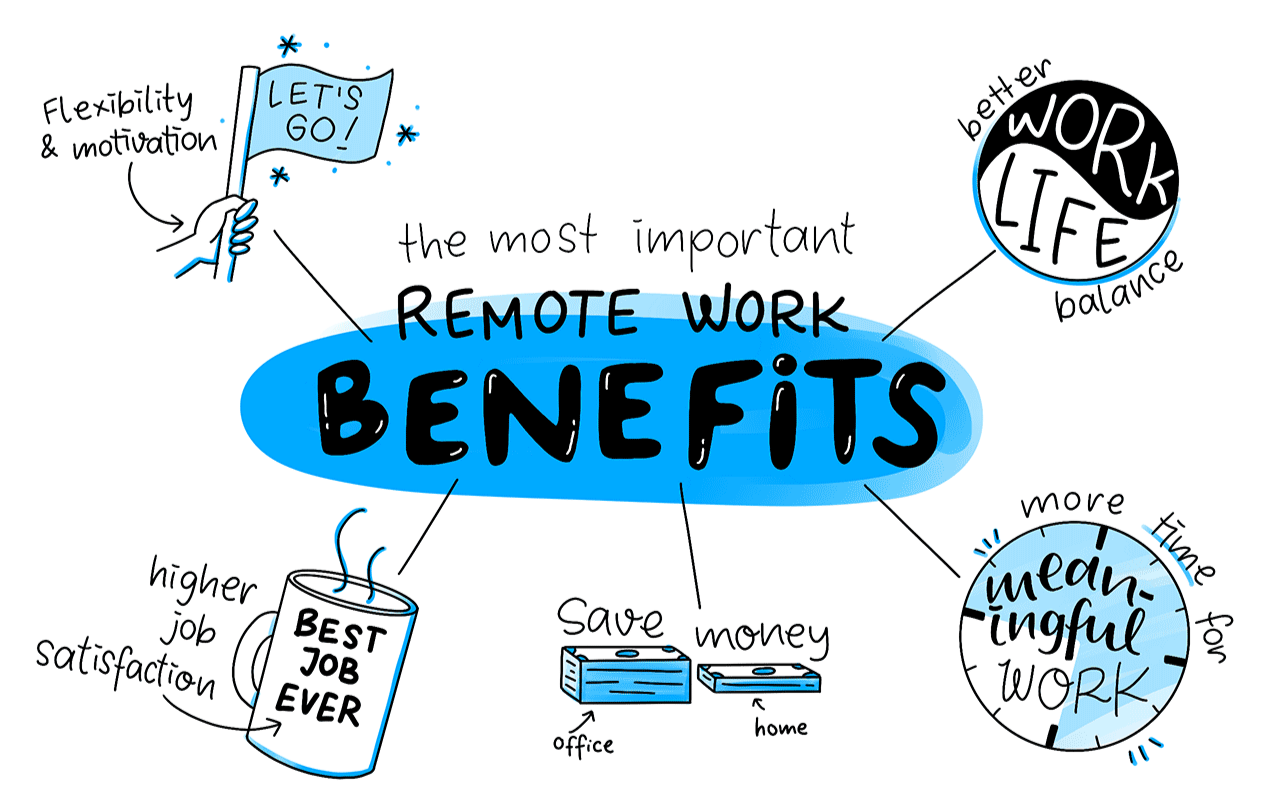
    Benefits of 24/7 IT Support for Remote Workforces

    As more businesses embrace remote work, the need for reliable IT support has grown. Remote work presents unique challenges, such as ensuring that employees have access to the tools and resources they need, while also maintaining network security.

    24/7 IT support offers several benefits for remote teams:

    • Instant troubleshooting: Remote workers can resolve technical issues quickly with the help of IT support, ensuring that productivity is not hindered.
    • Support across time zones: With employees working from different parts of the world, having 24/7 support ensures that no matter when problems arise, help is available.
    • Enhanced security: Remote workers may use different networks and devices to access company systems, which could pose security risks. IT support teams can monitor and address these risks in real-time.

    Why Choose Aibuzz.net for 24/7 IT Support?

    When it comes to selecting an IT support partner, Aibuzz.net stands out as an industry leader in providing 24/7 IT support services. Whether you are a small start-up or a large enterprise, Aibuzz.net offers customized IT solutions that suit your specific business needs.

    Aibuzz.net’s services include:

    • Proactive monitoring to minimize downtime
    • Comprehensive cybersecurity strategies to safeguard your data
    • Expert help desk support for quick resolution of IT issues
    • Reliable backup and disaster recovery services
    • Seamless integration of cloud services

    With their experienced team of IT professionals and a commitment to delivering top-tier support, Aibuzz.net ensures your business can focus on growth while they take care of your IT infrastructure.

    Conclusion

    In today’s world, having 24/7 IT support is no longer just a luxury; it’s a necessity for businesses that rely on technology to maintain operations. The advantages—minimizing downtime, improving security, enhancing customer experience, and promoting business continuity—are undeniable. As technology continues to evolve, so too do the risks and challenges associated with it. By partnering with a reliable IT support provider like Aibuzz.net, your business can ensure smooth, uninterrupted operations, allowing you to focus on achieving your core business goals.

    Call to Action: Don’t let IT issues slow you down. Contact

    Contact:- 91 9967940928
    Visit:- www.aibuzz.net
    Mail us:- info@aibuzz.net


    Aibuzz.net today to learn more about how our 24/7 IT support services can benefit your business. Get in touch and discover the difference a dedicated IT team can make!

  • Healthcare Software Development in 2025: A Glimpse into the Future

    Healthcare Software Development in 2025: A Glimpse into the Future

    The healthcare industry is undergoing a remarkable transformation in 2025, with the rise of innovative technologies shaping the future of healthcare software development. From artificial intelligence (AI) to telemedicine, the demand for smarter, more efficient software solutions is on the rise. This blog explores the latest trends, challenges, and opportunities in healthcare software development and how they are revolutionizing the healthcare landscape.

    The Importance of Healthcare Software in 2025

    In 2025, healthcare software development will be more crucial than ever. As the industry embraces digitalization, healthcare software is becoming a cornerstone for improving patient care, optimizing operational efficiency, and ensuring data security. With the ever-growing need for seamless healthcare systems, developers are creating platforms that cater to a wide range of needs—from electronic health records (EHR) management to telemedicine solutions and predictive healthcare analytics.

    The integration of healthcare software solutions will lead to:

    • Improved Patient Outcomes: With real-time data analytics and predictive algorithms, healthcare providers can better understand patient needs and offer personalized treatments.
    • Cost Efficiency: Healthcare software solutions streamline administrative tasks and clinical workflows, saving time and reducing costs.
    • Enhanced Data Security: Software solutions built with robust security measures ensure the privacy and confidentiality of patient data, a vital concern in the healthcare industry.

    Key Trends Shaping Healthcare Software Development

    Healthcare software development in 2025 will be significantly impacted by emerging technologies. Here are some key trends that are driving the evolution of healthcare software:

    1. Artificial Intelligence and Machine Learning

    AI and machine learning are rapidly transforming healthcare software development. These technologies can analyze vast amounts of data, uncover patterns, and assist in decision-making processes. In 2025, healthcare software powered by AI and machine learning will become more advanced, with the ability to:

    • Predict Health Outcomes: AI-driven software will use predictive analytics to forecast patient outcomes, enabling healthcare providers to take preventive actions.
    • Automate Routine Tasks: AI will be used to automate administrative tasks, such as appointment scheduling, billing, and inventory management, allowing healthcare professionals to focus more on patient care.
    • Enhance Diagnostics: Machine learning algorithms will assist in the diagnosis of diseases by analyzing medical imaging data and identifying abnormalities faster and more accurately than human doctors.

    2. Telemedicine and Remote Patient Monitoring

    Telemedicine has gained significant traction in recent years, especially after the global pandemic. By 2025, the demand for telemedicine solutions will continue to grow as healthcare providers adopt digital tools to offer remote consultations and monitor patient health from a distance.

    Healthcare software solutions will integrate telemedicine features such as:

    • Video Consultations: Software platforms will enable real-time video consultations, allowing patients to connect with healthcare professionals from the comfort of their homes.
    • Remote Monitoring: Patients with chronic conditions will be able to use wearable devices and health tracking apps that integrate with healthcare software for continuous monitoring of vital signs like blood pressure, heart rate, and glucose levels.
    • AI-driven Alerts: Telemedicine platforms will leverage AI to analyze patient data from remote monitoring devices and send automated alerts to healthcare providers when there are signs of health deterioration.

    3. Blockchain Technology for Healthcare Data Security

    With healthcare becoming increasingly digitized, data security remains a top concern. The use of blockchain technology in healthcare software development will be a game-changer in 2025.

    Blockchain provides an immutable and transparent ledger that can be used to securely store and transfer healthcare data. Key benefits include:

    • Decentralized Data Storage: Blockchain allows for the secure storage and sharing of medical records across multiple platforms without the risk of data manipulation.
    • Increased Transparency: Blockchain ensures that all transactions and data exchanges are traceable, which is crucial for regulatory compliance and auditing.
    • Enhanced Patient Privacy: By using blockchain, healthcare software can provide patients with greater control over their personal health data, ensuring that only authorized parties can access sensitive information.

    4. Cloud Computing and Interoperability

    Cloud computing will continue to play a significant role in healthcare software development. Cloud-based healthcare solutions offer flexibility, scalability, and cost-effectiveness, allowing healthcare organizations to store, access, and share data across multiple platforms. By 2025, healthcare software will be designed with a focus on:

    • Data Sharing and Collaboration: Cloud computing enables seamless data sharing between healthcare providers, specialists, and patients, improving collaboration and patient care.
    • Interoperability: One of the key challenges in healthcare is ensuring that various systems can communicate with each other. Cloud-based solutions in 2025 will prioritize interoperability, enabling healthcare organizations to connect EHRs, laboratory systems, and other essential software solutions.

    5. Wearable Technology Integration

    Wearable devices, such as smartwatches and fitness trackers, have become popular tools for monitoring health. In 2025, wearable technology will be fully integrated with healthcare software, providing real-time health data to both patients and healthcare providers. Some examples of wearable technology integration include:

    • Continuous Health Monitoring: Wearables will track vital signs such as heart rate, blood oxygen levels, and sleep patterns, sending the data directly to healthcare providers for continuous monitoring.
    • Chronic Disease Management: Patients with chronic diseases like diabetes and hypertension will benefit from wearable devices that provide real-time feedback, helping to manage their conditions more effectively.
    • Personalized Health Insights: Healthcare software will use data from wearables to offer personalized recommendations based on individual health patterns, allowing patients to take a more proactive approach to their health.

    Challenges in Healthcare Software Development

    While the future of healthcare software development is promising, there are still several challenges that developers must overcome to ensure the successful implementation of these solutions:

    1. Data Privacy and Security

    With the increasing volume of sensitive patient data being collected and stored, data security remains a primary concern. Healthcare software must adhere to strict regulations such as HIPAA (Health Insurance Portability and Accountability Act) to ensure that patient data is kept private and secure.

    2. Regulatory Compliance

    Healthcare software must comply with various regulations and standards, such as HIPAA, FDA (Food and Drug Administration) regulations, and GDPR (General Data Protection Regulation). Navigating these complex legal requirements can be challenging for developers, but it is essential to ensure that the software is legally compliant.

    3. User Adoption

    Despite the many benefits of healthcare software, some healthcare professionals and patients may resist adopting new technologies. Developers must focus on creating user-friendly interfaces and providing adequate training to ensure smooth adoption.

    Conclusion: Embracing the Future of Healthcare Software Development

    The healthcare industry is poised for significant transformation in 2025, thanks to advancements in technology that are reshaping healthcare software development. From AI-powered predictive analytics to blockchain-enhanced security, the future of healthcare software is bright and full of promise. However, challenges such as data security, regulatory compliance, and user adoption will need to be addressed for successful implementation.

    At Aibuzz.net, we are committed to developing innovative healthcare software solutions that help organizations provide better patient care, enhance operational efficiency, and ensure data security. If you’re ready to embrace the future of healthcare software, get in touch with us today!

    Call to Action: Let’s Shape the Future of Healthcare Together!

    Partner with Aibuzz.net to develop cutting-edge healthcare software that will revolutionize patient care and healthcare management. Contact us today to learn more about how we can help you build software solutions tailored to your needs.


    Contact:- 91 9967940928
    Visit:- www.aibuzz.net
    Mail us:- info@aibuzz.net

  • beat saber mixed reality quest 2

    beat saber mixed reality quest 2

    A Comprehensive Guide to Beat Saber Mixed Reality on Quest 2

    Beat Saber is one of the most popular virtual reality (VR) games today, known for its rhythmic gameplay where players slice through blocks with lightsabers to the beat of energetic music. As VR technology continues to advance, so do the ways players interact with games like Beat Saber. One of the most exciting ways to experience this game is through Mixed Reality (MR), which adds a new dimension to the already immersive gameplay by blending the virtual world of Beat Saber with your physical environment.

    In this blog, we’ll explore how you can set up and experience Beat Saber Mixed Reality on the Oculus Quest 2. We’ll discuss the setup process, hardware and software requirements, the benefits of Mixed Reality, and how you can take your gaming experience to the next level.


    What Is Beat Saber Mixed Reality?

    Mixed Reality (MR) is a technology that allows virtual elements to interact with the real world in real-time. When applied to Beat Saber, Mixed Reality creates a unique and engaging experience where your real-world movements and surroundings become part of the game. Instead of simply being inside a virtual environment, Mixed Reality lets you see yourself in the game’s world through the use of external cameras or other devices, enhancing the immersion.

    For Quest 2 players, this means that they can integrate their real-world environment—whether it’s their living room, gaming space, or even a specially set-up room—into the gameplay itself. With the right tools, you can film your session with an external camera, giving you the ability to stream your Beat Saber gameplay while showing both your physical movements and the virtual environment.


    Why Play Beat Saber in Mixed Reality?

    Playing Beat Saber in Mixed Reality isn’t just about showing off your dance moves. It has several practical benefits that improve the experience, making it more fun and immersive. Here’s why you should consider giving MR a try:

    1. Enhanced Immersion

    Mixing the virtual and real worlds amplifies your sense of presence. You feel as though you’re truly inside the Beat Saber universe, as your physical body becomes part of the virtual experience. The ability to see yourself slashing through blocks while wearing the headset can make you feel more connected to the game and its beat-driven mechanics.

    2. Engagement with Viewers

    If you’re streaming your gameplay on platforms like Twitch, YouTube, or Facebook, Mixed Reality allows you to create more dynamic content. Instead of just showing your hands swinging lightsabers in the virtual space, you can show the audience how your body moves and interacts with the game in real-time. This creates a more entertaining and interactive experience for viewers.

    3. Improved Tracking

    While the Oculus Quest 2 offers excellent hand and head tracking within the virtual environment, adding the physical space into the equation helps refine your movements. You can track yourself from multiple angles using external cameras, making sure you’re moving fluidly and accurately to the rhythm of the game.

    4. Personalization of the Gameplay Environment

    With MR, you can film yourself playing Beat Saber from various angles, and even integrate different physical environments into your VR experience. This is perfect for those who want to give their gameplay a more personalized touch or showcase unique rooms or settings in which they’re playing.


    Setting Up Beat Saber Mixed Reality on Oculus Quest 2

    Before diving into Mixed Reality, there are a few things you’ll need to prepare. The setup can be slightly technical, but don’t worry—we’ve got you covered with a step-by-step guide.

    What You’ll Need:

    1. Oculus Quest 2: The VR headset you’ll be using for the experience.
    2. A PC with VR Capabilities: For the mixed reality setup, your Quest 2 will need to be connected to a PC via a USB cable or wirelessly through Air Link. Your PC should meet the minimum requirements for VR gaming.
    3. External Cameras: You’ll need one or more cameras to capture your physical movements and the environment. Many VR streamers use GoPro or webcam setups, but the key is to have a high-quality camera that can record from different angles.
    4. OBS Studio: This is a free software that allows you to stream and record your gameplay. You can use it to overlay your VR feed onto a live-action feed, creating a combined experience.
    5. Mixed Reality Software (e.g., LIV): LIV is a popular MR software that integrates the real world and virtual world for a seamless Beat Saber experience. It works with the Quest 2 and lets you configure your MR stream setup.

    Step-by-Step Setup Process:

    1. Install the Necessary Software
      • Download Oculus Link and install it on your PC.
      • Download LIV from the LIV website. This will be the main software to create your Mixed Reality experience.
      • Install OBS Studio to record and stream your gameplay.
    2. Connect Your Oculus Quest 2 to Your PC
      • If you want to use a wired connection, connect your Quest 2 to your PC using a high-quality USB cable.
      • Alternatively, you can use Oculus Air Link to connect wirelessly. Ensure both the Quest 2 and PC are on the same network for this to work smoothly.
    3. Set Up External Cameras
      • Position your external cameras in a way that captures your full body movement. A typical setup includes placing the camera at a front-facing angle and one or two cameras on the sides to capture your movements in 3D.
      • Ensure the cameras have a clear view of your play space.
    4. Configure LIV Software
      • Launch LIV and adjust settings for your cameras, ensuring that the software recognizes them.
      • LIV will give you the ability to overlay your real-world footage with the VR environment, placing you physically in the game.
    5. Test Your Setup
      • Before you start streaming, test the setup to make sure the camera feed and VR feed are synchronized properly.
      • Check the lighting in your room to ensure you’re clearly visible on camera. Make adjustments as necessary to avoid shadows or poor visibility.
    6. Start Playing
      • Once everything is set up, launch Beat Saber from your Oculus Quest 2 or SteamVR and begin playing. LIV will automatically merge your live-action camera feed with your VR gameplay.
      • You’re now ready to experience Beat Saber in Mixed Reality.

    Tips for a Better Mixed Reality Experience

    1. Optimize Your Play Area
      • Ensure your physical play area is clear of obstacles, as you’ll be moving around a lot. A well-lit space will also help your external cameras capture the best footage of your movements.
    2. Lighting
      • Good lighting is essential for clear Mixed Reality footage. Avoid overly harsh or dim lighting, and experiment with different setups to find what works best.
    3. Frame Rate and Resolution
      • For smoother streaming, aim to use a camera that supports a high frame rate (60fps or above) and resolution. This ensures that the MR experience looks fluid and realistic.
    4. Post-Processing
      • If you’re looking to add some personal flair to your MR footage, consider using OBS Studio to apply some basic post-processing effects like filters, transitions, and custom overlays.

    Final Thoughts: Take Your Gaming to the Next Level with Mixed Reality

    Beat Saber in Mixed Reality is a game-changer for VR enthusiasts. Whether you’re looking to create engaging content for your audience, or simply want to enjoy a more immersive gaming experience, MR enhances everything about the game, from the music to the movement.

    By setting up Beat Saber Mixed Reality with your Oculus Quest 2, you not only unlock the potential for stunning visuals and a more fun experience but also elevate the way you engage with the VR community. It’s a fantastic way to showcase your gameplay, improve your immersion, and make your sessions even more exciting.

    Conclusion

    For those looking to push the boundaries of VR gaming, Beat Saber Mixed Reality is an essential experience to try out. It takes full advantage of the Oculus Quest 2’s capabilities and offers a unique twist on a beloved game. If you want to take your VR gaming setup to the next level, don’t miss out on setting up Mixed Reality with Beat Saber!

    For more tips on enhancing your gaming experience, check out Aibuzz.net—your one-stop resource for the latest in gaming, tech, and virtual reality news. Ready to dive in? Start exploring the world of Beat Saber Mixed Reality today!

    Call to Action

    Ready to bring your Beat Saber gameplay to life in Mixed Reality? Check out our in-depth guides and explore the latest accessories and setups to enhance your VR experience. Don’t forget to share your MR setups and gameplay with us—let’s take virtual reality to the next level together!

    Visit: Aibuzz.net
    email: info@aibuzz.net
    call us: +91 9967940928.

    4o mini

  • P2P Cryptocurrency Exchange Development: A Comprehensive Guide

    P2P Cryptocurrency Exchange Development: A Comprehensive Guide

    In the rapidly evolving world of cryptocurrencies, Peer-to-Peer (P2P) exchanges have emerged as a popular alternative to traditional centralized platforms. This comprehensive guide delves into the intricacies of P2P cryptocurrency exchange development, exploring its benefits, challenges, key features, and the steps involved in creating a successful platform.

    Understanding P2P Cryptocurrency Exchanges

    A P2P cryptocurrency exchange facilitates direct transactions between users, eliminating the need for a central intermediary. Unlike centralized exchanges, where a third party manages the trading process, P2P platforms connect buyers and sellers directly, giving them greater control over their funds and transactions. This decentralized nature offers several advantages, including enhanced security, increased privacy, and lower fees.

    Benefits of Developing a P2P Cryptocurrency Exchange

    Developing a P2P exchange offers numerous benefits for entrepreneurs and businesses:

    • Enhanced Security: By removing a central point of failure, P2P exchanges can be more resistant to hacking and security breaches. Users retain control of their private keys, reducing the risk of theft from a centralized wallet.
    • Increased Privacy: P2P platforms often require less personal information from users compared to centralized exchanges, enhancing user privacy. This anonymity appeals to users concerned about data security.
    • Lower Fees: P2P exchanges typically charge lower fees than centralized platforms as they don’t have the same operational overhead. This cost-effectiveness attracts price-sensitive traders.
    • Greater Control: Users have complete control over their funds and transactions, eliminating the risk of asset freezing or manipulation by a central authority.
    • Decentralization: P2P exchanges align with the core principles of cryptocurrency, promoting decentralization and reducing reliance on intermediaries.
    • Global Accessibility: P2P platforms can be accessed from anywhere in the world, fostering financial inclusion and enabling cross-border transactions.
    • Customization Options: Developers have greater flexibility in customizing the platform to meet specific needs and target niche markets.

    Key Features of a Successful P2P Exchange

    A successful P2P cryptocurrency exchange should incorporate the following key features:

    • User-Friendly Interface: An intuitive and easy-to-navigate interface is crucial for attracting and retaining users. The platform should be accessible to both novice and experienced traders.
    • Robust Security Measures: Implementing robust security protocols, such as two-factor authentication (2FA), encryption, and cold storage for funds, is paramount to protect user assets.
    • Secure Wallet Integration: Seamless integration with secure cryptocurrency wallets is essential for facilitating transactions. The platform should support various wallet types and offer secure key management.
    • Multiple Cryptocurrency Support: Offering support for a wide range of cryptocurrencies increases the platform’s appeal and attracts a larger user base.
    • Efficient Matching Engine: A high-performance matching engine is crucial for processing transactions quickly and efficiently. The engine should be able to handle high volumes of trades without delays.
    • Dispute Resolution System: A fair and transparent dispute resolution system is essential for resolving conflicts between buyers and sellers. The platform should provide clear guidelines and procedures for handling disputes.
    • KYC/AML Compliance: Implementing Know Your Customer (KYC) and Anti-Money Laundering (AML) compliance measures is crucial for adhering to regulatory requirements and preventing illicit activities.
    • Escrow System: An escrow system can add an extra layer of security to transactions by holding funds in escrow until both parties have fulfilled their obligations.
    • Communication Features: Integrated communication tools, such as chat or messaging systems, enable buyers and sellers to communicate directly and negotiate trades.
    • Mobile App Support: Offering mobile apps for iOS and Android devices expands the platform’s reach and allows users to trade on the go.
    • API Integration: Providing API access enables developers to integrate third-party applications and services with the platform, enhancing its functionality.

    P2P Cryptocurrency Exchange Development Process

    Developing a P2P cryptocurrency exchange involves several key steps:

    1. Market Research and Analysis: Conduct thorough market research to identify target audience, competitors, and market trends.
    2. Business Planning: Develop a comprehensive business plan that outlines the platform’s goals, target market, revenue model, and operational strategy.
    3. Technology Stack Selection: Choose the appropriate technology stack, including programming languages, frameworks, and databases, based on the platform’s requirements.
    4. UI/UX Design: Design a user-friendly and intuitive interface that provides a seamless trading experience.
    5. Development: Develop the platform’s core functionalities, including the matching engine, wallet integration, security features, and dispute resolution system.
    6. Testing and Quality Assurance: Thoroughly test the platform to identify and fix bugs and ensure its security and performance.
    7. Deployment: Deploy the platform to a secure and reliable server environment.
    8. Marketing and Promotion: Promote the platform to attract users and build a community.
    9. Maintenance and Support: Provide ongoing maintenance and support to ensure the platform’s smooth operation and address user issues.

    Challenges in P2P Exchange Development

    Developing a P2P exchange comes with its own set of challenges:

    • Security Risks: Ensuring the platform’s security and protecting user funds from hacking and theft is a major challenge.
    • Scalability: Designing a platform that can handle a large volume of transactions and users is crucial for long-term success.
    • Regulatory Compliance: Navigating the complex regulatory landscape and complying with KYC/AML requirements can be challenging.
    • Competition: The P2P exchange market is becoming increasingly competitive, requiring developers to differentiate their platform and offer unique features.
    • Building Trust: Establishing trust among users is essential for attracting and retaining them. Transparency and security are key to building trust.

    Monetization Strategies for P2P Exchanges

    P2P exchanges can generate revenue through various monetization strategies:

    • Transaction Fees: Charge a small percentage fee on each transaction.
    • Listing Fees: Charge fees for listing new cryptocurrencies on the platform.
    • Premium Features: Offer premium features, such as advanced trading tools or API access, for a fee.
    • Advertising: Display advertisements on the platform.

    Conclusion

    Developing a successful P2P cryptocurrency exchange requires careful planning, robust technology, and a strong focus on security and user experience. By addressing the challenges and implementing the key features outlined in this guide, businesses can create a thriving platform that empowers users to trade cryptocurrencies securely and efficiently.

    Call to Action

    Ready to launch your own P2P cryptocurrency exchange? Aibuzz.net specializes in developing custom P2P exchange solutions tailored to your specific needs. Our team of experienced developers can help you build a secure, scalable, and user-friendly platform that meets your business objectives.

    Contact us today at Aibuzz.net to discuss your project and learn how we can help you succeed in the exciting world of cryptocurrency exchange development.

    Visit: Aibuzz.net
    email: info@aibuzz.net
    call us: +91 9967940928.

  • Power BI and Big Data: Transforming Insights for Modern Enterprises

    Power BI and Big Data: Transforming Insights for Modern Enterprises

    In today’s data-driven world, organizations are inundated with vast amounts of information from various sources. Effectively harnessing this big data is crucial for informed decision-making and maintaining a competitive edge. Microsoft Power BI emerges as a powerful tool in this landscape, offering robust capabilities to integrate, analyze, and visualize large datasets seamlessly. Let’s explore how Power BI and big data work together to drive business growth and innovation.


    Understanding Power BI and Big Data Integration

    Power BI is a business analytics service by Microsoft that provides interactive visualizations and business intelligence capabilities. It allows end users to create their own reports and dashboards with ease. When it comes to big data—extremely large datasets that reveal patterns, trends, and associations—Power BI offers several methods to connect, analyze, and present this information effectively.


    Data Connection Methods in Power BI

    Power BI provides multiple ways to connect to big data sources:

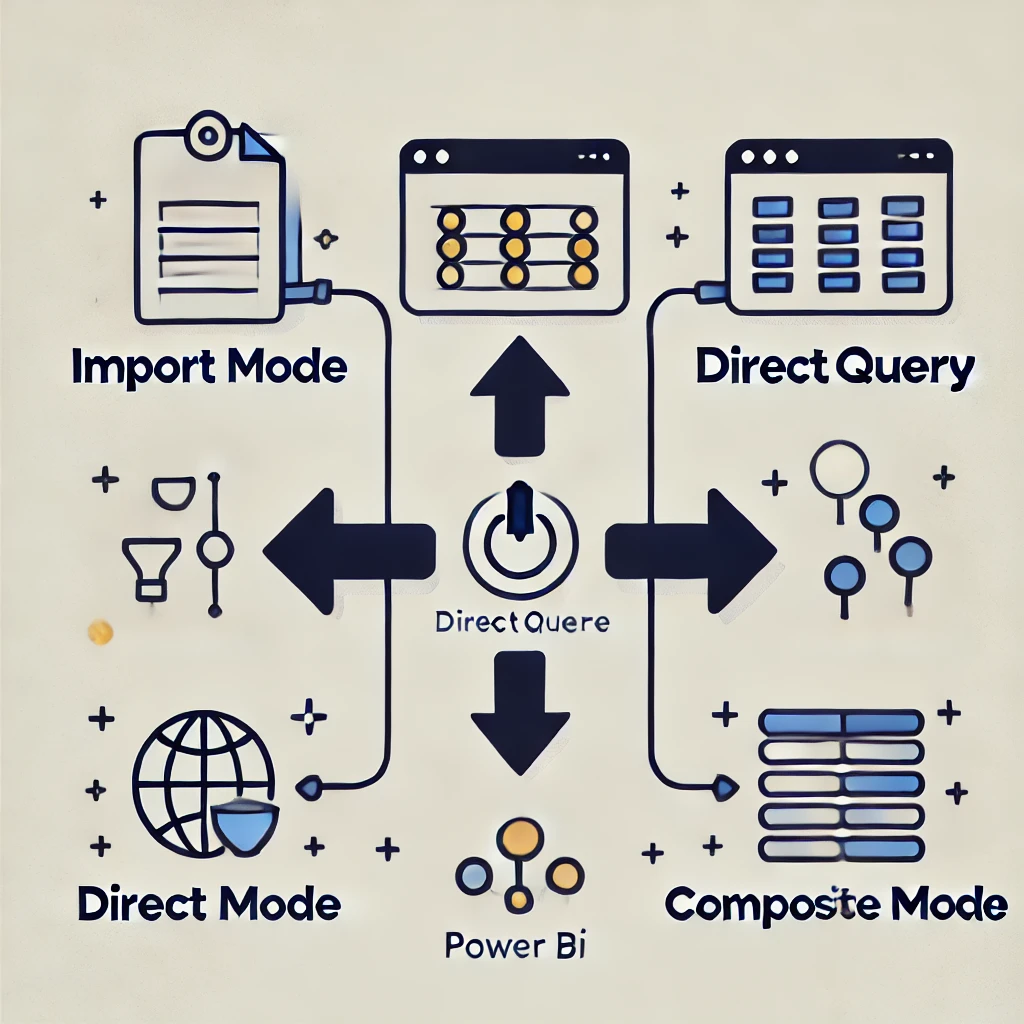
    1. Import Mode:
      In this mode, Power BI copies the data from the source. This is ideal for datasets that change infrequently or are manageable in size. However, data model size restrictions may apply, making it less suitable for extremely large datasets.
    2. DirectQuery Mode:
      DirectQuery connects directly to the data source without copying it. This is useful for real-time analysis and for working with datasets that exceed Power BI’s import limitations. However, performance may be affected as every interaction queries the source.
    3. Composite Mode:
      Combining both Import and DirectQuery modes, Composite Mode allows flexibility in handling multiple data sources while optimizing performance. Frequently accessed data can be imported, while other data remains in DirectQuery.

    Optimizing Power BI for Big Data

    To effectively manage big data in Power BI, strategic planning is essential. Here are some best practices:

    1. Data Modeling:
      Design efficient data models by creating relationships between tables, defining hierarchies, and optimizing data structures. This reduces complexity and enhances query performance.
    2. Data Reduction Techniques:
      Implement data reduction strategies like aggregations, filtering unnecessary data, and using summary tables. This ensures Power BI processes only essential data.
    3. Incremental Refresh:
      For large datasets that update regularly, set up incremental refreshes to update only the new or changed data. This reduces processing time and resource usage.
    4. Performance Monitoring:
      Regularly monitor performance metrics within Power BI to identify bottlenecks. Using tools like Power BI’s Performance Analyzer can help optimize query performance and rendering times.

    Real-World Applications of Power BI with Big Data

    Organizations worldwide are leveraging Power BI to transform big data into actionable insights:

    • Carnegie Mellon University:
      CMU utilized Power BI to provide employees with dashboards showing power consumption patterns, enabling them to reduce energy usage. This resulted in a 30% decrease in power consumption.
    • Heathrow Airport:
      Heathrow uses Power BI to visualize real-time traffic data, allowing staff to better manage changing conditions. By connecting multiple data sources, they run operations more efficiently.

    Enhancing SEO with Rank Math

    To reach a broader audience, optimizing content for search engines is crucial. Rank Math, a powerful SEO plugin for WordPress, streamlines this process by offering:

    1. SEO Analysis Tool:
      Comprehensive SEO analysis with actionable recommendations to enhance website performance.
    2. On-Page Optimization:
      Real-time suggestions for meta tags, readability, and keyword usage.
    3. Schema Markup:
      Easily add schema markup to enhance search engine visibility.

    Best Practices for Using Rank Math

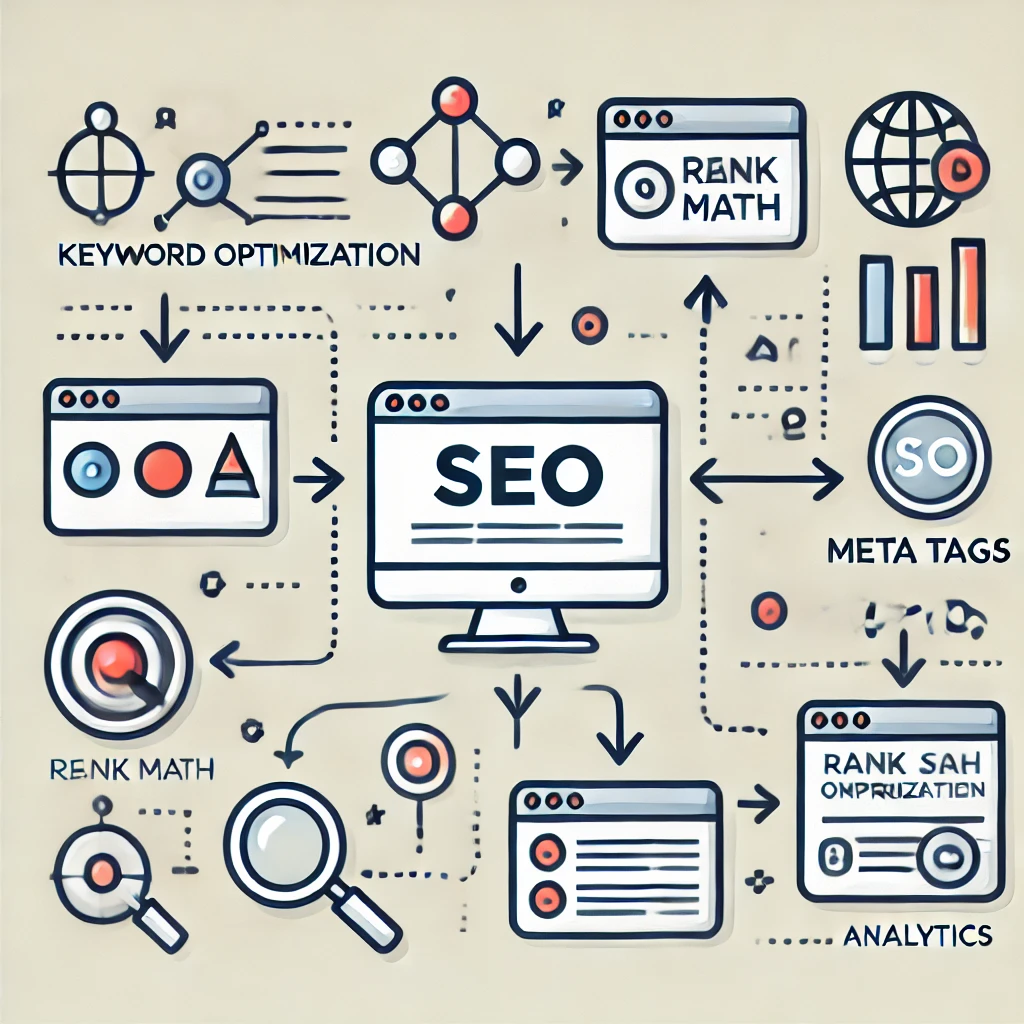
    • Keyword Optimization:
      Conduct thorough keyword research and strategically incorporate keywords using Rank Math’s on-page SEO analysis tool.
    • Optimize Meta Tags:
      Create compelling meta titles and descriptions to attract users and improve click-through rates.
    • Leverage Analytics:
      Utilize Rank Math’s Analytics feature to track performance, keyword rankings, and user engagement.

    Conclusion

    The integration of Power BI with big data empowers organizations to make data-driven decisions, optimize operations, and innovate with confidence. As businesses continue to navigate the complexities of modern markets, leveraging advanced analytics tools like Power BI is not just an advantage—it’s a necessity.

    At Aibuzz.net, we specialize in implementing Power BI solutions tailored to your business needs. Our team of experts ensures seamless data integration, powerful analytics, and intuitive visualizations, enabling you to harness the full potential of big data.

    Ready to transform your data into actionable insights?
    Contact Aibuzz.net today and take the first step toward a smarter, data-driven future!

    Visit Aibuzz.net
    Email: info@aibuzz.net

    Call: 91 9967940928

  • Secure Software Development: A Comprehensive Guide

    Secure Software Development: A Comprehensive Guide

    In today’s digital era, secure software development is not just an option; it’s a necessity. As cyber threats evolve and become more sophisticated, the need to integrate security measures throughout the software development lifecycle is more pressing than ever. This guide explores the significance of secure software development, essential practices to adopt, and how Aibuzz.net can help you build resilient and secure software solutions.


    What is Secure Software Development?

    Secure software development is the process of designing, coding, and deploying software with security in mind. Unlike traditional development approaches where security is an afterthought, secure software development integrates security practices at every stage—from requirements gathering to deployment and maintenance. This proactive approach helps identify and mitigate potential security risks early, reducing vulnerabilities and ensuring robust protection against cyber threats.


    Why is Secure Software Development Important?

    1. Protection Against Cyber Threats: Cyberattacks are constantly evolving, targeting software vulnerabilities to steal data or cause disruption. Secure software development minimizes these risks by identifying and addressing security flaws early in the development process.
    2. Data Integrity and Privacy: Ensuring the security of sensitive user data is crucial for maintaining trust and complying with data protection regulations such as GDPR and CCPA.
    3. Cost Efficiency: Fixing security issues during the development phase is significantly more cost-effective than patching them after deployment.
    4. Regulatory Compliance: Many industries have strict regulatory requirements related to software security. Integrating secure development practices helps in maintaining compliance with these standards.
    5. Brand Reputation: A security breach can severely damage a company’s reputation. Secure software development protects your brand’s integrity by reducing the chances of a security incident.

    Key Principles of Secure Software Development

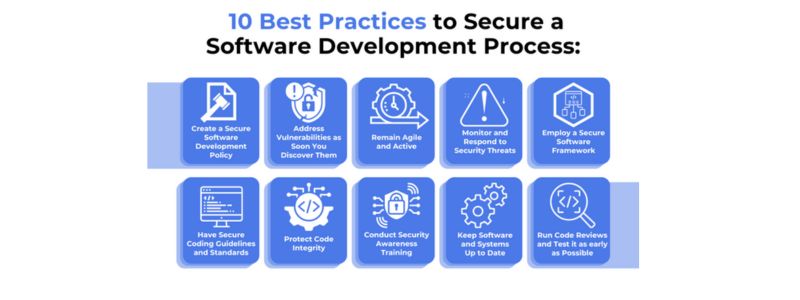
    1. Shift-Left Security: Security should be integrated early in the development lifecycle. By identifying and addressing vulnerabilities at the coding stage, developers can minimize security risks and reduce remediation costs.
    2. Secure Coding Practices: Adopting secure coding guidelines, such as input validation, output encoding, and proper error handling, reduces vulnerabilities like SQL injection, cross-site scripting (XSS), and buffer overflows.
    3. Threat Modeling: Threat modeling helps identify potential security threats and vulnerabilities by anticipating how malicious actors might exploit the system.
    4. Continuous Security Testing: Regular security testing, including static analysis, dynamic analysis, and penetration testing, ensures vulnerabilities are identified and fixed promptly.
    5. Automated Security Tools: Implementing automated tools for security testing, code review, and vulnerability scanning streamlines the secure software development process.
    6. Secure Deployment: Ensuring secure deployment configurations and regular updates to libraries and dependencies reduces exposure to known vulnerabilities.
    7. Access Control and Authentication: Implementing strong access controls and multi-factor authentication mechanisms prevents unauthorized access to sensitive data and systems.

    Secure Software Development Lifecycle (SSDLC)

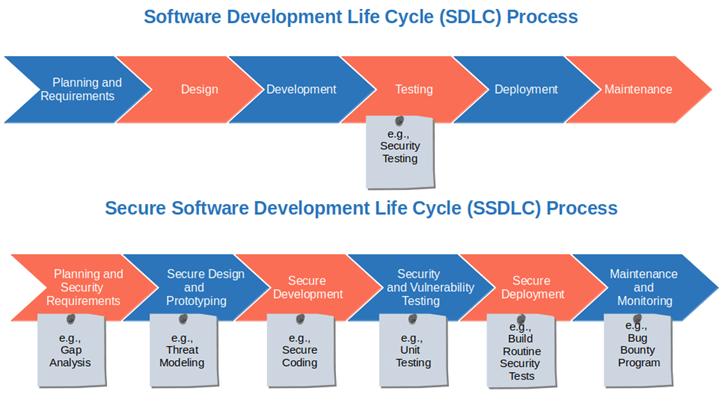
    A Secure Software Development Lifecycle (SSDLC) integrates security practices into each phase of the software development lifecycle. Here’s how it works:

    1. Requirements Gathering: Identify security requirements early, including compliance needs, data security, and threat models.
    2. Design Phase: Incorporate secure architecture design, threat modeling, and risk analysis.
    3. Development Phase: Adopt secure coding practices and conduct static code analysis.
    4. Testing Phase: Perform security testing, including vulnerability assessments, penetration testing, and dynamic analysis.
    5. Deployment Phase: Ensure secure deployment configurations, including access controls and network security measures.
    6. Maintenance and Monitoring: Continuously monitor for vulnerabilities, apply patches, and conduct periodic security audits.

    Best Practices for Secure Software Development

    1. Adopt DevSecOps Culture: DevSecOps integrates security into DevOps practices, promoting collaboration between development, security, and operations teams.
    2. Use Secure Libraries and Frameworks: Always use trusted and updated libraries and frameworks to minimize third-party vulnerabilities.
    3. Encrypt Sensitive Data: Ensure data is encrypted in transit and at rest to protect against data breaches.
    4. Perform Code Reviews: Peer code reviews help identify security flaws that automated tools might miss.
    5. Security Training for Developers: Regular security awareness training for developers ensures they are well-versed in secure coding practices.
    6. Incident Response Planning: Have a robust incident response plan to quickly mitigate security incidents and reduce their impact.

    Tools for Secure Software Development

    1. Static Application Security Testing (SAST): Tools like SonarQube and Checkmarx analyze source code to detect security vulnerabilities.
    2. Dynamic Application Security Testing (DAST): Tools like OWASP ZAP and Burp Suite perform runtime analysis to find security flaws.
    3. Dependency Scanners: Tools like Snyk and Dependabot help identify vulnerabilities in third-party libraries and dependencies.
    4. Container Security: Tools like Aqua Security and Twistlock ensure secure container configurations and prevent container-based attacks.
    5. CI/CD Integration: Integrate security testing tools within CI/CD pipelines for continuous security validation.

    How Aibuzz.net Ensures Secure Software Development

    At Aibuzz.net, we understand the importance of building secure and reliable software solutions. Our team of experienced developers and security experts follow industry best practices and implement advanced security measures throughout the software development lifecycle. Here’s how we do it:

    1. Comprehensive Security Assessment: We conduct thorough security assessments, including threat modeling, vulnerability scanning, and penetration testing.
    2. Secure Coding Standards: Our developers adhere to secure coding guidelines to minimize vulnerabilities.
    3. Continuous Monitoring and Updates: We provide continuous monitoring services to detect and respond to emerging threats promptly.
    4. DevSecOps Integration: By integrating security into our DevOps practices, we ensure continuous security validation at every stage of the development process.
    5. Compliance Assurance: We ensure our software solutions comply with industry regulations, including GDPR, HIPAA, and PCI DSS.

    Conclusion

    In a world where cyber threats are constantly evolving, secure software development is more critical than ever. By adopting a proactive approach and integrating security at every stage of the software development lifecycle, organizations can safeguard sensitive data, maintain regulatory compliance, and protect their brand reputation.

    At Aibuzz.net, we specialize in delivering secure software solutions tailored to meet your business needs. Our team of experts is committed to implementing the latest security practices and technologies to ensure your software remains resilient against cyber threats.

    Contact us today at Aibuzz.net to learn more about our secure software development services and how we can help you build reliable and secure software solutions.


  • IT networking services

    IT networking services

    Comprehensive Guide to IT Networking Services: Enhancing Connectivity and Security

    In today’s digital age, efficient IT networking services are crucial for business success. They enable seamless communication, data transfer, and resource sharing, ensuring smooth operations. This guide explores the essentials of IT networking services, including their importance, main components, benefits, and best practices.

    What Are IT Networking Services?

    IT networking services connect computers, devices, and systems within an organization, facilitating effective communication and resource sharing. These services are fundamental for maintaining efficient workflows and secure data exchange. Key components include:

    • Local Area Networks (LANs): Connect devices within a limited area, such as an office, enabling resource sharing and internal communication.
    • Wide Area Networks (WANs): Link multiple LANs across various locations, ensuring seamless communication between different branches.
    • Virtual Private Networks (VPNs): Secure remote access to the organization’s network, supporting remote work and data protection.
    • Network Security Services: Include firewalls, intrusion detection, and encryption to safeguard data integrity and privacy.
    • Cloud Networking: Utilizes cloud-based services to enhance flexibility and scalability.

    Advantages of IT Networking Services

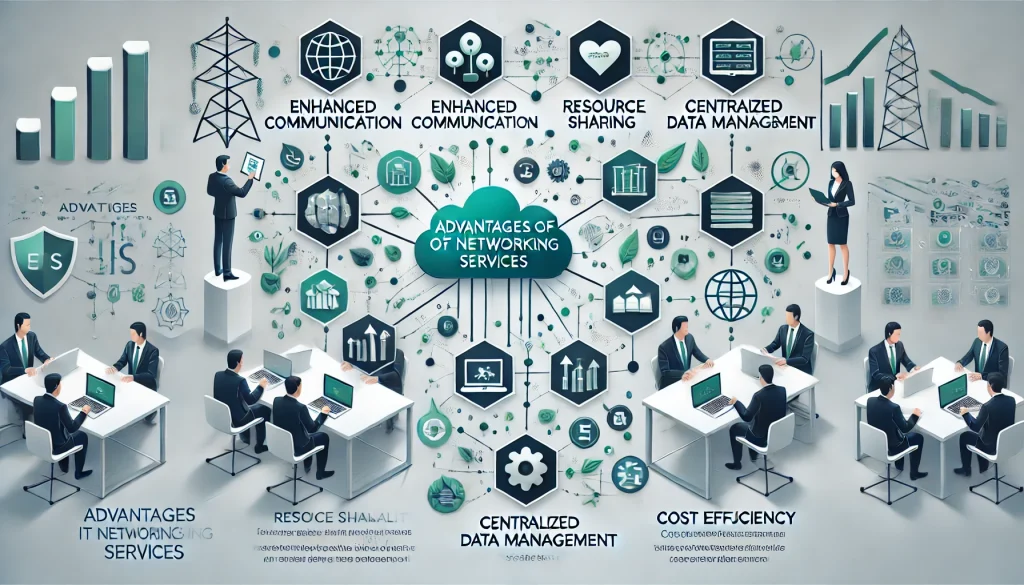
    Effective IT networking services provide several benefits:

    • Enhanced Communication: Facilitates instant communication via emails, messaging, and video calls.
    • Resource Sharing: Enables multiple users to access shared resources like files, printers, and applications, increasing efficiency.
    • Centralized Data Management: Simplifies data storage, backup, and retrieval.
    • Scalability: Easily accommodates organizational growth, supporting additional users and devices.
    • Cost Efficiency: Streamlines processes and reduces operational costs through resource consolidation.

    Best Practices for Implementing IT Networking Services

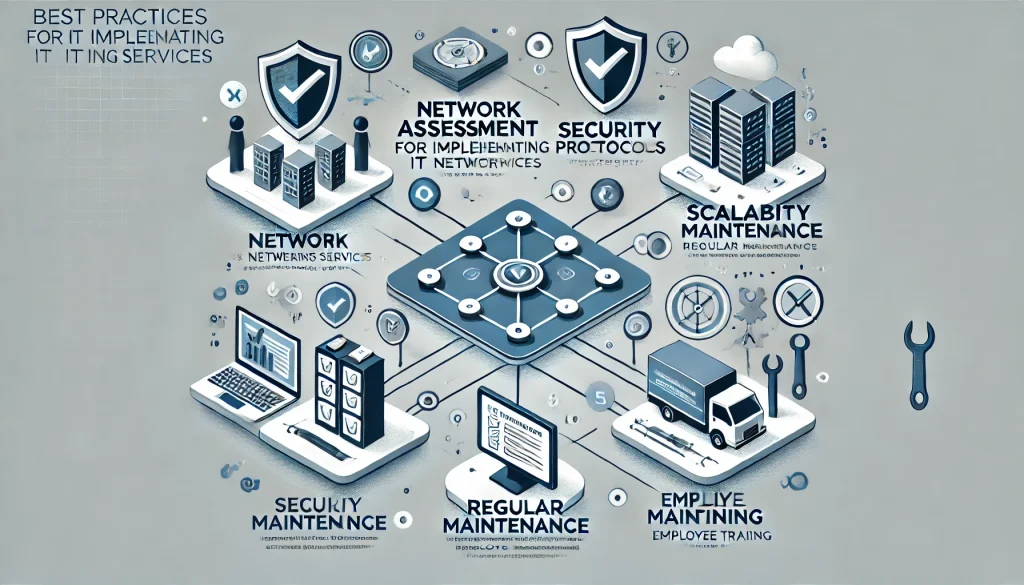
    To maximize the potential of IT networking services, consider these best practices:

    • Network Assessment: Evaluate existing infrastructure to identify areas for improvement.
    • Security First: Implement strong security measures to protect against cyber threats.
    • Scalable Design: Build a network that can grow with your business needs.
    • Regular Maintenance: Perform routine checks and updates for optimal performance.
    • Employee Training: Educate staff on secure and efficient network usage.

    Optimizing IT Networking Content for SEO with Rank Math

    For broader reach, optimizing your content for search engines is essential. Rank Math is a powerful SEO plugin that can enhance your online visibility.

    • Keyword Research: Identify relevant keywords like “IT networking services,” “network security,” and “cloud networking.” Use them naturally within your content.
    • Quality Content: Provide informative, engaging, and well-structured content that addresses common IT networking challenges.
    • On-Page Optimization: Leverage Rank Math to optimize meta titles, descriptions, and headings. Include focus keywords strategically, such as in titles and subheadings.
    • Internal Linking: Enhance user engagement and SEO by linking to related articles on your website. Rank Math can help you find internal linking opportunities.
    • Image Optimization: Use relevant images with descriptive alt text containing focus keywords to boost search engine rankings.
    • SEO Analysis: Utilize Rank Math’s analysis tool to evaluate and improve your content’s SEO performance.

    Conclusion

    Implementing robust IT networking services is essential for businesses seeking improved communication, efficient data management, and scalability. At Aibuzz.net, we offer tailored networking solutions that enhance connectivity and secure data exchange. Our expertise helps organizations optimize their network infrastructure to meet evolving demands.

    By adopting industry best practices and utilizing advanced SEO tools like Rank Math, we ensure our insights on IT networking services reach the right audience. We are committed to staying ahead of the latest trends and technologies, ensuring our clients benefit from cutting-edge solutions.

    At Aibuzz.net, we recognize that mastering IT networking services is an ongoing journey. We are dedicated to helping your business stay connected, secure, and scalable. Contact us today to discover how we can enhance your network’s efficiency and support your business success.

  • CI/CD pipeline development

    CI/CD pipeline development


    In today’s fast-paced software development landscape, implementing an effective Continuous Integration and Continuous Deployment (CI/CD) pipeline is crucial for delivering high-quality applications efficiently. A well-structured CI/CD pipeline automates the software delivery process, ensuring rapid and reliable deployments. In this comprehensive guide, we’ll explore the key components of CI/CD pipeline development, best practices to follow, and how to optimize your content for search engines using Rank Math.

    Understanding CI/CD Pipelines

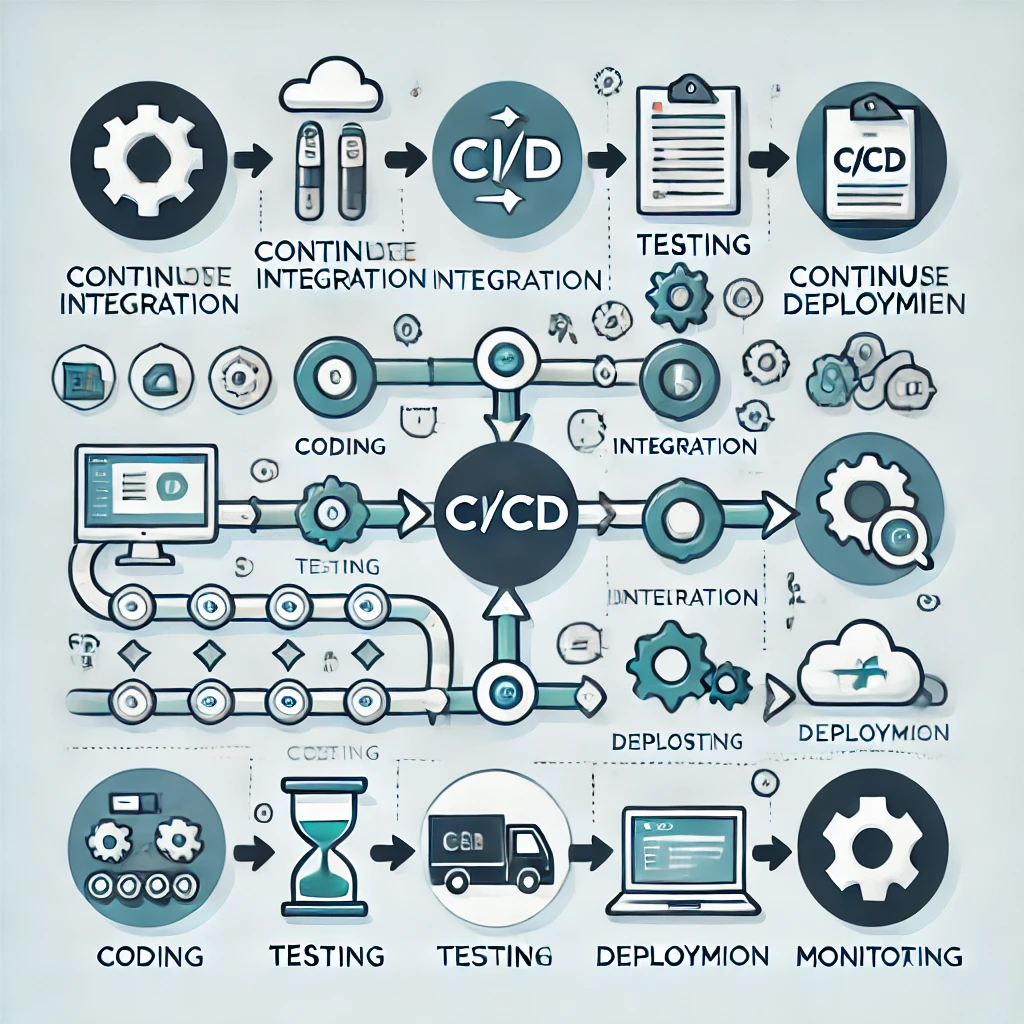
    A CI/CD pipeline is a series of automated processes that enable development teams to integrate code changes, run tests, and deploy applications seamlessly. The primary goals are to detect issues early, reduce manual interventions, and accelerate the release cycle.

    Key Components of a CI/CD Pipeline

    1. Source Code Management (SCM): Utilize version control systems like Git to manage code repositories, track changes, and collaborate effectively.
    2. Continuous Integration (CI): Automatically integrate code changes from multiple contributors into a shared repository, triggering automated builds and tests to identify defects early.
    3. Automated Testing: Implement various testing stages, including unit tests, integration tests, and end-to-end tests, to ensure code quality and functionality.
    4. Continuous Deployment (CD): Automate the deployment process to deliver applications to production or staging environments with minimal manual intervention.
    5. Monitoring and Feedback: Set up monitoring tools to track application performance and gather user feedback for continuous improvement.

    Best Practices for CI/CD Pipeline Development

    To build a robust and efficient CI/CD pipeline, consider the following best practices:

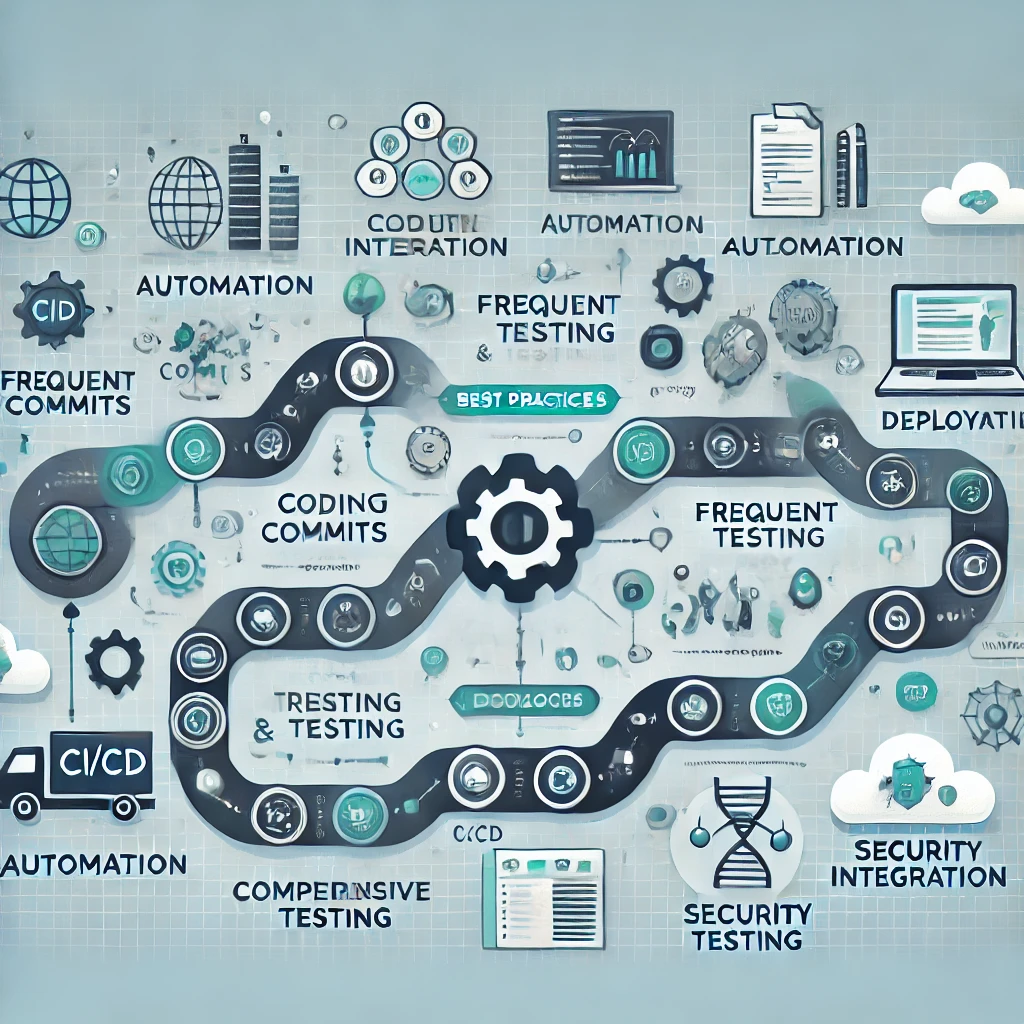
    1. Automate Everything: Automation is the cornerstone of a successful CI/CD pipeline. Automate code integration, testing, deployment, and even environment provisioning to minimize human errors and speed up the release process.
    2. Commit Frequently: Encourage developers to commit code changes regularly. Frequent commits lead to smaller code changes, making it easier to identify and fix issues promptly.
    3. Implement Comprehensive Testing: Incorporate a variety of tests, such as unit tests, integration tests, and performance tests, to ensure that the application functions as intended and meets performance standards.
    4. Maintain a Single Source of Truth: Use a centralized version control system to ensure that all team members work with the same codebase, reducing conflicts and inconsistencies.
    5. Monitor and Optimize: Continuously monitor the pipeline’s performance and gather metrics to identify bottlenecks. Use this data to optimize processes and improve efficiency.
    6. Ensure Security: Integrate security checks within the pipeline to detect vulnerabilities early. Implement practices like static code analysis and dependency scanning to maintain a secure codebase.

    Optimizing Your CI/CD Content for SEO with Rank Math

    To ensure that your content on CI/CD pipeline development reaches a wider audience, it’s essential to optimize it for search engines. Rank Math is a powerful SEO plugin that can assist in this process.

    1. Keyword Research: Identify relevant keywords such as “CI/CD pipeline development,” “Continuous Integration best practices,” and “automated deployment strategies.” Use these keywords naturally throughout your content to improve search visibility.
    2. High-Quality Content: Create informative and engaging content that provides value to readers. Ensure that your content is well-structured, easy to read, and addresses common questions or challenges related to CI/CD pipelines.
    3. On-Page Optimization: Use Rank Math to optimize meta titles, descriptions, and headings. Ensure that your focus keyword appears in strategic locations, such as the title, first paragraph, and subheadings.
    4. Internal Linking: Link to other relevant articles or resources within your website to keep readers engaged and improve SEO. Rank Math can help identify opportunities for internal linking.
    5. Image Optimization: Include relevant images with descriptive alt text that incorporates your focus keywords. This not only enhances user experience but also improves search engine rankings.
    6. SEO Analysis: Utilize Rank Math’s SEO analysis tool to assess your content’s optimization level. Follow the recommendations provided to enhance your content’s SEO performance.

    Conclusion

    Developing a robust CI/CD pipeline is essential for modern software development, enabling teams to deliver high-quality applications efficiently. By following best practices such as automating processes, committing code frequently, and implementing comprehensive testing, you can build a resilient pipeline. Additionally, optimizing your content for search engines using tools like Rank Math will ensure that your insights on CI/CD pipeline development reach a broader audience.

    At Aibuzz.net, we specialize in building and optimizing CI/CD pipelines tailored to your business needs. Our team of experts ensures seamless integration, automated testing, and reliable deployments to enhance your software delivery process. Whether you are just starting with CI/CD or looking to optimize your existing pipeline, Aibuzz.net has the solutions to help you succeed.

    Contact us today at Aibuzz.net to learn more about our CI/CD pipeline development services and how we can accelerate your software delivery lifecycle. Let’s innovate together and take your development process to the next level!

  • windows 10 mixed reality

    windows 10 mixed reality

    Introduction

    Mixed Reality (MR) is changing the way we interact with technology, blurring the lines between the digital and physical worlds. With Windows 10, Microsoft has introduced an immersive platform that allows users to experience augmented reality (AR) and virtual reality (VR) like never before. Windows 10 Mixed Reality combines elements of both AR and VR, offering a seamless interface to explore new possibilities in gaming, education, business, and entertainment.

    In this blog, we’ll dive into the key features of Windows 10 Mixed Reality, how it works, and its potential benefits. Whether you’re a gamer, developer, or business professional, Mixed Reality is opening up endless opportunities for innovation.

    What is Windows 10 Mixed Reality?

    Windows 10 Mixed Reality is an immersive technology that allows users to experience digital content in a way that merges the physical and virtual environments. It combines virtual reality (VR) with augmented reality (AR), enabling users to interact with digital objects in real-time while still being aware of the real world around them. By leveraging the hardware and software capabilities of Windows 10, MR enables users to explore a wide range of applications in a fully immersive environment.

    Key Features of Windows 10 Mixed Reality

    1. Immersive Experience
      Windows 10 Mixed Reality delivers an immersive experience by providing a fully 3D environment where digital objects interact with the physical world. Whether you’re gaming, attending virtual meetings, or creating 3D content, Mixed Reality allows you to explore new dimensions.
    2. Compatibility with VR Headsets
      One of the standout features of Windows 10 MR is its compatibility with a wide range of VR headsets. From high-end devices like the HTC Vive and Oculus Rift to more affordable headsets such as the Windows Mixed Reality headsets, it offers flexibility for both casual users and professionals.
    3. Windows Mixed Reality Portal
      The Windows Mixed Reality Portal is your gateway to MR. This app allows you to set up your MR system, customize your experience, and access a variety of apps and games that support Mixed Reality. The portal is intuitive and easy to navigate, making the setup process quick and straightforward.
    4. Spatial Sound
      One of the standout features of MR is spatial sound. It allows sounds to come from specific directions within your environment, enhancing immersion and providing a more realistic experience. Whether you’re playing a game, watching a movie, or collaborating in a virtual workspace, spatial sound adds a layer of depth to your Mixed Reality experience.
    5. Hand and Motion Tracking
      The ability to track hand movements and gestures in real-time is another breakthrough feature in Windows 10 Mixed Reality. This allows you to interact with virtual objects using your hands, offering a more natural and intuitive experience compared to traditional controllers.
    6. Enhanced Productivity
      Beyond gaming and entertainment, Mixed Reality is increasingly being used to boost productivity. Virtual meetings, remote collaboration, and 3D modeling are just a few areas where MR is being integrated into everyday business operations, offering a new level of interactivity and collaboration.

    How Does Windows 10 Mixed Reality Work?

    The heart of Windows 10 Mixed Reality lies in its integration of both hardware and software. Let’s break it down:

    1. Hardware Requirements
      To run Windows 10 Mixed Reality, you need a compatible PC and headset. Most modern PCs with a capable GPU (Graphics Processing Unit) and sufficient RAM (at least 8GB) can handle the demands of MR. Windows 10 also supports various MR headsets, each offering a different set of features.
    2. Setting Up Mixed Reality
      Setting up your MR system involves installing the necessary drivers, connecting the headset, and configuring your play area. Windows 10 provides an easy-to-follow guide through the setup process. Once everything is configured, the Mixed Reality Portal will guide you through calibration and customization.
    3. Immersive Experiences
      After setup, users can dive into a variety of applications, from games and simulations to productivity tools and educational content. Mixed Reality offers a fully immersive experience, with real-time interactions and digital objects that behave as if they are part of the real world.
    4. Accessing MR Content
      Users can access a wide variety of MR content through the Microsoft Store, where they can download and purchase games, apps, and utilities designed specifically for Mixed Reality. Whether you’re looking for games, education apps, or productivity tools, the Microsoft Store is home to a growing library of MR content.

    Benefits of Windows 10 Mixed Reality

    1. Enhanced Learning and Education
      With the integration of AR and VR, Mixed Reality offers new possibilities in education. Virtual classrooms, 3D simulations, and interactive lessons can bring complex subjects to life, offering a deeper understanding for students.
    2. Immersive Gaming
      For gamers, Windows 10 Mixed Reality offers a more immersive experience than traditional gaming. You can step into your favorite game world, interact with characters, and manipulate the environment in real time, making gaming more exciting and interactive.
    3. Improved Collaboration
      Mixed Reality also enables new ways of collaboration. Remote teams can hold virtual meetings in a shared digital space, interact with 3D models, and work on projects together as though they were in the same room.
    4. Business Applications
      MR is transforming industries, allowing businesses to create virtual showrooms, offer remote support, and engage in virtual prototyping. MR is also being used in architecture and design to create immersive 3D models, enabling better decision-making.

    Call to Action: Discover the Future with Aibuzz.net

    Are you ready to explore the limitless potential of Windows 10 Mixed Reality? At Aibuzz.net, we are at the forefront of technology, offering expert insights and services to help businesses and individuals tap into the world of Mixed Reality. Whether you are looking to integrate MR into your business operations, enhance your gaming experience, or develop MR applications, we have the expertise to guide you through every step of the way.

    Visit Aibuzz.net today to discover how we can help you unlock the power of Mixed Reality and propel your business forward.

    Conclusion

    Windows 10 Mixed Reality is a revolutionary platform that has the potential to change the way we interact with technology. By combining the power of virtual and augmented reality, MR opens up exciting new possibilities in gaming, education, business, and beyond. With its ease of use, compatibility with various headsets, and immersive experiences, it’s clear that Mixed Reality is the future of digital interaction.

    At Aibuzz.net, we’re committed to helping you harness the power of Windows 10 Mixed Reality. Whether you’re looking to boost productivity or explore new realms of gaming, we can help you integrate MR into your world. Don’t miss out on the future of technology – start your Mixed Reality journey today!

    📞 Call: 91 9967940928

    📩 Email: info@aibuzz.net

    🌐 Visit: Aibuzz.net